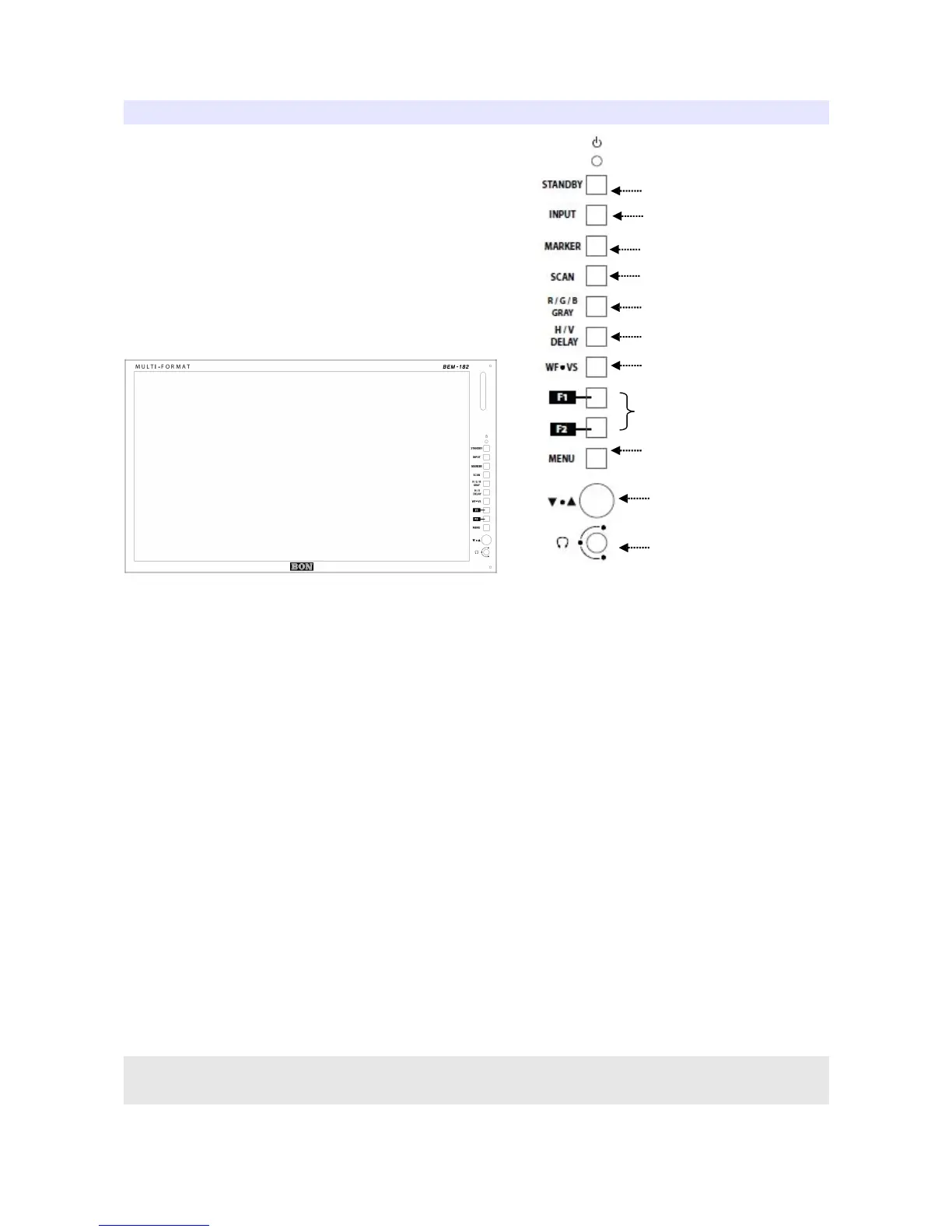
1) Power (Standby) Button
2) Input
HDMI / SDI Input Selection.
3) Marker On/Off
4) Scan
Switches scan mode.
5) R/G/B/Gray
Switches to display Red, Green, Blue or Gray color only.
6) H/V Delay
Displays ancillary data.
7) WF/VS (SDI)
Displays waveform, vectorscope.
* Some afterimage might be left on Waveform when the input picture
freezed long on interlace signal.
5


 To Next Page