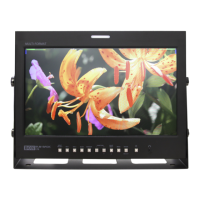
Buttons
Power Switch
turns power on/off.
Menu/Exit
displays the OSD menu or exit from current menu.
Input
selects input signal.
Function 1~3
Activates/deactivates function 1~3.
Audio Out
enables user monitor the audio by headphone.
USB
is used to update the firmware.
Serial
is used to update the firmware or to calibrate color.
DC Power Port
is used to supply power to the monitor. Use up to 12V adapter or up to 18V battery.
Furthermore, tally is automatically turned on/off by tally pins.
External Power
is used to supply power using an external battery up to 18V. Be careful on the electronic
polar direction.
5



 To Next Page