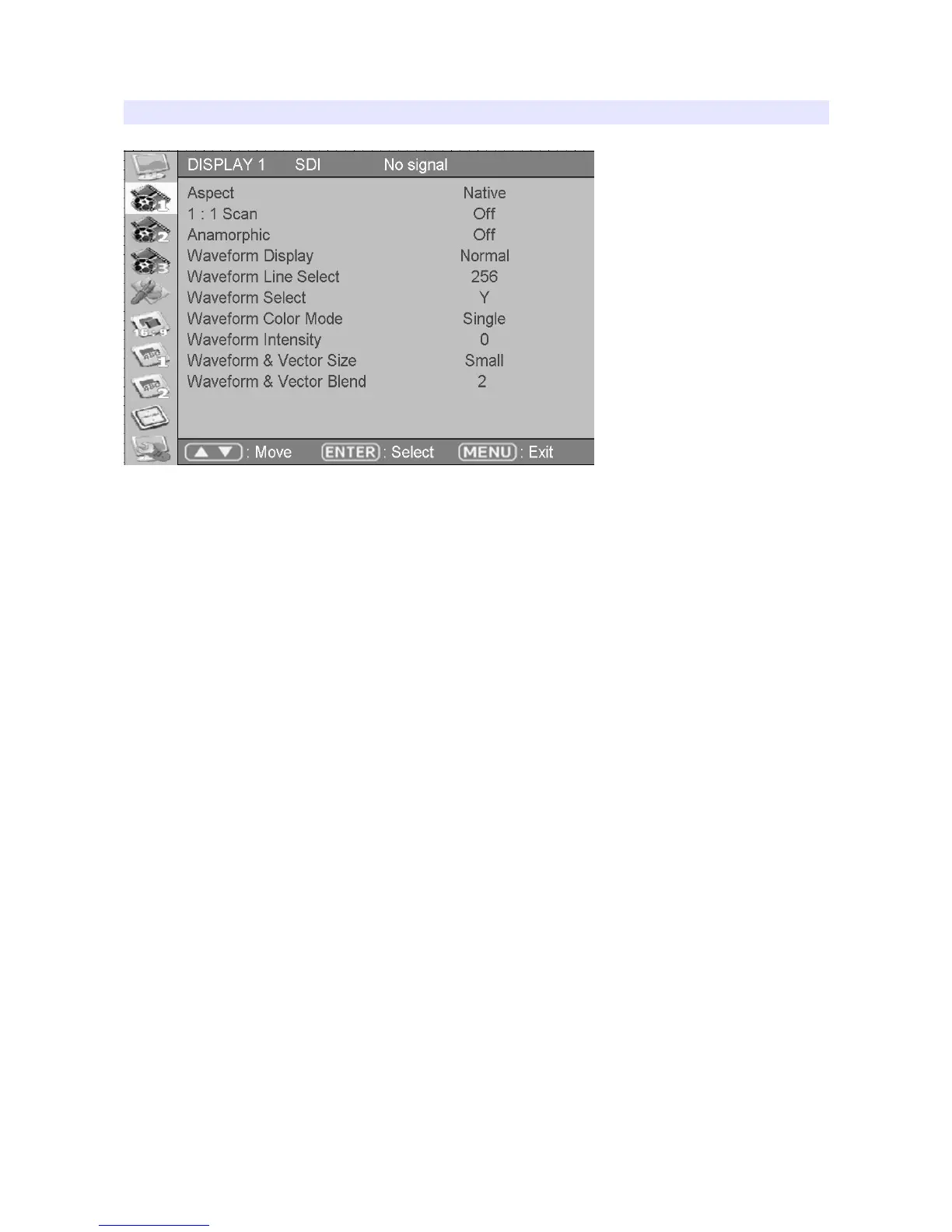
DISPLAY 1
Aspect
Sets the aspect ratio of the screen. 16:9, 4:3, Native(Original) are selectable.
Anarmorphic
Set this mode to resize the screen to 3.56:1, 2.74:1, 2.59:1, 2.55:1, 2.40:1, 2.39:1, 2.35:1,
1.85:1, 1.75:1, 1.66:1, or 1.37:1.
Waveform Display
Select waveform display mode. Choose Normal to analyze whole screen, choose Line
Select to analyze a specific line of the screen.
Waveform Line Select
Select the line when you select Line Select mode for Waveform display.
Waveform Select
Select which color signal to monitor among Y, Cb, or Cr.
Waveform Color Mode
Choose either Single or Mixed.
Waveform Intensity
Set waveform color’s intensity between 0~63.
WFM & Vector Size
Set Waveform and Vectorscope size among three kinds.
9



 To Next Page