30
30MANAGE Mode
30
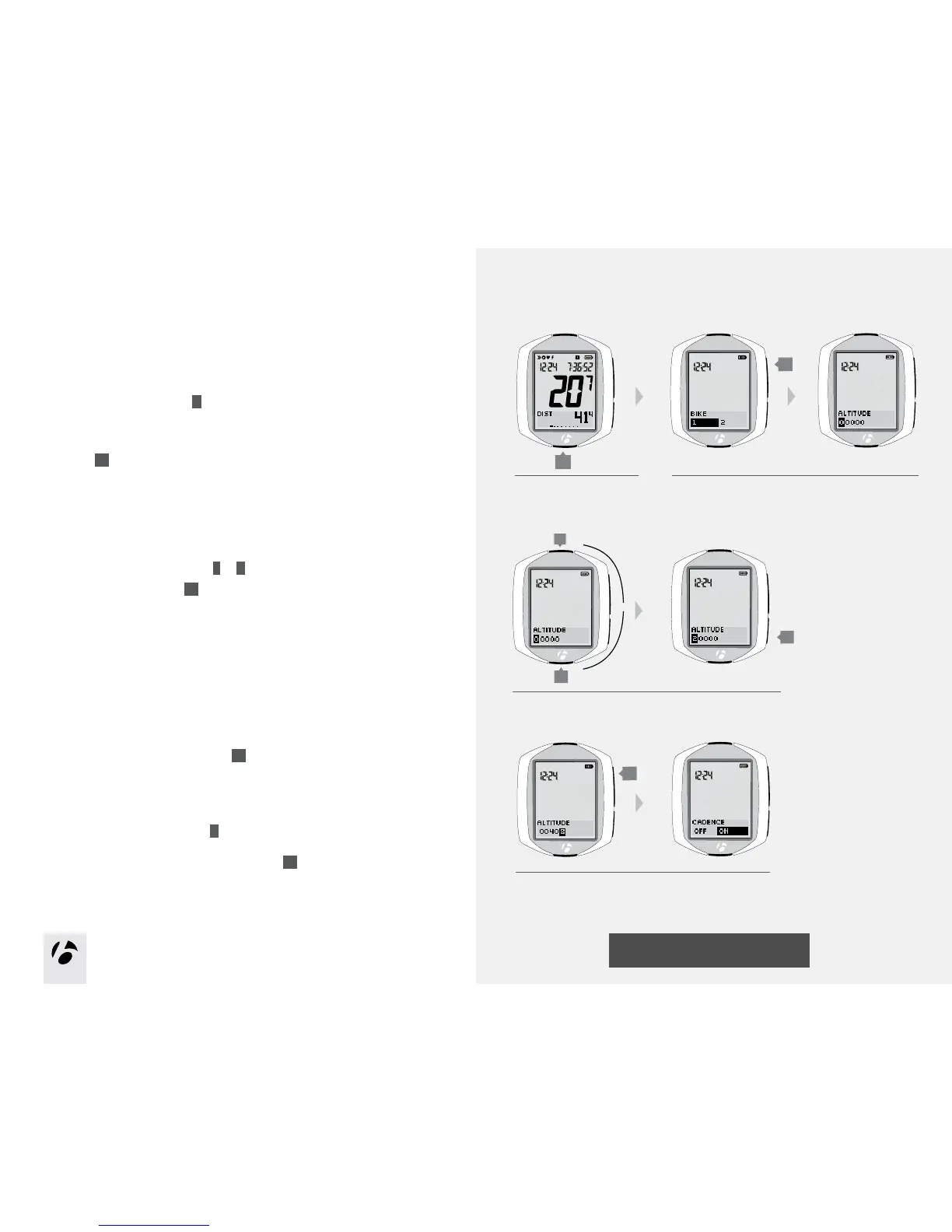
Altitude
Setup
If the NODE is currently showing ALTITUDE, start with Step 3.
1. Enter MANAGE mode. Hold
B
for three seconds.
The Manage mode starts with the Bike Selection display.
2. Browse
s1
to altitude.
3. To change the rst digit, browse
T
or
B
.
To select a number, press
s2
.
After you select a number, the next digit is highlighted.
4. Repeat step 3 for the other four digits.
5. To save your altitude settings, press
s1
.
The display switches to Cadence in Manage mode.
6. Choose one of the following:
•ToreturntoRIDEmode,hold
B
for three seconds.
•FollowtheinstructionstomanageCadenceonthenextpage.
•TobrowsefunctionsinManagemode,press
s1
.
1.
3 and 4.
B
(3 seconds)
T
B
2.
5.
s2
s1
s1
or



 To Next Page