3
3
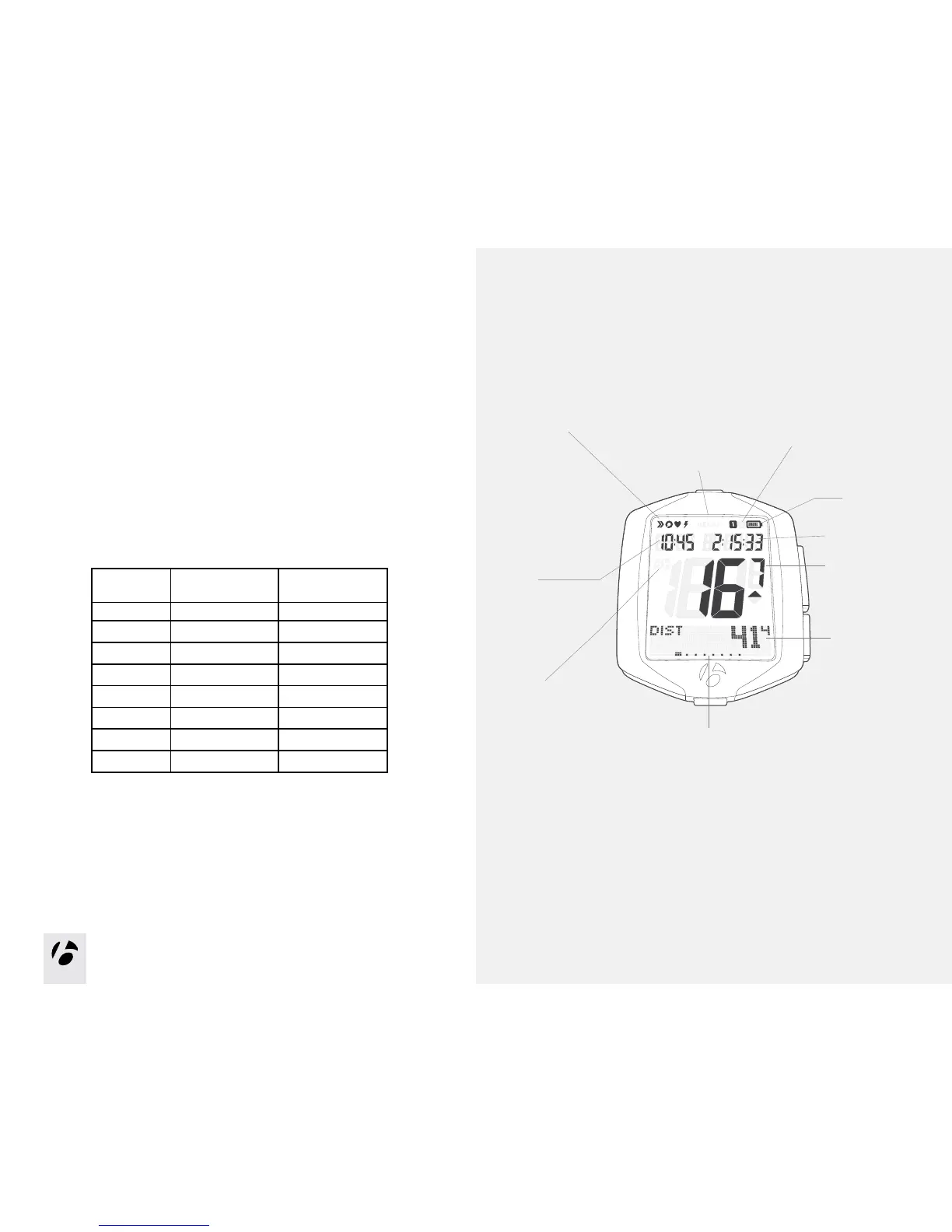
Secondary display
The lower part of the display shows the secondary functions.
When set to Dual View, your computer shows two secondary functions at the
same time. See the section ‘Setting the Dual View’ in the Manage section.
Function list
The NODE 1.1 and NODE 2.1 have different function menus.
NODE 1.1 NODE 2.1
Distance
X X
Dual View
X X
Cadence
X X
Heart rate
X X
Power
X X
Grade
X
Altitude
X
Temperature
X
You can switch most of the sensors to Off or On. If a sensor is switched to Off,
its function does not appear when you browse functions.
Recap Mode
Ride Clock
Clock
Bike Selection
–Bike 1
–Bike 2
Battery
Mode Indicators
Speed
(Primary Display)
Mode
(Secondary Display)
Speed Function Selection
–Current
–Average
–Maximum
Active Sensor Indicators
–Speed
–Cadence
–Power
–Heart Rate



 To Next Page