35
35MANAGE Mode
35
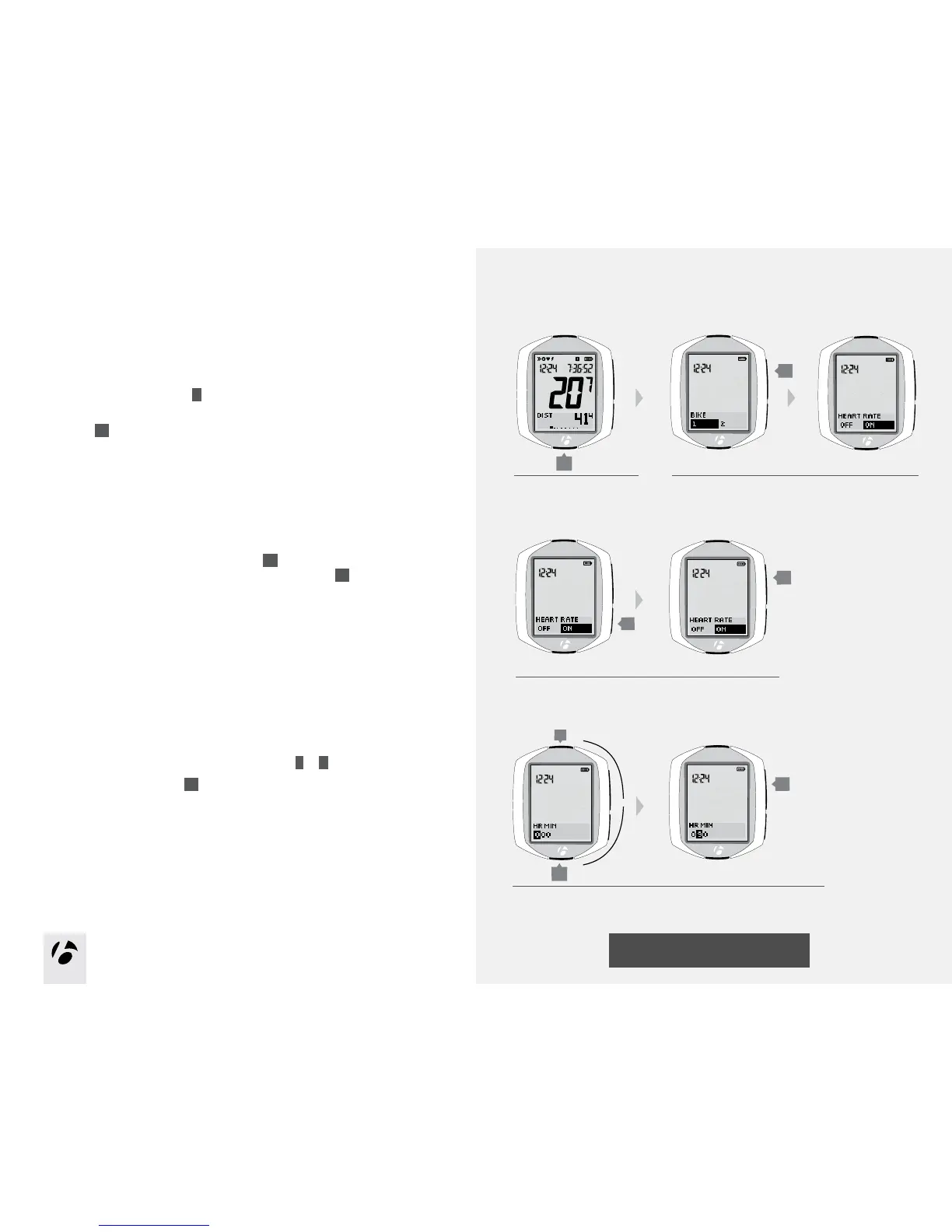
Setup minimum and maximum
If the NODE is currently showing HR MIN, start with Step 4.
1. Enter MANAGE mode. Hold
B
for three seconds.
The Manage mode starts with the Bike Selection display.
2. Browse
s1
to heart rate.
3. If needed, change Heart Rate to On. Press
s2
to change. To save your
choice and proceed to the set Heart Rate function, press
s1
.The rst digit
is highlighted.
4. To change the highlighted HR MIN number, press
T
or
B
.
To select a number, press
s1
.
After you select a number, the next digit is highlighted.
5. Repeat Step 4 for each of the other two digits.
1.
3.
B
(3 seconds)
2.
s2
s1
s1
s1
4 and 5.
T
B
or



 To Next Page