44
44MANAGE Mode
44
5.
T
B
Right Dual
View Function
Node 1.1 Node 2.1
CAD
X X
DIST
X X
TEMP
X X
GRADE
X
PWR
X X
HR
X
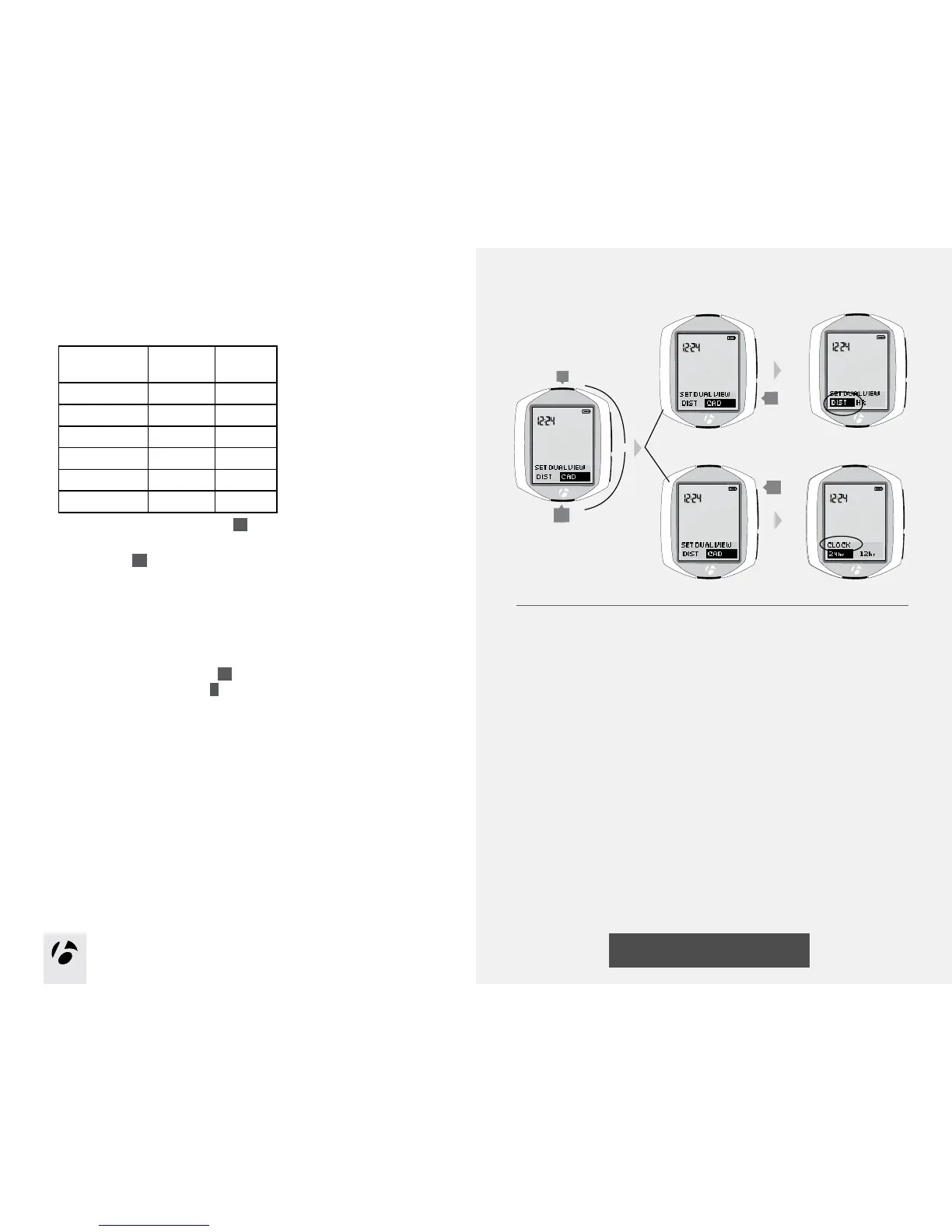
To return to set the left Dual View, press
s2
.
To save your choice of Dual View functions and proceed to the Clock Type
function, press
s1
.
6.Chooseoneofthefollowing:
•FollowtheinstructionstosetClockTypeonpage45.
•Toseeotherfunctions,browse
s1
.
•ToreturntoRIDEmode,hold
B
for three seconds.
s1
s2
or



 To Next Page