NL
FR
D
EN
57
Using the timer without cooking
Example: 29 minutes:
Action Control panel Display
Activatingthehob Press[0/I] Zoneindicatoron
Selecttimer Press[CL] [00]
Selectunits Slideto[9]alongslider [0]on[9]ashes
Conrmunits Press[09] [0ashes][9on]
Selecttens Slideto[2]alongslider [2ashes][9on]
Conrmtens Press[29] [29]
After a few seconds the control light stops with blinking.
Assoonastheselectedcookingtimeisnishedthetimerdisplaysblinking[00]andasound
rings.
Tostopthesoundandtheblinkingitisenoughtopressthedisplay[00].Thehobswitchesoff.
Automatic cooking
Allcookingzonesareequippedwithanautomatic“goandstop”cookingdevice.Thecookingzone
startsatfullpowerduringacertaintime,thenautomaticallyreducesitspowertothepreselected
level.
Programming automatic cooking
Action Control panel Display
Selectzone Press[0]ofthezone [0]andzoneindicatoron
Selectpower Slidealongslider from[0]to[9]
Selectautomaticcooking Press[9]ontheslideragain [9]asheswith[A]
Selectpower Slidealongsliderto[7] from[9]to[8][7]
(e.g.7) to[7] [7]asheswith[A]
Stopping the automatic operation:
Action Control panel Display
Selectzone Press[7]ofthezone [7]asheswith[A]
Selectpower Slidealongslider [1]to[9]or[U]
Expandable zones
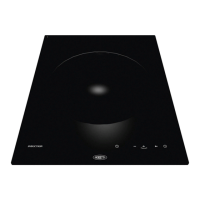
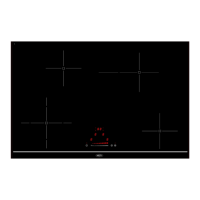
The hob is equipped with expandable zones.
Thisfacilityallowsyoutomatchthecookingzonestothesizeofthepot.


 To Next Page