17
Note: There is a 5 degree deadband required between
heating and cooling setpoints to prevent equipment from
short cycling.
3. If you want to add more periods, then click add period button
and repeat the above 3 steps until you have set all your periods
for the day.
Note: You are allowed a maximum of 8 periods per day.
4. If you want to delete a period, select any bubble corresponding
to that period and click Delete.
5. After you have set up one day of the week, use the Copy section
to mirror the same daily schedule to other days of the week by
clicking on the days you would like to copy that daily set of
periods. Then click next.
Note: If you have not copied your schedule to all 7 days of
the week, you will be required to repeat the above steps until
you have set a schedule for everyday of the week.
On Device
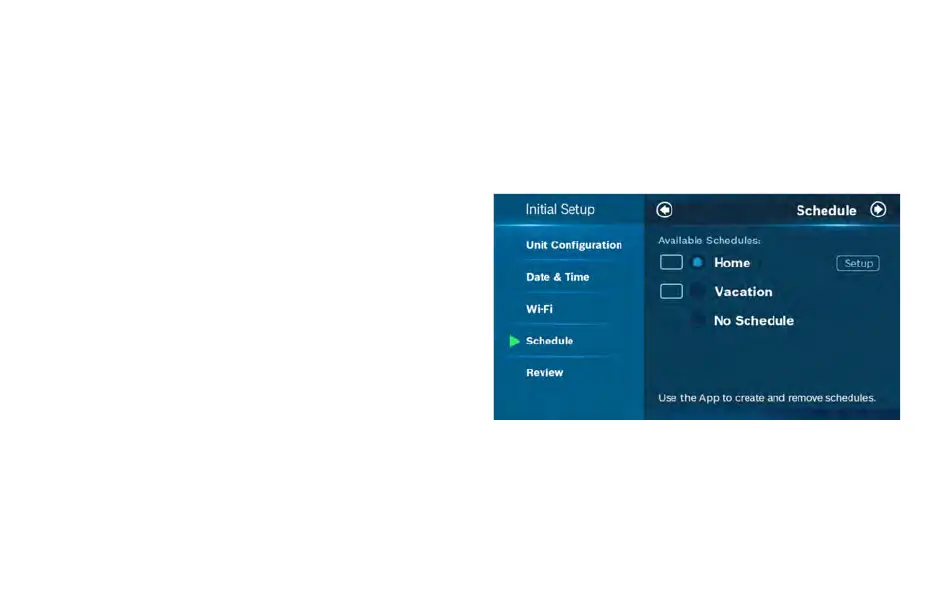
During offline operations, only 2 schedules (Home and Vacation) are
available. However, when a Wi-Fi connection is established, the list
can be expanded up to 4 schedules.
Home
You can use this schedule to set your heating/cooling equipment to
predefined set points. The device initially comes with a factory
default schedule, which can be adjusted as necessary.
Vacation
This schedule will be used to set your heating/cooling equipment to
2 periods with set points (1 heating and 1 cooling) that can be
manually adjusted. However, you will not be able to add additional
or remove current periods. The schedule can be used for vacation
or permanently setting a heating/cooling set point.


 To Next Page