44
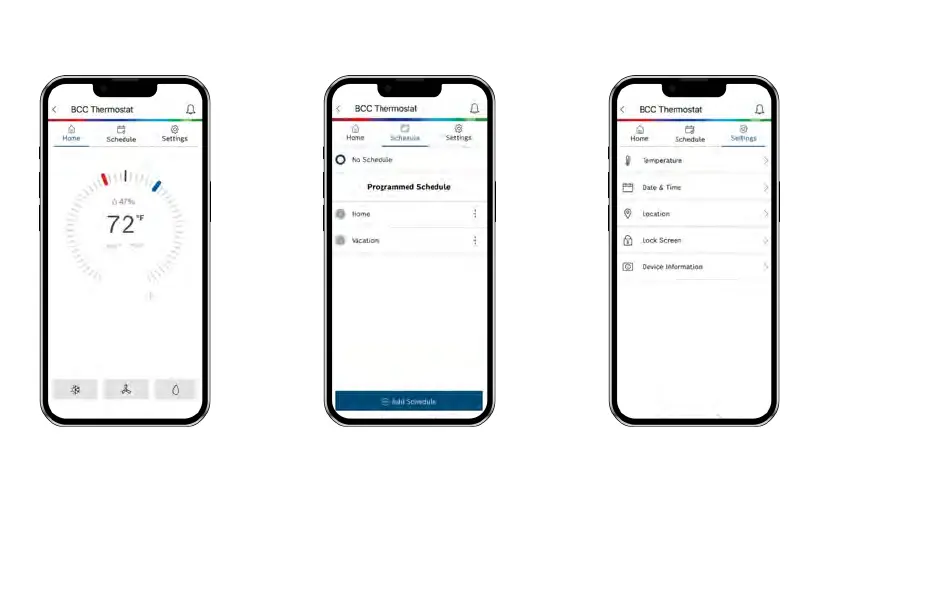
Home
View room temperature and adjust set
point. Use the buttons at the bottom of the
BCC Home tab screen to remotely adjust
the System Mode, Fan Mode and
Accessory Mode.
App Dashboard Overview
Schedule
Select schedule or follow on screen
instructions to edit default schedule or
add new schedules.
Settings
Use the Settings tab to adjust temperature
settings, date & time, location, screen lock,
and view device information.


 To Next Page