Operation
55
Climate 3000i – 6721823682 (2021/02)
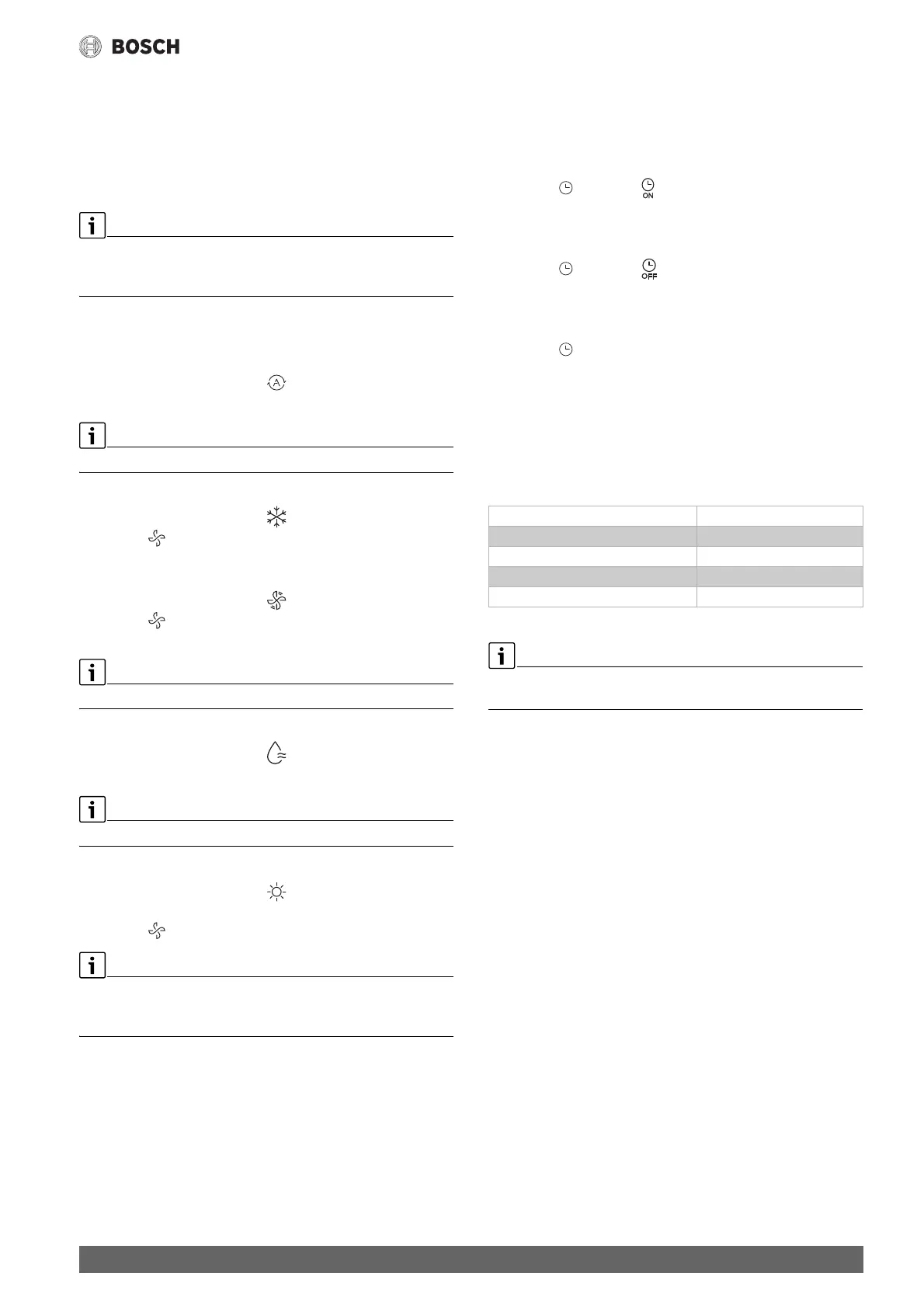
3.4 Setting main operating mode
Switching on/off the unit
▶Pressthe K key to switch the unit on or off:
The unit starts in the set operating mode.
Settings can also be made when the unit is switched off. The unit saves
the settings, and also retains them in the event of a power failure.
After turning off, the unit remains in standby mode. Intelligent on-off
technology enables an automatic energy-saving mode when on standby
mode (1 W standby).
Automatic mode
In automatic mode, the unit automatically switches between heating and
cooling mode to maintain the desired temperature.
▶ Press Mode key repeatedly until appears on the display.
▶ Select the required temperature with the . and / keys.
The fan speed cannot be adjusted in automatic mode.
Cooling mode
▶ Press Mode key repeatedly until appears on the display.
▶ Press the key until the required air speed is reached.
▶ Select the required temperature with the . and / keys.
Fan (Only) mode
▶ Press Mode key repeatedly until appears on the display.
▶ Press the key until the required fan speed is reached. AUTO can
be selected to enable automatic control.
The temperature cannot be adjusted or displayed in fan mode.
Dehumidification mode
▶ Press Mode key repeatedly until appears on the display.
▶ Set the required temperature with the . and / keys.
The fan speed cannot be adjusted in dehumidification mode.
Heating mode
▶ Press Mode key repeatedly until appears on the display.
▶ Set the required temperature with the . and / keys.
▶ Press the key until the required fan speed is reached.
If the outside temperature is very low, the heating capacity of the air
conditioning system may not be sufficient. We recommend connecting
additional heat sources.
3.5 Setting timer
ON and OFF timers can be set to between 0 and 24 hours, in 30-minute
increments for the first 10 hours, then in 1-hour increments. If 0 hours is
set, the timer is cancelled.
Setting the on timer
▶ Press the key until the symbol appears.
▶ Press the . or / key to set the desired time.
The setting is applied shortly afterwards.
Setting the off timer
▶ Press the key until the symbol appears.
▶ Press the . or / key to set the desired time.
The setting is applied shortly afterwards.
Cancelling timer
▶ Press the key to select the corresponding timer.
▶ Set 0.0 hours.
The timer is cancelled after a short time.
Combining timers
The two timers can be set at the same time. Either timer can be
programmed to activate prior to the other
▶ Set the on timer and off timer.
The settings will be automatically combined.
Table 6 Example
You can not program the on timer and off timer to operate the unit at
different temperatures or with other settings.
Current time 13:00 o'clock
Setting of ON timer 4.0 h
Setting of OFF timer 8.5 h
Switch-on time 17:00 o'clock
Switch-off time 21:30 o'clock


 To Next Page
 Loading...