11/18
Bosch Rexroth Canada ı 07.22.2013 ı Revision 2.0
5 Joystick Control
For systems equipped with Joystick Option ONLY.
5.1 Button Status
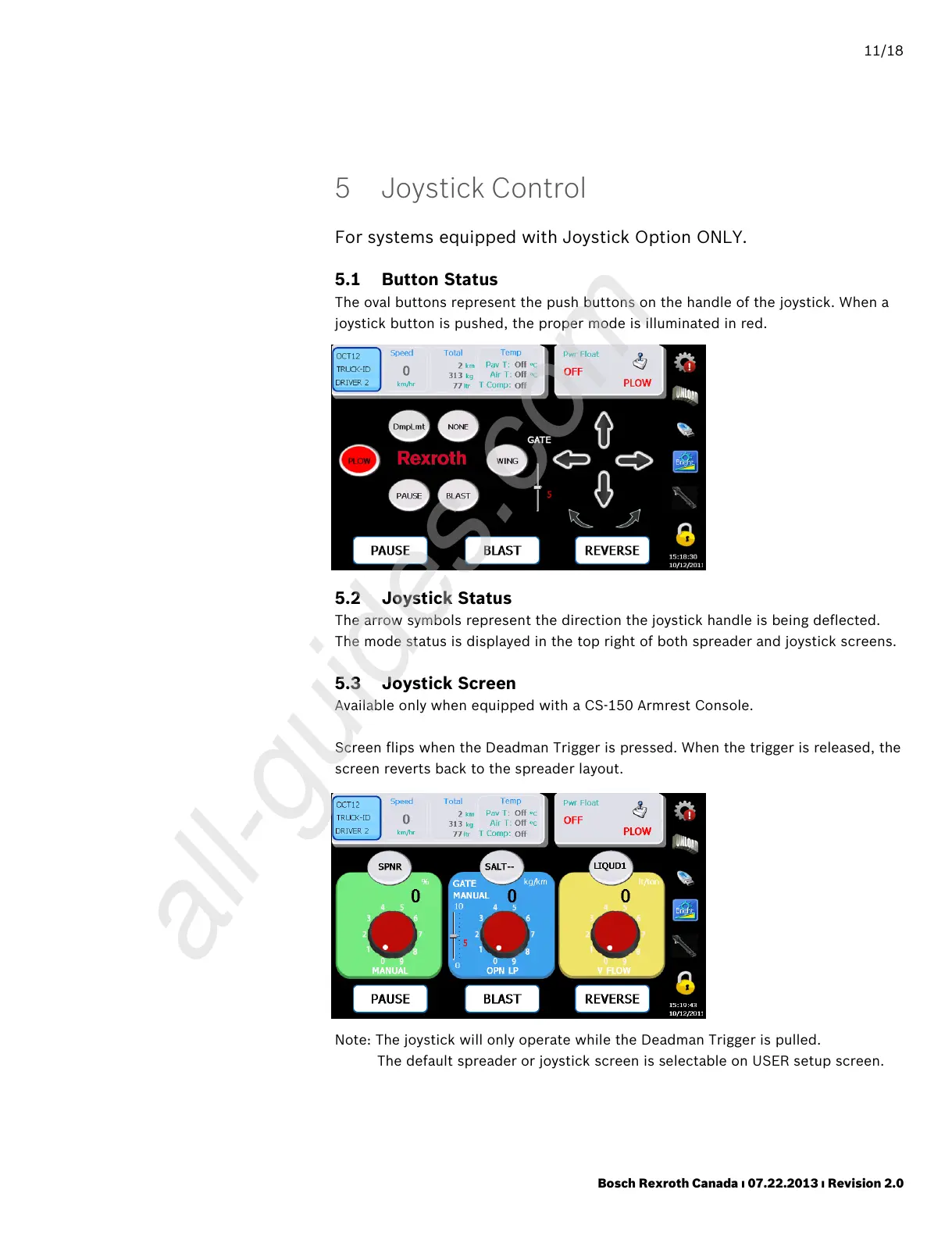
The oval buttons represent the push buttons on the handle of the joystick. When a
joystick button is pushed, the proper mode is illuminated in red.
5.2 Joystick Status
The arrow symbols represent the direction the joystick handle is being deflected.
The mode status is displayed in the top right of both spreader and joystick screens.
5.3 Joystick Screen
Available only when equipped with a CS-150 Armrest Console.
Screen flips when the Deadman Trigger is pressed. When the trigger is released, the
screen reverts back to the spreader layout.
Note: The joystick will only operate while the Deadman Trigger is pulled.
The default spreader or joystick screen is selectable on USER setup screen.



 To Next Page