9/18
Bosch Rexroth Canada ı 07.22.2013 ı Revision 2.0
and to exit unload mode. Moving the vehicle will suspend the unload process. It will
automatically resume when the truck is stopped again.
4
44
4.3
.3.3
.3
Data
Data Data
Data Retrieval
RetrievalRetrieval
Retrieval/Clear Trip Summary
/Clear Trip Summary /Clear Trip Summary
/Clear Trip Summary
With a
With a With a
With a ‘LOG DATA KEY’
‘LOG DATA KEY’‘LOG DATA KEY’
‘LOG DATA KEY’
inserted
inserted inserted
inserted
Press the ‘
‘‘
‘USB
USBUSB
USB’
’’
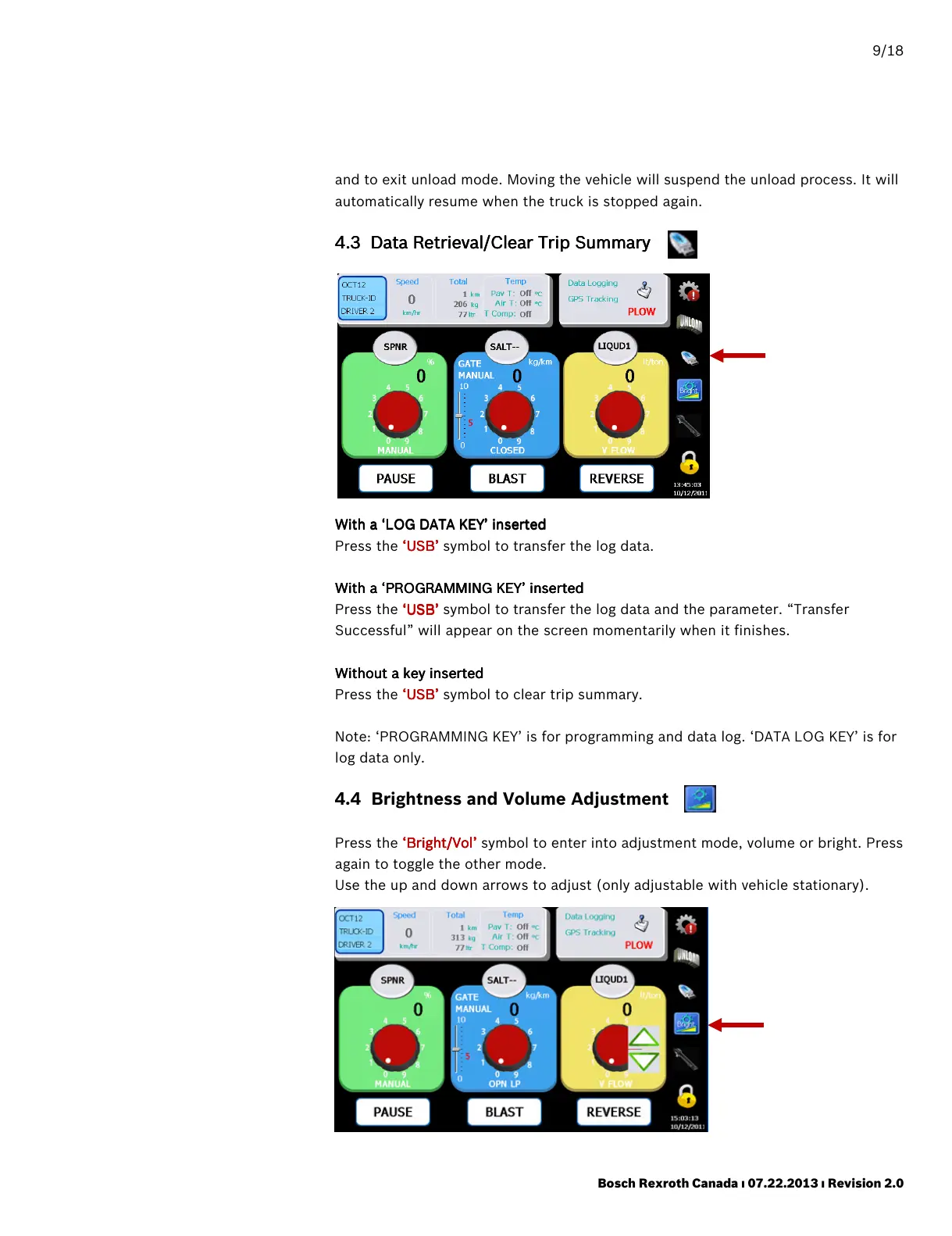
’ symbol to transfer the log data.
With a
With a With a
With a ‘PROGRAMMING KEY’
‘PROGRAMMING KEY’‘PROGRAMMING KEY’
‘PROGRAMMING KEY’
inserted
insertedinserted
inserted
Press the ‘
‘‘
‘USB
USBUSB
USB’
’’
’ symbol to transfer the log data and the parameter. “Transfer
Successful” will appear on the screen momentarily when it finishes.
Without a key inserted
Without a key insertedWithout a key inserted
Without a key inserted
Press the ‘USB’
‘USB’‘USB’
‘USB’ symbol to clear trip summary.
Note: ‘PROGRAMMING KEY’ is for programming and data log. ‘DATA LOG KEY’ is for
log data only.
4.4 Brightness and Volume Adjustment
Press the ‘
‘‘
‘Bright/Vol
Bright/VolBright/Vol
Bright/Vol’
’’
’ symbol to enter into adjustment mode, volume or bright. Press
again to toggle the other mode.
Use the up and down arrows to adjust (only adjustable with vehicle stationary).



 To Next Page