MUX expansion module Mounting | en 15
Bosch Security Systems. Inc. 2016.10 | 1.0 | F.01U.330.684
5 Connector terminal plug 6 Yellow/green wire
connecting the I/O
module to the FACP
ground terminal
If the FPE-7039 board is not mounted to the FACP board, mount
it using the instructions above.
1. Insert the three plastic standoffs (see callout 3 in the above
figure) in the mounting holes in the enclosure.
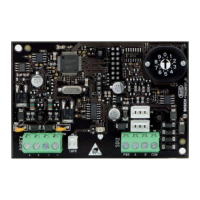
2. Mount the I/O module (callout 2 above) in the FACP
enclosure (callout 1 above).
3. Connect the wire harness of the I/O module to the terminal
on the FPE-7039 (callout 5 above).
4. Connect the yellow and green earth ground wire (callout 6
above) to the FACP ‘s earth ground terminal.



 To Next Page