14 en | Mounting MUX expansion module
2016.10 | 1.0 | F.01U.330.684
Bosch Security Systems. Inc.
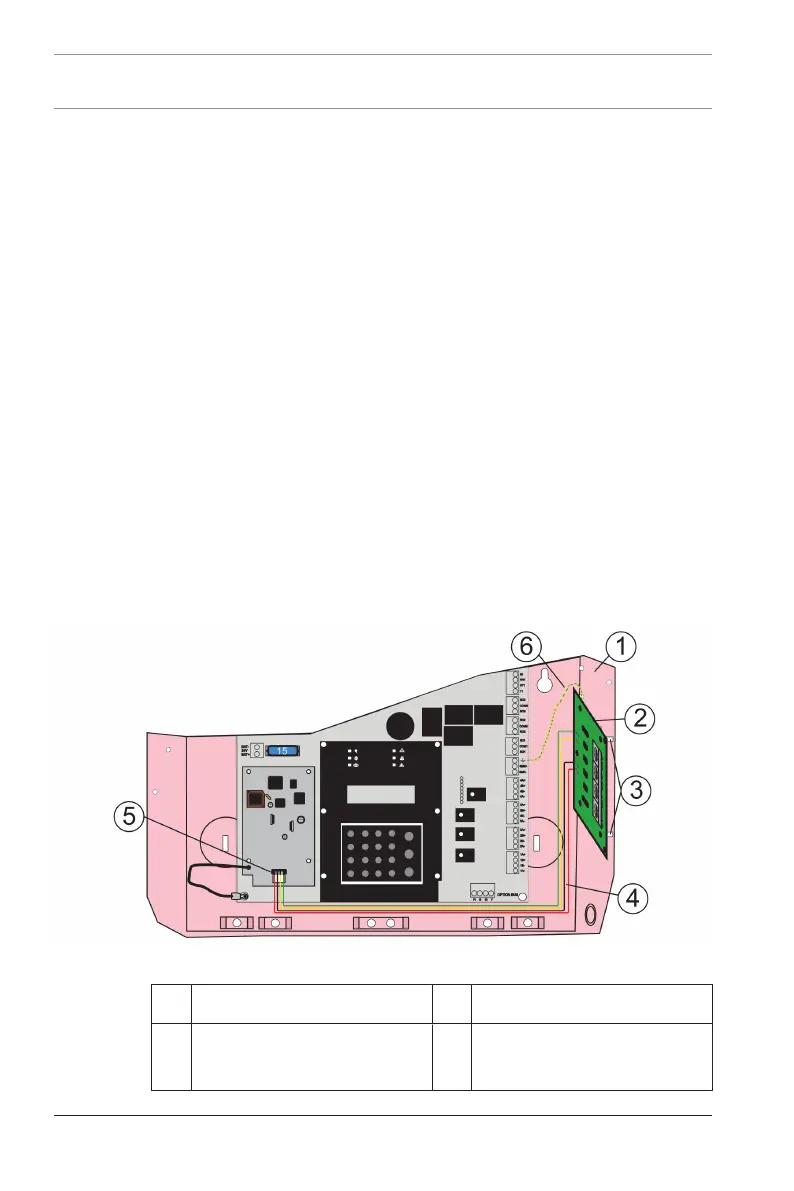
If the FACP (see callout 2 in above figure) is already installed in
an enclosure, remove it.
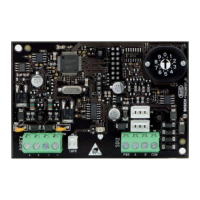
1. Place the FACP on a flat surface with the component side
facing up.
2. Insert the four plastic standoffs in the mounting holes
(callout 3 above) without bending or flexing the FACP.
3. Align the standoff tabs so they do not touch the module
components.
4. Firmly press the standoffs into the board, allowing the ears
to expand out.
5. Mount the board (callout 1 above) on the standoffs
ensuring the connector pins (callout 4 above) are properly
aligned.
6. Install the FACP in the enclosure.
7. Use the mounting screw (callout 5 above) to secure the
FPE‑7039’s ground wire (callout 6 above) to the FACP.
I/O module mounting
Figure3.2: Mounting the FPE-7039 I/O module
1 FACP enclosure 2 FPE-7039 I/O module
3 Plastic standoffs (3) 4 4-wire (red, black, yellow,
green) harness



 To Next Page