Intrusion | Getting Started | Home Control Gateway | 3
Bosch Security Systems, Inc. • 130 Perinton Parkway • Fairport, NY 14450 • us.boschsecurity.com | 2017.06 | v3
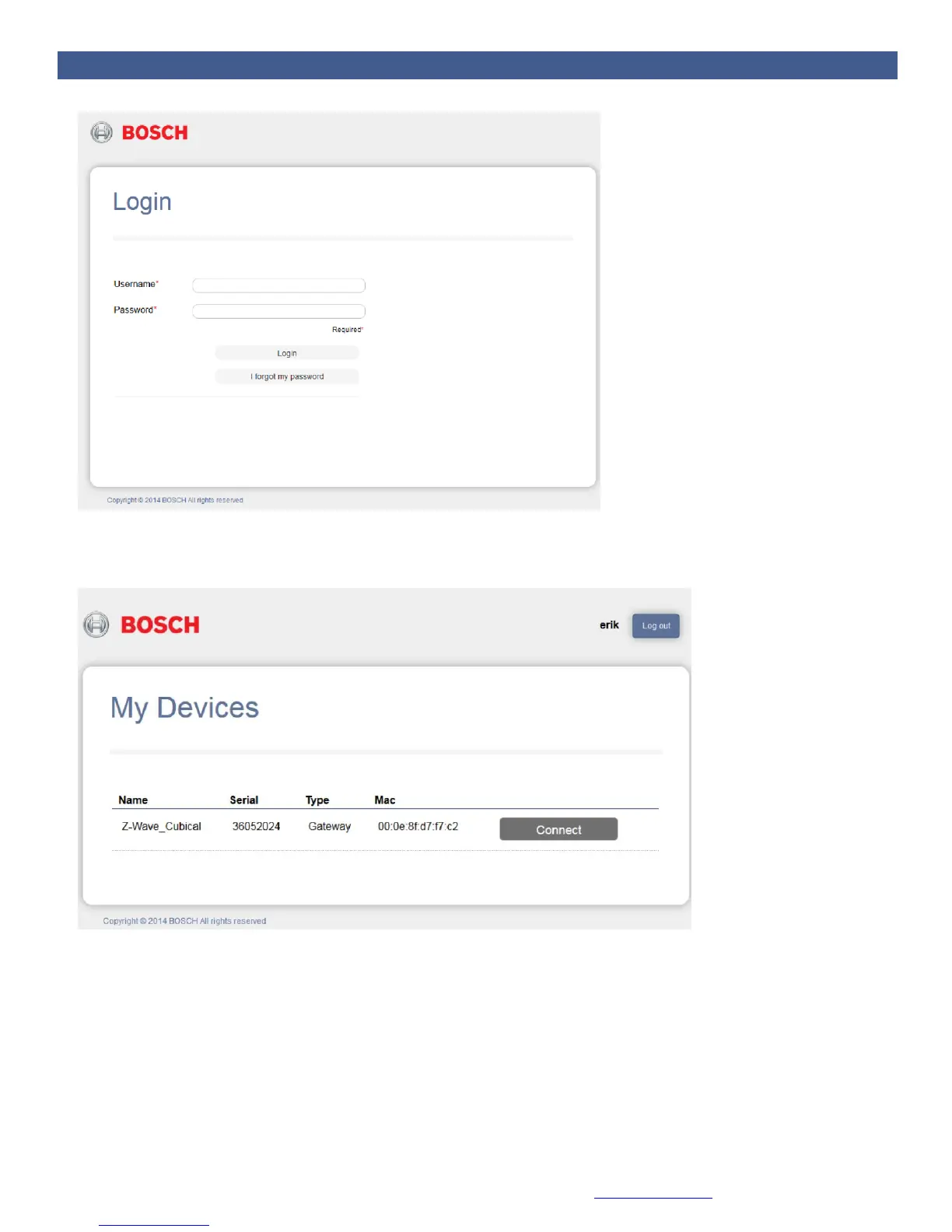
3. Select the gateway you want to log into and click the Connect button. This is a convenient way to
control different gateways from a single account (one in your home, another in your summer
cottage). A status window briefly appears stating that the connection is in progress.
4. The dashboard appears. The dashboard is your control center for the Home Control Gateway. The
appearance of your dashboard may vary slightly from the one below, depending on the devices you
install.


 To Next Page