6
|
Operating instructions
|
OBD 1110
|
en
|
OBD 1110
|
Operating instructions | 7
en
577383 REV A | 10.2015 Bosch Automotive Service Solutions 577383 REV A | 10.2015Bosch Automotive Service Solutions
manufacturer specific DTC is
retrieved from the vehicle.
Erase Codes
The Erase function performs
the following:
9 Erases codes (both
Confirmed and Pending
DTCs) when erasing OBDII/
EOBD codes. Permanent
codes can only be erased by
the vehicle.
9 May erase Freeze Data results
depending on the vehcle.
9 Sets I / M Monitors to
not ready.
NOTICE
Perform Erase Codes
function only after
systems have been
checked completely
and DTCs have been
written down.
To erase codes from the vehi-
cle computer:
1. Set the ignition to Key On
Engine Off. Do NOT start the
vehicle. The engine should
not be running.
2. Press and hold the ERASE
key for 3 seconds then
release, or select Erase
Codes from Diagnostic Menu;
press
ENTER.
3. When the confirmation mes-
sage appears on the display,
choose one of the follow-
ing options.
• To proceed with the opera-
tion: Press
ENTER for YES.
• To cancel the operation and
return to the Diagnostic
Menu: Press BACK for NO.
4. If ABS is supported for your
vehicle, a menu is shown to
select either OBDII/EOBD,
or ABS. Select ABS to erase
ABS codes, and OBDII/EOBD
to erase emissions related
powertrain codes.
The Tool will automatically per-
form the Read Codes function
after erasing codes. The Tool
will then indicate the number of
codes remaining.
NOTICE
If after erasing codes
a DTC returns, the
problem has not been
fixed or other faults
are present.
MIL Status
MIL (Malfunction Indicator
Lamp) status indicates if the
vehicle computer is telling the
MIL to illuminate when the
engine is running.
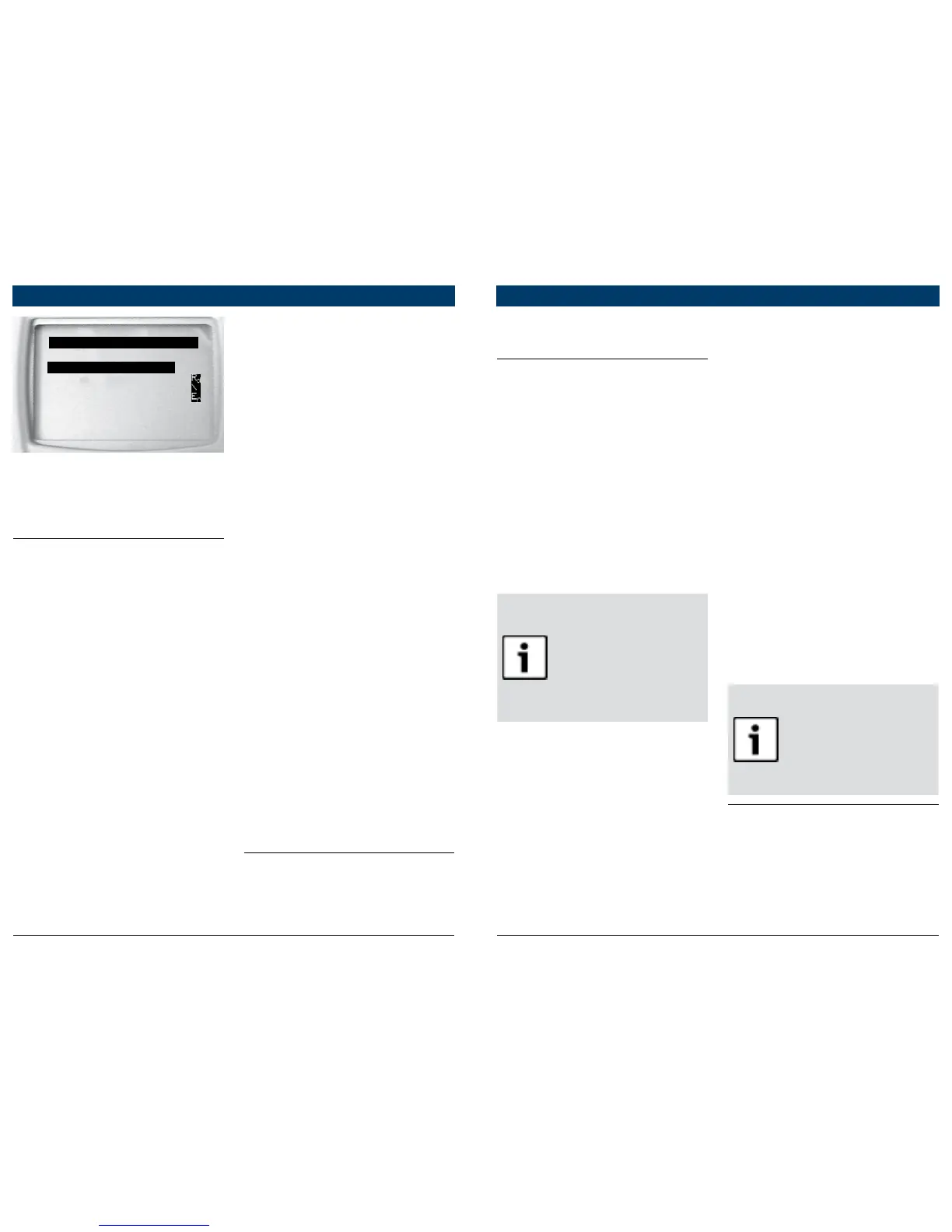
DIAGNOSTIC MENU
====================
Read Codes
Erase Codes
MIL Status
View Data
View Freeze Data
^^
VIN
2. When complete, press
BACK to return to the
Diagnostic Menu selec-
tion screen.
Read Codes
To read the codes:
B Press and hold the
READ key for 2 sec-
onds then release it, or
Select Read Codes from
Diagnostic Menu.
If ABS is supported for your vehi-
cle, a menu is shown to select
either OBDII/EOBD, or ABS.
Select ABS to read ABS codes,
and OBDII/EOBD to read emis-
sions related powertrain codes.
For codes other than ABS codes,
the tool displays Confirmed,
Pending, and Permanent Codes.
Confirmed Trouble Codes are
reported when a component,
sensor, or other part of the
vehicle is indicating a malfunc-
tion is present. The malfunction
must be present for a sufficient
amount of time before the vehi-
cle records and the Tool displays
a Confirmed Trouble Code.
Confirmed codes are indicated
by the CONFIRMED icon.
Pending Codes are only reported
if a problem occurs during the
current or last completed drive
cycle. Pending Codes do not nec-
essarily indicate a faulty compo-
nent or system. Pending Codes
convert to Confirmed Trouble
Codes when an emissions prob-
lem persists long enough to be
considered a real problem, not
an anomaly. Pending Codes are
indicated by a PENDING icon.
Permanent Codes are special
confirmed codes. Permanent
Codes began being reported by
vehicles beginning around 2010,
so they are not supported by
every vehicle. While Confirmed
Codes can be erased by the
tool, Permanent Codes cannot.
Permanent Codes are erased by
the vehicle when the vehicle has
determined the fault is no longer
present. Permanent Codes are
indicated by a PERMANENT icon.
Vehicle Selection
Vehicle Selection will be dis-
played for Read Codes when a


 To Next Page