58300000111195_ARA_en_f.doc – 02.06.09 Seite 82 von 102
7.2.2.2 Add beans
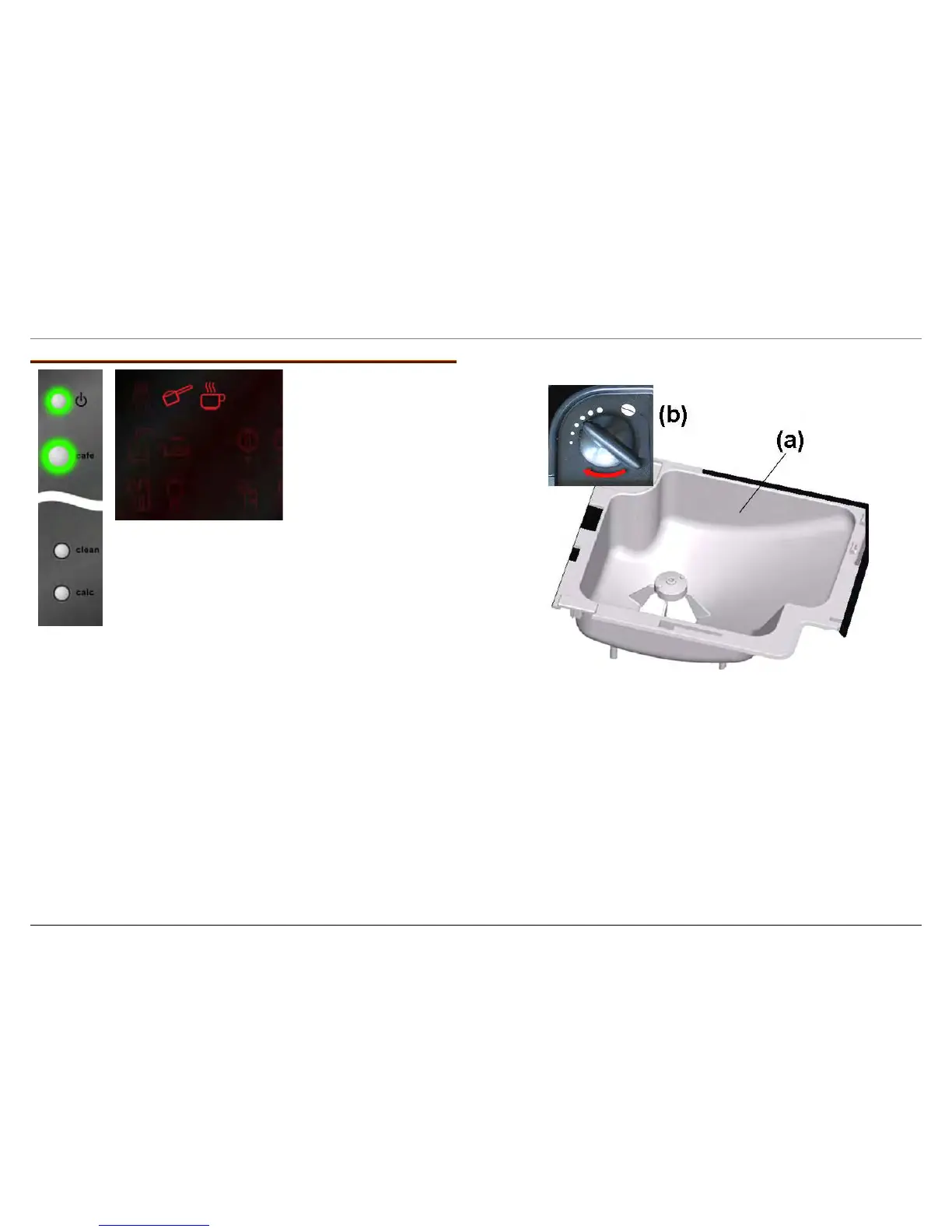
Both symbols flash
ADD BEANS
No coffee beans in the bean container (a)
► Fill up bean container with fresh coffee beans
and press the coffee dispensing button to start
a brewing process.
ADD BEANS is not displayed until a brewing process
ends, as the actual filling of the brewing chamber is
measured during the brewing process.
ADD BEANS is displayed, even though the bean container has been
filled:
► Grinding unit is not filled with ground coffee, e.g. when
switching on the appliance for the first time or following
service – press the coffee dispensing button to start another
coffee brewing process.
► Beans cannot flow into the grinding unit – empty and clean
bean container. Use beans with lower fat content. Beans
with a high fat content may stick to the surface of the bean
container.
►
Grinding process takes too long, not enough coffee is ground
– set coarser degree of grinding (b).




 To Next Page