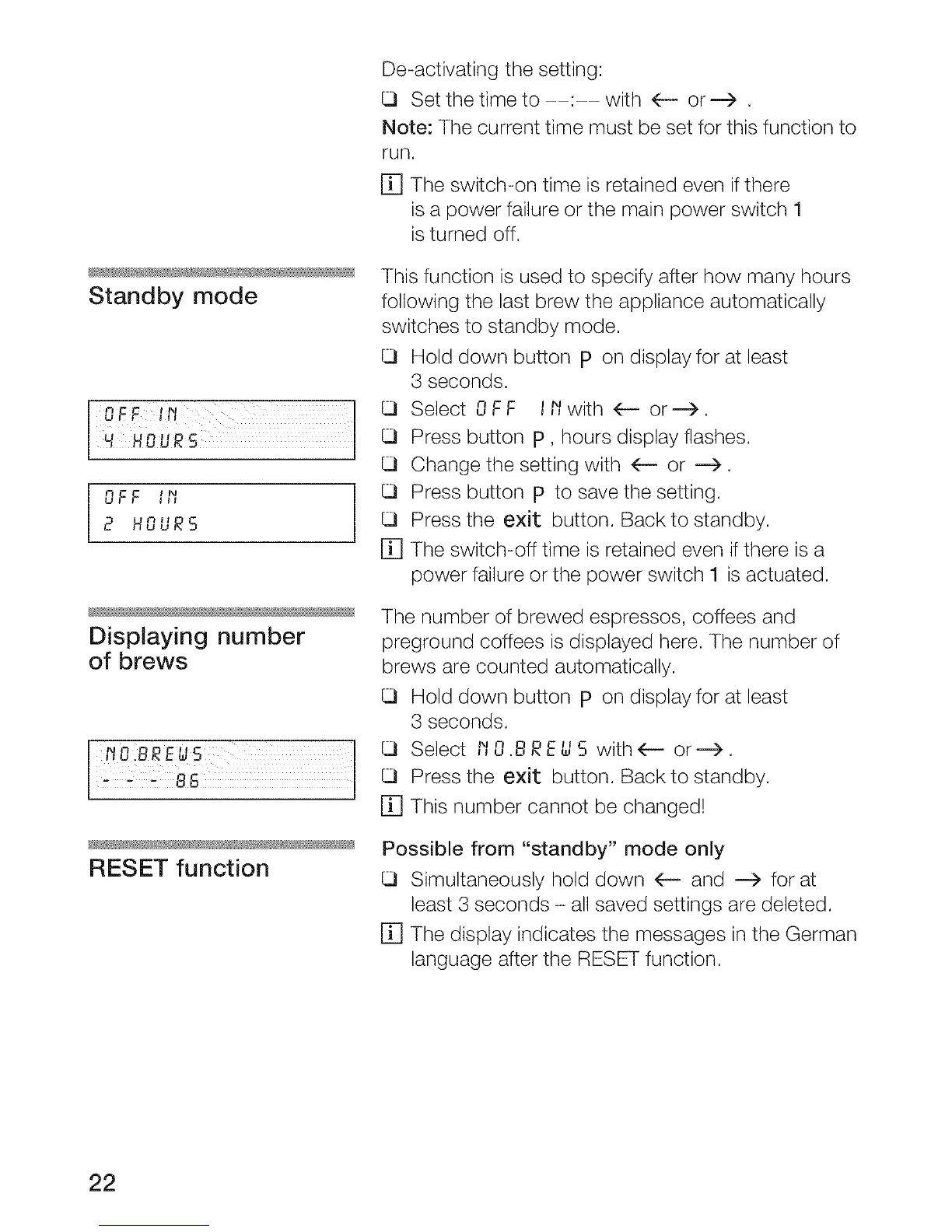
Standby mode
HHSUR5
OFF '_,
2 HOUR5
Displaying number
of brews
Z OI REus ]
8 5 J
RESET function
De-activating the setting:
Set the time to : with 4-- or ---> .
Note: The current time must be set for this function to
run.
[] The switch-on time is retained even ifthere
isa power failure or the main power switch 1
isturned off.
This function is used to specify after how many hours
following the last brew the appliance automatically
switches to standby mode.
Hold down button p on display for at least
3 seconds.
Select OFF l l'/with _ or--->.
Press button p, hours display flashes.
Change the setting with 4-- or --->.
Press button p to save the setting.
Press the exit button. Back to standby.
[] The switch-off time is retained even if there is a
power failure or the power switch 1 is actuated.
The number of brewed espressos, coffees and
preground coffees is displayed here. The number of
brews are counted automatically.
Hold down button p on display for at least
3 seconds.
Select I'IO.BRE_S with(-- or--->.
Press the exit button. Back to standby.
[] This number cannot be changed!
Possible from "standby" mode only
Simultaneously hold down 4-- and ---> for at
least 3 seconds - all saved settings are deleted.
[] The display indicates the messages in the German
language after the RESET function.
22




 To Next Page