English | 19
(11)
Illumination light in the camera head(4×)
(12)
Camera lens
(13)
Display in photo mode
(14)
Display in gallery mode
(15)
Serial number
(16)
Locking mechanism for battery compartment cover
(17)
Battery compartment cover
(18)
Slot for micro SD card
(19)
Micro SD card (4GB...32GB)
a)
(20)
Ribbon for removing the batteries
(21)
Protective bag
(22)
Mirror
(23)
Hook
(24)
Sleeve for attaching accessories(2×)
(25)
Magnet
a)
Accessories shown or described are not included in the delivery, nor are they part of the
Bosch range of accessories.
Display elements (selection)
(a)
Photo mode: Brightness/black and white contrast
(b)
Status bar
(c)
Selected magnification
(d)
Battery state of charge
(e)
Gallery mode
(f)
Symbol for scrolling backwards
(g)
Symbol for scrolling forwards
(h)
Symbol for stopping the deletion process
(i)
Symbol for deleting an image
Technical Data
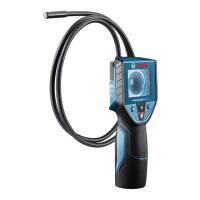
Digital inspection cameraUniversalInspect
Article number
3 603 F87 000
Bosch Power Tools1 609 92A 69V | (26.01.2021)


 To Next Page