Operation Prerequisites
The eBike system can only be activated when there is a sufciently
charged battery is inserted.
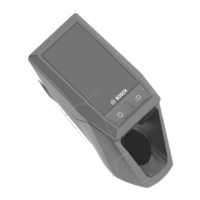
Operating unit power supply
If a sufciently charged eBike battery is inserted into the eBike and the
eBike system is switched on, then the operating unit battery is powered
and charged by the eBike battery.
If the state of charge of the internal battery is very low, you can charge
the internal battery via the diagnostics connection (7) with a USB Type
C® cable using a power bank or another suitable power source (charging
voltage 5 V; charging current Max. 600 mA).
Always close the ap of the diagnostics connection (7) so that no dust or
moisture can enter.
Switching the eBike System ON/OFF
To switch on the eBike system, briey press the on/off button (1). After
all LEDs briey light up, the state of charge of the battery is displayed in
colour with the battery charge indicator (3) and the set assistance level
with the (5) display. The eBike is ready to ride.
The display brightness is controlled by the ambient light sensor (12).
Therefore, do not cover the ambient light sensor (12). The drive is
activated as soon as you start pedalling (except at assistance level OFF).
The motor output depends on the settings of the assistance level.
As soon as you stop pedalling when in normal operation, or as soon as
you have reached a speed of 25 km/h, the eBike drive switches off the
assistance. The drive is automatically reactivated as soon you start
pedalling again and the speed is below 25 km/h.
To switch off the eBike system, press the on/off button (1) briey (< 3 s).
The battery charge indicator (3) and the assistance level LED (5) go out.
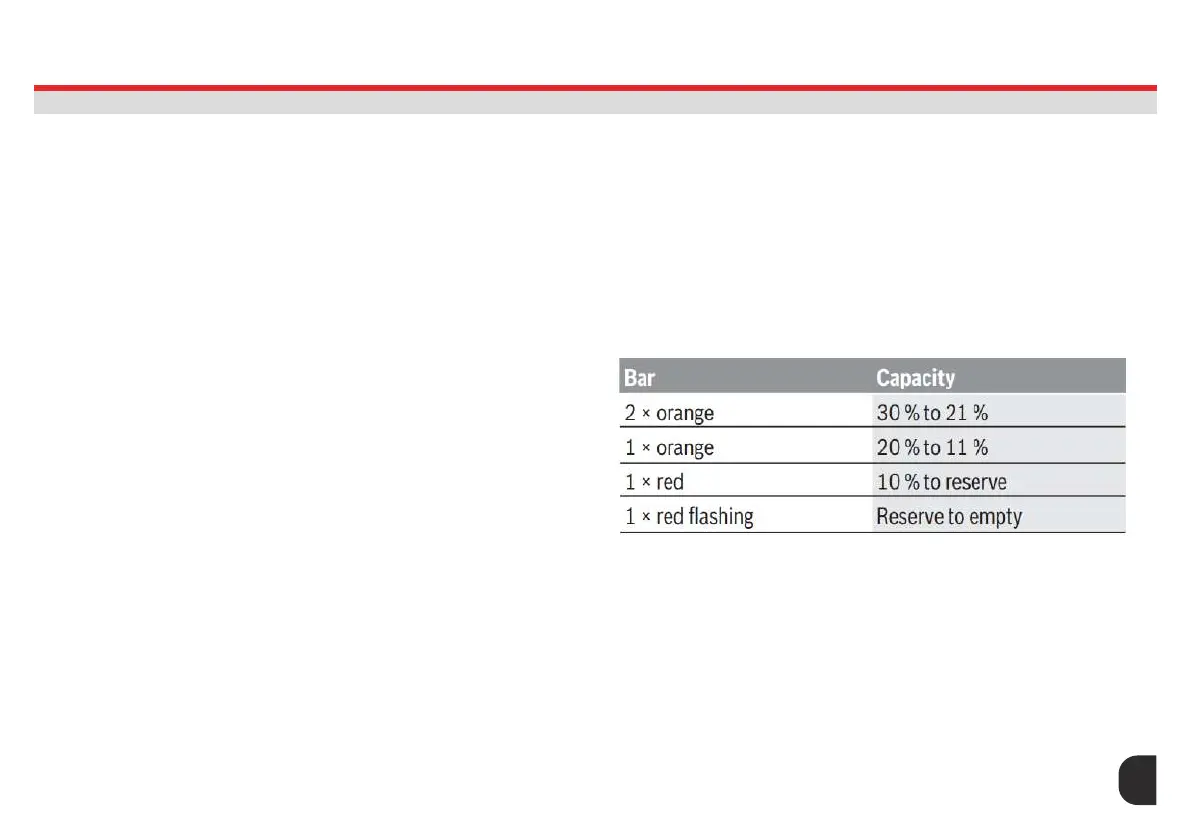
Battery Charge Indicator
The battery charge indicator (3) displays the eBike battery’s state of
charge. The state of charge of the eBike battery can also be checked
on the LEDs of the battery itself. In the (3) display, each ice-blue bar
represents 20 % capacity and each white bar represents 10 % capacity.
The topmost bar shows the maximum capacity.
Example: Four ice-blue bars and one white bar are
displayed. The state of charge is between 81 % and 90 %. If
capacity is low, both of the lower displays change colour.
START UP ON/OFF
LED REMOTE (BRC3600)
17





 To Next Page