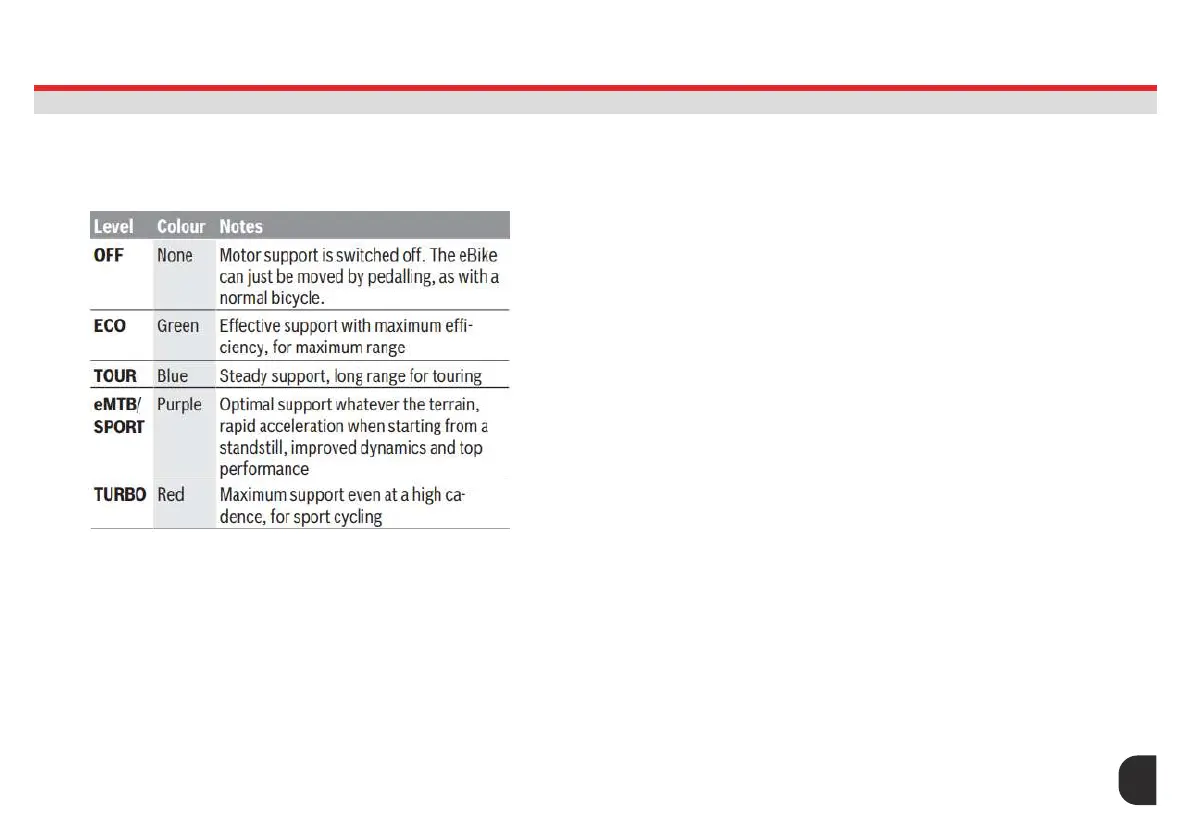
Setting the assistance level
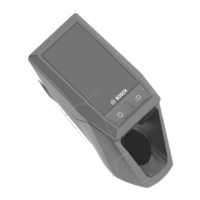
On the operating unit using the (8) and (9) buttons, you can set how much
the eBike drive assists you while pedalling. The assistance level can be
changed at any time, even while cycling, and is displayed in colour.
The designations and conguration of the assistance levels can be
precongured by the manufacturer and selected by the bicycle retailer.
Switching the push assistance on/off
The push assistance aids you when pushing your eBike. The speed in
this function depends on the selected gear and can reach a maximum
of 6 km/h. The lower the selected gear, the lower the speed of the push
assistance function (at full power).
The push assistance function must only be used when pushing the eBike.
There is a risk of injury if the wheels of the eBike are not in contact with
the ground while using the push assistance.
To start walk assistance, press the (8) button for more than 1 s and keep
it pressed. The battery charge indicator (3) goes out and a white moving
light in the direction of travel shows that it is ready.
To activate walk assistance, one of the following actions must occur within
10s:
– Push the eBike forwards.
– Push the eBike backwards.
– Perform a sideways tilting movement with the eBike.
After activation, the motor begins to push and the continuously lling
white bars change colour to ice-blue. If you release the (8) button, walk
assistance is paused. You can reactivate walk assistance within 10 s by
pressing the (8) button.
If you do not reactivate walk assistance within 10 s, walk assistance
automatically switches off.
Walk assistance is always ended if:
– the rear wheel jams;
– the bicycle cannot move over ridges;
– a body part is blocking the bike crank;
– an obstacle continues to turn the crank;
– you start pedalling;
– the (9) button or on/off button (1) is pressed.
The push assistance function is subject to local regulations; the way it
works may therefore differ from the description above, or the function may
ASSIST MODES
LED REMOTE (BRC3600)
18




 To Next Page