28
Push Assistance ON/OFF
The push assistance aids you when pushing your eBike. The speed of this function depends on the
selected gear and can reach a maximum of 3.7 mph. The lower the selected gear, the lower the speed of
the push assistance function (at full power).
The push assistance function must only be used when pushing the eBike. There is a risk of injury if the
wheels of the eBike are not in contact with the ground while using the push assistance.
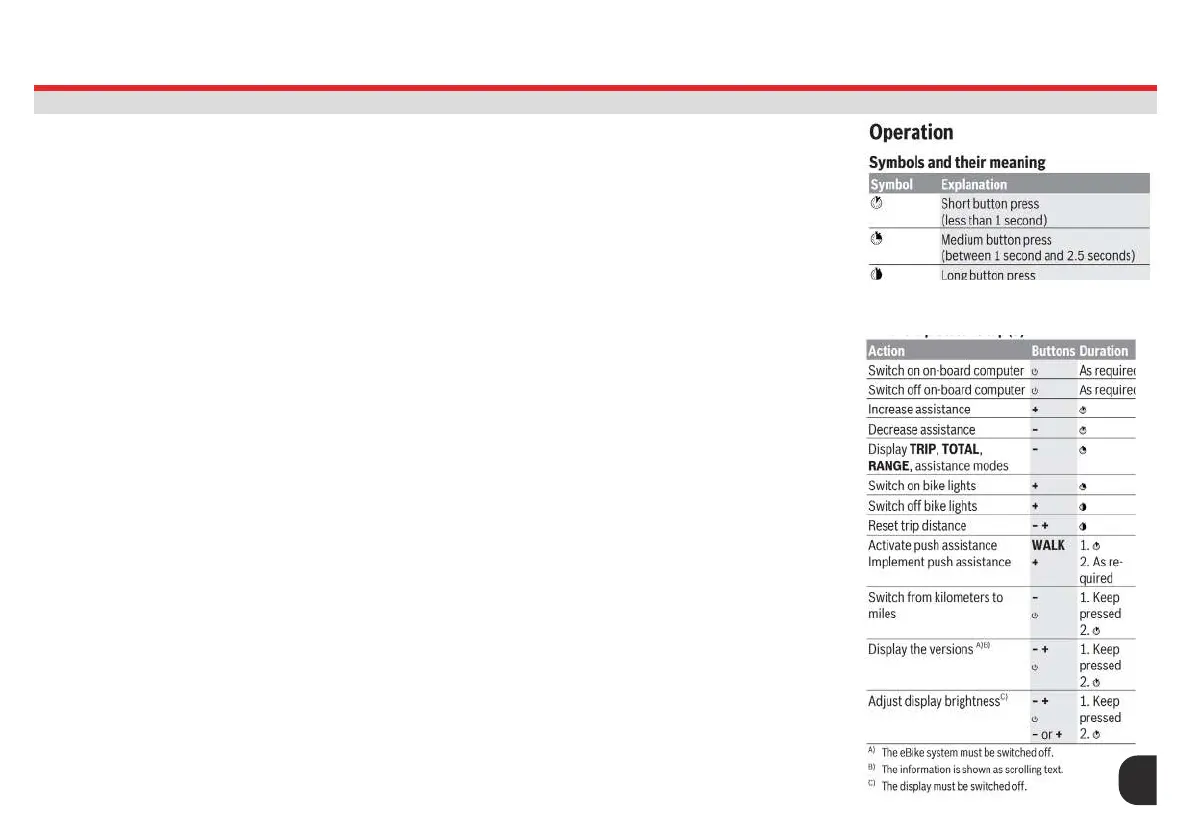
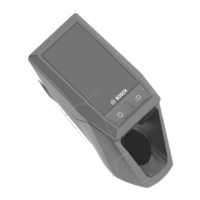
To activate the push assistance, briey press the WALK button on your on-board computer. After
activation, press the + button within 3 s and keep it pressed. The eBike drive is switched on.
Note: The push assistance cannot be activated at assistance level OFF.
The push assistance is switched off as soon as one of the following occurs:
– You release the + button;
– the wheels of the eBike are locked (e.g. by applying the brakes or hitting an obstacle);
– the speed exceeds 3.7 mph.
The push assistance function is subject to local regulations; the way it works may therefore differ from the
description above. It can also be deactivated.
USB Port
The USB port is reserved for connecting diagnostic systems. The USB port does not have any other
function.
The components of the eBike system are continuously monitored automatically. If a fault is detected, the
corresponding fault code will appear on the on-board computer. Fault codes can be found here: https://
www.bosch-ebike.com/en/help-center/manuals/user-manual-purion-13503
The drive may also be switched off automatically depending on what type of fault has occurred. You can
continue riding at any time without assistance from the drive, but you should have your eBike checked
before completing any more journeys.
-Only have repairs performed by a certied bicycle retailer.
-The USB port must always be completely sealed with the protective cap (8).
PUSH ASSIST & USB PORT
PURION REMOTE
28




 To Next Page