29
05 SYSTEM CONTROL
5.3 Assist Modes
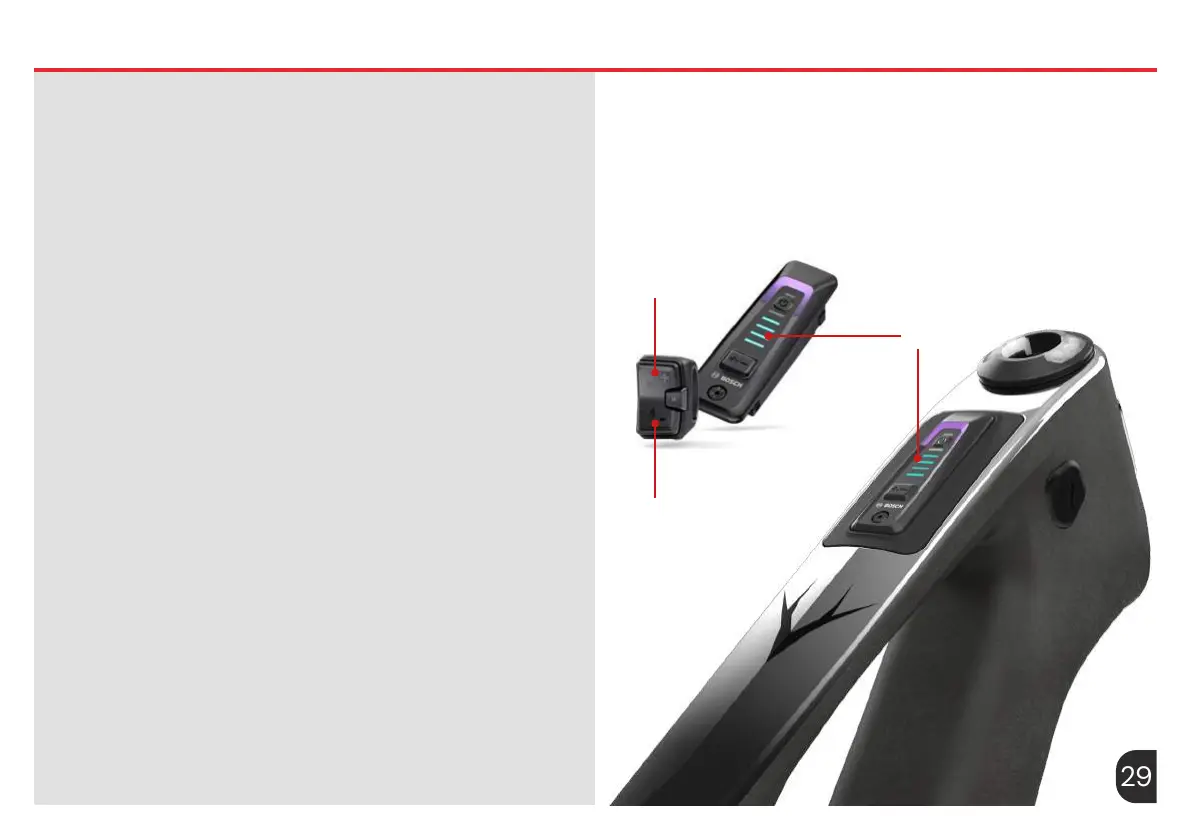
Switching the Push-Assistance Function on/off
The walk assistance makes it easier to push your eBike. The speed in
this function depends on the selected gear and can reach a maximum
of 4 km/h.
The push assistance function must only be used when pushing the
eBike. There is a risk of injury if the wheels of the eBike are not in
contact with the ground while using the push assistance.
To start walk assistance, press the decrease button (6) for more than 1
second and keep it pressed. The battery charge indicator (13) goes out
and a white moving light in the direction of travel shows that it is ready.
To activate walk assistance, one of the following actions must occur
within the next 10 seconds:
– Push the eBike forwards.
– Push the eBike backwards.
– Perform a sideways tilting movement with the eBike.
After activation, the motor begins to push and the continuously
lling white bars change colour to ice-blue. If you release the
decrease button (6), walk assistance is stopped. You can reactivate
walk assistance within 10s by pressing the button (6). If you do not
reactivate walk assistance within 10s, walk assistance automatically
switches off.
Walk assistance is always ended if:
– The rear wheel jams,
– The bicycle cannot move over ridges,
– A body part is blocking the bike crank,
– An obstacle continues to turn the crank,
– You start pedalling,
– The increase button (4) or on/off button (12) is pressed.
Walk assistance has a roll-away lock, i.e. even after walk assistance has
been used, rolling backwards is actively curbed by the drive system for
a few seconds, and you cannot push the eBike backwards or can only
do so with difculty. The push assistance function is subject to local
regulations; the way it works may therefore differ from the description
above, or the function may even be deactivated completely.
(6)
(13)
(4)










 To Next Page