32
06 Connectivity
6.1 Bosch Flow APP
Connecting Your Bike
Connecting your Whyte bike to the Flow APP turns your eBike tour into
an individual experience! If you are having any difculties connecting,
Bosch have produced a video to show you how to connect the eBike
Flow APP to your own eBike and use functions for the Connected Biking
experience
Link to Video
General Features
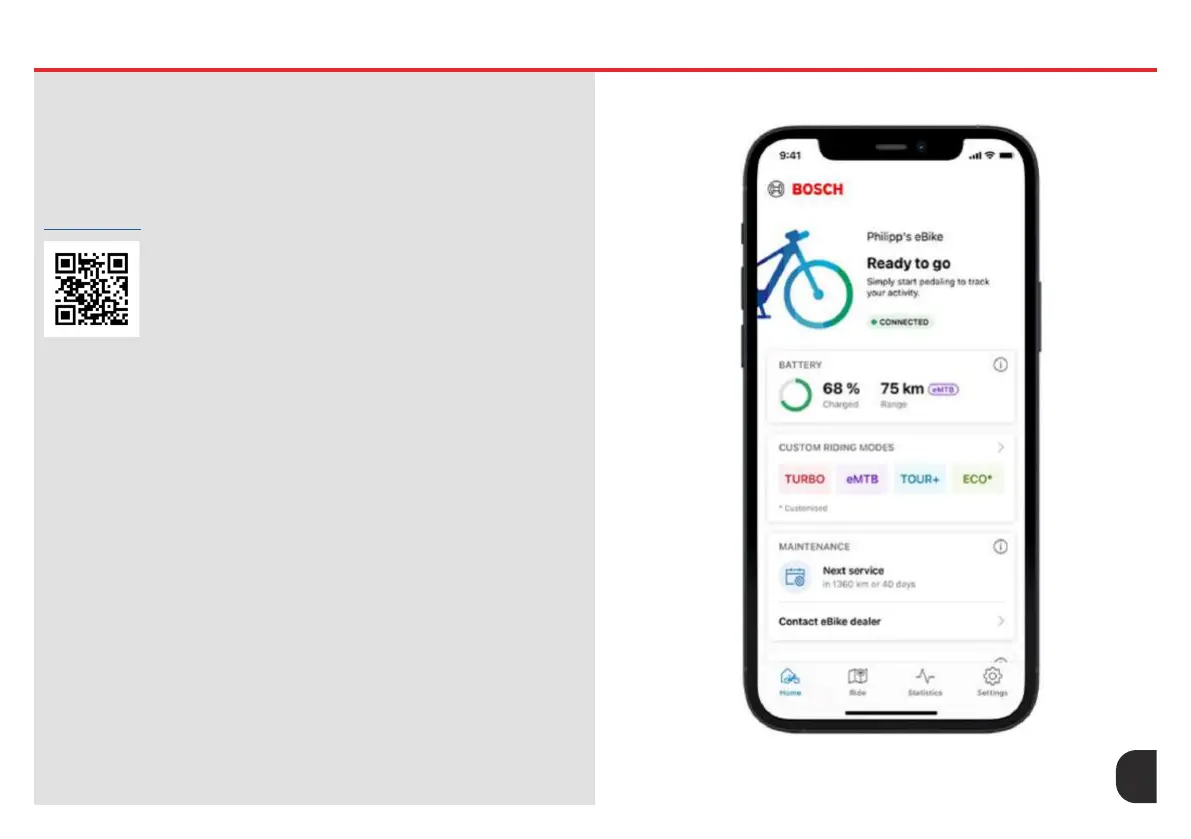
• Home Screen - Use the Home screen to gain a quick overview of
everything that’s important. Whether it’s battery status, remaining
range, distance travelled or the next service appointment, the
Home screen clearly shows you everything you need to know with
constantly updated eBike data.
• Updates - Download new features and updates for components, like
the battery or motor for the smart system, with the eBike Flow APP
and send them to your eBike via Bluetooth. Bosch will inform you as
soon as a new update is available for your eBike with smart system.
That way your eBike is always up to date and you are able to enjoy
all available options.
• Activity Tracking - Track your ride and tness data as soon as you
get started. If desired, the Activity Tracking for iPhone users can also
synchronise all data automatically with Apple Health. When you take
a break, the recording of your ride is paused
• Individual riding modes - Adapt selected riding modes precisely to
your needs: You can ne-tune the Race, Cargo, Turbo, Auto, eMTB,
Sport, Tour+, Tour and Eco riding modes to give you more support or
to use less power.










 To Next Page