31
06 Connectivity
6.1 Bosch eBike Flow APP
Use the eBike Flow APP to control all functions of the smart system,
which connects the drive unit, battery, display and control unit. It allows
you to adapt the eBike exactly to your wishes, to expand it and to keep
it up-to-date by easily downloading new features and services. You can
conveniently install updates for your eBike via Bluetooth. This keeps your
eBike up to date and continuously upgraded with new features. This is
how you can take your riding enjoyment to even higher levels.
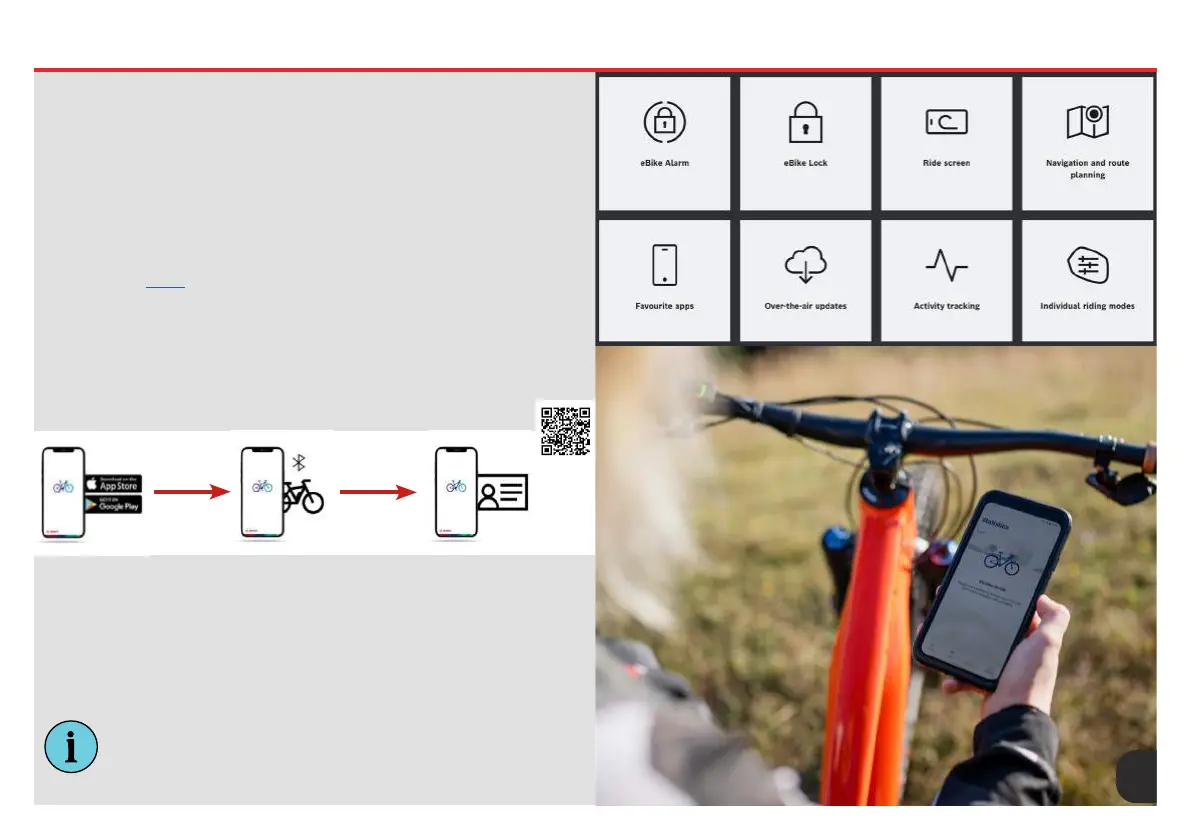
Features at a Glance
For a full in-depth guide to Bosch’s Flow APP system please visit
the link found HERE.
Whether you want bicycle navigation, exible route planning or effective
tness training: Bosch and your Whyte bike can connect you with your
digital environment and open up completely new dimensions of eBiking -
for even more fun on the move!
Downloading the APP
Step 1
Download the APP
from the Apple APP
Store or Google Play
Store and install it.
Step 2
Launch the APP and
register your Flow
account using your
Bosch ID.
Step 3
Connect your eBike
with the eBike Flow APP.
Now you’re ready to
use your eBike with the
smart system.
INFO: Locking and unlocking your eBike will require the phone
APP to be present. When returning your bike to a Whyte
retailer for servicing ensure your eBike is unlocked. With out
your phone APP the bike can not be unlocked.










 To Next Page