EasyManua.ls Logo

Bose 12 - User Manual

Bose 12
34 pages
Print Icon
To Next Page IconTo Next Page
Loading...
The Bose
®
Lifestyle
®
12 System
Owner’s Guide
December 20, 2001
AM191409_01_V.pdf

Questions and Answers

  • H
    hoodmichaelAug 20, 2025
    What to do if my Bose 12 system does not function at all?
    • M
      myersmaryAug 21, 2025
      If your Bose Media Converter system isn't working, ensure the power connector is securely plugged into the music center, the Acoustimass module power cord is securely plugged into the module, and the power pack and power cord are plugged into operating AC wall outlets. Also, be sure to select a source (CD, AM/FM, etc.). If the issue persists, unplug the music center power pack for a minute, then reconnect it to reset the unit after a power surge or interruption.
  • Y
    yhaleAug 23, 2025
    Why is the Bose Media Converter remote control inconsistent?
    • D
      Daniel AndradeAug 23, 2025
      If your Bose Media Converter remote control is acting up, first check the batteries and their polarity (+ and –). If that doesn't solve the issue, try operating the remote closer to the music center. You might also need to make sure the remote control house code matches the music center code.
  • K
    kflemingAug 25, 2025
    Why does my Bose 12 Media Converter turn on and off by itself?
    • K
      Kerry GutierrezAug 26, 2025
      If your Bose Media Converter unit turns on and off unexpectedly, try changing the house code setting. This prevents signal conflicts with other nearby systems.
  • K
    Karen NewtonAug 27, 2025
    What to do if my Bose Media Converter CD does not play?
    • B
      brianna41Aug 27, 2025
      If your Bose Media Converter isn't playing CDs, verify the music center CD cover is closed. Check if the play symbol in the display is lit. After pressing the CD key, wait a few seconds before pressing PLAY. Ensure there is a disc in the player, label-side up. The disc may be damaged, so try another disc. Clean the CD if there is dirt or dust. Note that the music center cannot play a DVD disc.
  • B
    Brandon JohnsonAug 29, 2025
    Why is the FM sound distorted on my Bose 12?
    • K
      Kimberly AllenAug 29, 2025
      If the FM sound on your Bose Media Converter is distorted, adjust the antenna position to reduce interference.
  • J
    Joseph MartinSep 1, 2025
    Why does my Bose 12 radio not work?
    • A
      avilamichaelSep 1, 2025
      If the radio on your Bose Media Converter isn't working, ensure the antennas are connected properly and adjust their position to improve reception. You may be in an area of weak signal coverage.
  • Z
    zbrownSep 3, 2025
    What to do if the sound is distorted on my Bose Media Converter?
    • S
      swansonbrianSep 4, 2025
      If the sound from your Bose Media Converter is distorted, make sure the speaker cables are not damaged and the connections are secure. You can also try reducing the output level from any external components connected to the music center.
  • M
    Megan BarnesSep 6, 2025
    What to do if there is no sound from surround speakers on Bose 12 Media Converter?
    • N
      Natasha NielsenSep 6, 2025
      If you're not getting any sound from the surround speakers on your Bose Media Converter, select SURROUND (5-speaker) mode. Also, press SURROUND +. Make sure the video sound source is stereo and surround-encoded, and the component used (TV, VCR, DVD or laserdisc player) is stereo.
  • L
    Lisa CantrellSep 8, 2025
    What to do if my Bose Media Converter has no sound from center speaker?
    • S
      Sara MartinezSep 8, 2025
      If there's no sound coming from the center speaker of your Bose Media Converter, ensure that the center cube cable is connected at both ends. Also, select STEREO+CENTER (3-speaker) or SURROUND (5-speaker) mode.
  • F
    floydjessicaSep 10, 2025
    What to do if surround speakers are too loud on Bose Media Converter?
    • D
      David BriggsSep 12, 2025
      If the surround speakers on your Bose Media Converter are too loud, ensure that the left and right front speakers are connected to the front speaker jacks and the left and right surround speakers are connected to the surround speaker jacks. You can also press and hold the SURROUND (5-speaker) mode key for 10 seconds to restore the factory preset surround volume setting.

Summary

Safety Information

Laser and Emissions Compliance

Product classification as a Class 1 laser product and compliance with Class B digital apparatus emissions regulations.

Battery Disposal and Safety Notes

Guidelines for proper battery disposal and reference to additional safety information.

Important Safety Instructions

Key safety instructions for product usage, covering water, moisture, heat, and ventilation.

Electrical Noise and Grounding

Information on electrical noise generation and procedures for proper antenna grounding.

System Setup and Connections

Initial Setup and Unpacking

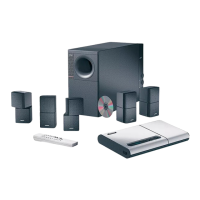
Overview of the Bose Lifestyle 12 system, unpacking components, and checking contents.

Component Placement

Guidelines for positioning speakers and the Acoustimass module for optimal audio experience.

Connecting System Components

Steps for connecting speakers, Acoustimass module, music center, external sources, and antennas.

Remote and Power Setup

Connecting power to the system and setting up the remote control.

Operating Your System

System Controls and Display

Understanding the music center display, console controls, and remote functions for operation.

Listening Modes and Volume Adjustment

Selecting speaker modes (Stereo, Surround) and adjusting volume levels for different audio sources.

Radio Operation

Tuning radio stations, setting presets, and switching between AM/FM bands.

CD and External Component Playback

Loading CDs, playing them, and operating connected external audio devices like tape decks.

Video Sound Operation

Setting up and listening to audio from video sources, including enhanced bass for movie soundtracks.

Maintenance and Troubleshooting

System Fine-Tuning and Acoustics

Adjusting bass and treble controls, and compensating for room acoustics to optimize sound.

Remote Control and Speaker Settings

Procedures for changing remote control house codes and configuring secondary speaker outputs.

Troubleshooting Common Issues

Solutions for common problems like no sound, remote inconsistency, or system malfunctions.

Cleaning, Warranty, and Specifications

Maintenance procedures, warranty information, and technical specifications of the system.

Bose 12 Specifications

General IconGeneral
BrandBose
Model12
CategoryMedia Converter
LanguageEnglish

Related product manuals