EasyManua.ls Logo

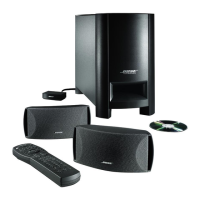
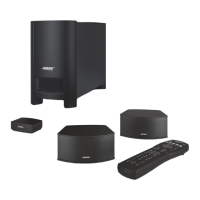
Bose CineMate Series II - User Manual

Bose CineMate Series II
50 pages
Print Icon
To Next Page IconTo Next Page
Loading...
CINEMATE
®
SERIES II
C
INEMATE
®
GS SERIES II
Owner’s Guide
Guía de usuario
Notice d’utilisation
Guia dos proprietários
DIGITAL HOME THEATER SPEAKER SYSTEM

Other manuals for Bose CineMate Series II

Questions and Answers

  • R
    Robert HallJul 31, 2025
    How to fix no power on Bose CineMate II Home Cinema speakers?
    • J
      John ThompsonJul 31, 2025
      If your Bose Home Cinema speakers have no power, try these steps: First, unplug the Acoustimass module power cord from the AC wall outlet for one minute. Next, ensure the power cord is securely inserted into the Acoustimass module and properly connected to an operating AC wall outlet. Also, check that the interface module is correctly plugged into the Acoustimass module. Finally, use the remote control to power on the system.
  • R
    Raven WalkerAug 5, 2025
    What to do if Bose Home Cinema remote control is inconsistent?
    • N
      Nicole CaseyAug 5, 2025
      If the remote control for your Bose Home Cinema system is inconsistent or not working, verify that the battery is correctly installed. Point the remote directly at the interface module, ensuring there are no obstructions and that the module is in clear line of sight. Remove any protective film from the lens on the front of the interface module. If you have a CineMate GS series II remote, check that the source button flashes when pressed. Also, check that the green LED on the interface module flashes when you press a remote power, volume, or mute button. If the issue persists, consult the Universal Device Codes book to try programming another code for your device to improve functionality, as there may be multiple device codes for your brand.
  • A
    April MartinAug 9, 2025
    How to stop sound coming from TV when using Bose Home Cinema speakers?
    • J
      Jennifer CampbellAug 9, 2025
      To stop sound from coming from your TV when using Bose Home Cinema speakers, turn off your TV’s internal speakers or turn down the TV volume.
  • C
    Christopher MarquezAug 15, 2025
    What to do if I have sound but no picture on my Bose Home Cinema?
    • J
      Jennifer SavageAug 15, 2025
      If you are getting sound but no picture from your Bose Home Cinema system, make sure that the TV is turned on and that the correct TV/Video input is selected.
  • C
    carol56Aug 20, 2025
    Why is the sound distorted on my Bose CineMate II?
    • S
      Spencer ClineAug 20, 2025
      If the sound from your Bose Home Cinema system is distorted, ensure that the speaker cables are not damaged and that the connections are secure. Additionally, try reducing the audio output level from the TV connected to the interface module.
  • O
    owensclaytonOct 25, 2025
    Why is there no sound coming from my Bose CineMate II?
    • V
      victoria23Oct 25, 2025
      If you are not getting any sound from your Bose Home Cinema speakers, first ensure that the CineMate system is turned on and the volume is at an audible level. If you have a CineMate GS series II, verify that you've selected the correct source using the remote. Also, check if the TV is muted. Make sure that the interface module and speaker cables are firmly connected to the Acoustimass module, and inspect the connections on the back of the speakers. Confirm that the correct TV video input is selected and that the connections from the interface module to the TV or other source are secure. Ensure that the TV’s audio output is enabled, and if it's set to VARIABLE, turn off the TV’s internal speakers and increase the TV volume. If you're using a source other than the TV, make sure it's playing...

Summary

SAFETY INFORMATION

Please read this guide

Instructions to set up and operate the system properly and enjoy its features.

Please dispose of used batteries properly

Local regulations for disposing of used batteries; do not incinerate.

Additional Safety Information

Refers to an enclosed safety instructions sheet for North America.

For your records

Space to record serial number, dealer name, phone, and purchase date.

INTRODUCTION

Before you begin

Thanks for purchasing the Bose CineMate system, describes its performance and configurations.

Setup help

Lists items provided to help set up the CineMate system.

SYSTEM SETUP

1 Placing the system components

Shows how to position the system components (speakers, interface module, Acoustimass module).

5. Place the interface module

Instructions for positioning the interface module near the TV and other equipment.

2 Connecting the speakers to the Acoustimass module

Instructions on how to connect the speaker cables to the speakers and the Acoustimass module.

3 Connecting the interface module

Instructions for connecting the interface module to the Acoustimass module.

4 Connecting the TV audio to the interface module

Explains how to connect TV audio output to the interface module using optical or analog cables.

Connecting optical audio

Details on connecting the optical audio cable from TV to the interface module.

Connecting analog audio

Instructions for connecting the stereo audio cable from TV to the interface module.

Turning off the TV internal speakers

Guides on how to disable the TV's built-in speakers for optimal performance.

5 Connecting to a power outlet

Instructions for connecting the Acoustimass module to a power outlet.

6 Inserting the CineMate GS remote batteries

Step-by-step guide to insert batteries into the CineMate GS remote control.

CONTROLS AND INDICATORS

Acoustimass module bass control

Explains how to adjust the bass level using the knob on the Acoustimass module.

CineMate series II remote control

Overview of the CineMate series II remote control functions.

Using the remote to control the CineMate system

How to use the remote to turn the system on/off, adjust volume, and mute.

CineMate GS series II remote control

Introduction to the CineMate GS series II universal remote control capabilities.

Using the remote to control the CineMate system

Detailed explanation of remote buttons like On-Off, Volume, and Mute.

Setting the remote for your TV and other devices

Instructions on programming the universal remote to control other devices.

Using the remote to watch TV

Steps to use the remote to control the TV and switch to TV mode.

Using the remote to watch a DVD

Instructions for using the remote to control a DVD player.

Selecting the TV input

How to select the correct TV input for various sources.

Switching control from one device to another

How to switch the remote's control between different devices.

Using the CineMate GS series II remote control

Explains source and input selection, and on/off functions for various devices.

Menu and program selection

Details on using remote buttons for menu navigation and program selection.

Play options

Explains functionality of play control buttons like skip, volume, play, pause, stop.

Cable-specific buttons

Describes buttons for cable-specific functions.

TeleText buttons (Europe only)

Explains TeleText functions for European users.

CARE AND MAINTENANCE

Replacing the CineMate series II remote battery

Step-by-step guide to replace the battery in the CineMate series II remote.

Replacing the CineMate GS series II remote batteries

Instructions for replacing batteries in the CineMate GS series II remote.

Cleaning your speaker system

Guidance on how to clean the speaker system components safely.

Troubleshooting

Provides solutions for common problems like no power or no sound.

Customer service

Information on how to contact Bose Customer Service for assistance.

REFERENCE

Limited warranty

Details of the transferable limited warranty for the CineMate system.

Copyright and licenses

Information on copyright, licenses, and Dolby/MPEG technologies used.

OUR COMMITMENT TO YOU

Important Safety Instructions

General Safety Guidelines

Includes reading instructions, heeding warnings, and following all guidelines.

Environmental and Electrical Safety

Covers hazards related to water, ventilation, heat, plugs, cords, and liquids.

Product Care and Service Precautions

Includes cleaning, product care, service, storage, and safety markings.

Information About Products That Generate Electrical Noise

Information on FCC compliance for Class B digital devices and potential interference.

Important Safety Instructions

Power Source, Antenna, and CATV Safety

Covers proper power sources, avoiding power lines, antenna grounding, and CATV installer notes.

Antenna Grounding

Illustration and explanation of antenna grounding according to NEC.

Note to CATV System Installer

Reminder for CATV installers regarding cable grounding.

LIMITED WARRANTY

Warranty Details and Service Procedures

Covers warranty coverage, limitations, duration, and steps to obtain service.

Bose CineMate Series II Specifications

General IconGeneral
Audio decoders-
RMS rated power- W
Audio output channels2.1 channels
Subwoofer includedYes
Cables includedAC, Coaxial
Receiver includedNo
Product colorBlack
Recommended usageHome theatre
Remote control typeProgrammable
Apple docking compatibilityNot supported
Connectivity technologyWired
Weight and Dimensions IconWeight and Dimensions
Weight15630 g

Videos

How to Fix Bose CineMate Series II Soundbar Not Powering On

Related product manuals