EasyManua.ls Logo

Bose F1 812 - User Manual

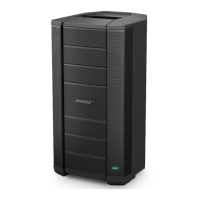
Bose F1 812
24 pages
Print Icon
To Next Page IconTo Next Page
Loading...
F1 Flexible Array Loudspeaker System
F1 Model 812 and F1 Subwoofer
Owner’s Guide

Table of Contents

Other manuals for Bose F1 812

Questions and Answers

  • S
    Sheryl FordAug 18, 2025
    What to do if my Bose Subwoofer power LED is on but there is no sound?
    • J
      Joann EdwardsAug 18, 2025
      If your Bose Subwoofer's power LED is on but you're not getting any sound, first, ensure the VOLUME control is turned up. Also, check that the volume control on your instrument is also turned up. Verify that your instrument or audio source is correctly plugged into the appropriate input connector. If the loudspeaker is getting input from the subwoofer, ensure the subwoofer is powered on.
  • J
    Jason RossAug 21, 2025
    What to do if my Bose F1 812 power LED is on but there is no sound?
    • S
      Steven MooreAug 21, 2025
      If the power LED on your Bose Speakers is on (green) but you're not getting any sound, here are a few things to check: * Ensure the VOLUME control is turned up. * Verify the volume control on your instrument is also turned up. * Confirm your instrument or audio source is properly plugged into the correct input connector. * If the loudspeaker receives input from a subwoofer, ensure the subwoofer is powered on.
  • C
    Cindy MillerAug 23, 2025
    Why won't my Bose F1 812 Speakers turn on?
    • T
      Teresa RodriguezAug 23, 2025
      If your Bose Speakers are plugged in and the power switch is on, but the power LED is off, try these steps: * Ensure the power cord is fully engaged into both the loudspeaker and the AC outlet. * Make sure you have power at the AC outlet by testing it with a lamp or other equipment. * Try using a different power cord.
  • E
    Erin DonaldsonAug 26, 2025
    Why does my Bose Subwoofer have poor bass response?
    • P
      patricksanchezAug 26, 2025
      To address poor bass response with your Bose Subwoofer, if using the loudspeaker without the subwoofer, make sure the EQ switch is set to FULL RANGE. If using the loudspeaker with the subwoofer, check to see if the POLARITY switch is in NORMAL mode. If there is a fair amount of distance between the subwoofer and the loudspeaker, setting the POLARITY switch to REV may improve bass. If using two subwoofers, make sure that the POLARITY switch is in the same position on each subwoofer.
  • J
    Jonathan GomezAug 28, 2025
    How to fix a Bose Subwoofer when the power LED is off?
    • D
      Destiny HawkinsAug 28, 2025
      If the power LED on your Bose Subwoofer is off, make sure the power cord is fully engaged into both the loudspeaker and the AC outlet. Ensure you have power at the AC outlet by testing it with a lamp or other equipment. You could also try using a different power cord.
  • S
    Sara PottsAug 31, 2025
    How to fix distorted sound from Bose Speakers?
    • M
      melissarussellAug 31, 2025
      If your instrument or audio source sounds distorted through your Bose Speakers, try these solutions: * Lower the volume of the connected audio source. * Ensure the input gain to the mixer channel isn't clipping. * Check that the equalization controls for low, mid, and high on the mixer are set to the mid position. * Reduce the output of the mixer.
  • D
    Devin GuzmanSep 5, 2025
    Why does my Bose Subwoofer sound distorted?
    • T
      Tammy KhanSep 5, 2025
      If your instrument or audio source sounds distorted through the Bose Subwoofer, try lowering the volume of the connected audio source. If you're connected to an external mixing console, ensure the input gain to the mixing console input channel isn't clipping. If it is, reduce the output of the mixing console.
  • D
    David MartinezSep 9, 2025
    What to do if a microphone is encountering feedback with Bose Subwoofer?
    • K
      Kara HarveySep 9, 2025
      If you are encountering feedback with your microphone when using the Bose Subwoofer, reduce the input gain on the mixing console. Try positioning the microphone so it nearly touches your lips, or try using a different microphone. Use the tone controls on the mixing console to reduce the offending frequencies and increase the distance from the loudspeaker to the microphone. If using a vocal effects processor, make sure it is not contributing to the feedback.
  • F
    Felicia CooleySep 12, 2025
    Why is my microphone feeding back with Bose F1 812 Speakers?
    • M
      Michelle HortonSep 12, 2025
      If your microphone is encountering feedback with your Bose Speakers, consider the following: * Reduce the input gain on the mixer. * Try positioning the microphone so it nearly touches your lips. * Try a different microphone. * Increase the distance from the loudspeaker to the microphone. * If using a vocal effects processor, ensure it's not contributing to the feedback.
  • T
    Timothy WashingtonSep 14, 2025
    What to do if my Bose F1 812 have poor bass response?
    • C
      Christopher CoxSep 15, 2025
      If your Bose Speakers have poor bass response, here are some things to check: * If using the loudspeaker as a standalone, make sure the EQ switch is set to FULL RANGE. * If using the loudspeaker with a subwoofer, check to see if the POLARITY switch is in NORMAL mode. * If there's a fair amount of distance between the subwoofer and the loudspeaker, setting the POLARITY switch to REV may improve bass. * If using two subwoofers, ensure the POLARITY switch is in the same position on each subwoofer.

Summary

Important Safety Instructions

Setting Up the System

F1 System Setup: Loudspeaker to Subwoofer

Provides step-by-step instructions for mounting the F1 Model 812 on the F1 Subwoofer.

F1 System Setup: Tripod Mounting

Details how to safely mount the F1 Model 812 on a compatible tripod stand.

Operation

F1 Model 812 Controls and Indicators

Explains the functions of all controls and indicators on the F1 Model 812.

F1 Subwoofer Controls and Indicators

Details the controls and indicators on the F1 Subwoofer.

Power On;Off Sequence

Guides the correct order for powering the system on and off.

Setting EQ Selector Switches

Recommends EQ switch settings for various system configurations.

Connecting Sound Sources

Describes how to connect microphones and line-level sources.

System Connection Examples

Illustrates various wiring and configuration examples for system setup.

Bose F1 812 Specifications

General IconGeneral
TypePowered Speaker
Power Rating1000W
Maximum SPL132 dB
Dimensions664 x 334 x 372 mm
Weight20.2 kg
LF Driver Size12"
Enclosure MaterialComposite
Inputs2 x XLR-1/4" combo
OutputsXLR
Mounting OptionsPole mount
HF Driver Size8 x 2.25" high-output mid-high drivers

Related product manuals