EasyManua.ls Logo

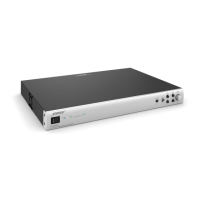
Bose FreeSpace IZA 2120-HZ - User Manual

Bose FreeSpace IZA 2120-HZ
48 pages
Print Icon
To Next Page IconTo Next Page
Loading...
FreeSpace
®
IZA 2120-LZ & IZA 2120-HZ
Integrated Zone Amplifiers
FreeSpace
®
ZA 2120-LZ & ZA 2120-HZ
Zone Amplifiers
Installation and Operating Guide
Installations- og betjeningsvejledning
Installations- und Bedienungsanleitung
Guía de instalación y funcionamiento
Guide d’installation et d’utilisation
Manuale di installazione e funzionamento
Installatie- en bedieningshandleiding
Bruksanvisning för installation och användning

Table of Contents

Other manuals for Bose FreeSpace IZA 2120-HZ

Questions and Answers

  • T
    Todd SerranoJul 29, 2025
    Why is the sound so low on my Bose FreeSpace IZA 2120-HZ?
    • J
      Joseph KingJul 30, 2025
      If your Bose Amplifier's sound is low despite being powered on, start by checking that the audio input source's output is at a nominal level. Inspect the cable connections between the source and the amplifier. You can increase the input level using the GAIN controls on the amplifier. Also, ensure the OUTPUT TRIM controls aren't set too low. If a user interface is connected, verify its volume is turned up, and confirm that the loudspeaker taps are correctly set.
  • E
    eberryAug 4, 2025
    What to do if my Bose Amplifier sound is distorted?
    • P
      Paula HortonAug 4, 2025
      If the sound from your Bose Amplifier is distorted, check that the INPUT SIGNAL CLIP LED on the front panel is not red. If the input source signal is clean, then verify that the loudspeakers are not overdriven or damaged.
  • G
    gpriceAug 10, 2025
    How to fix unnatural sound from Bose FreeSpace IZA 2120-HZ Amplifier?
    • R
      Robert Garcia Jr.Aug 10, 2025
      If the sound from your Bose Amplifier sounds unnatural, ensure that you have selected the correct EQ preset for the loudspeakers you are using. Also, check the TREBLE and BASS controls located on the front panels.
  • B
    Brian SanchezAug 17, 2025
    What to do if my Bose FreeSpace IZA 2120-HZ Amplifier has power but no sound?
    • N
      Nicholas YoungAug 17, 2025
      If your Bose Amplifier has power but no sound, several factors could be the cause. First, ensure the input source is on and sending a signal, and that all cable connections from the source to the amplifier are secure. Verify that the correct source (A/B) is selected on both the front panel and any connected user interface. Check that the MASTER LEVEL control and the volume control on any connected user interface are turned up. Make sure nothing is plugged into the AUX INPUT, and if anything is connected to the MUTE or PAGE INPUT connectors, verify they haven't been triggered. Finally, confirm that the loudspeakers are properly connected with correct tap settings, the amplifier has adequate ventilation, and the output wiring is correct.
  • C
    Connie FerrellAug 23, 2025
    How to troubleshoot a Bose FreeSpace IZA 2120-HZ Amplifier that has no power?
    • D
      Daniel NorrisAug 23, 2025
      If your Bose Amplifier is not getting power, first, turn on the power. The blue LED on the front panel should be visible when the power is on. Check to ensure the power cord is properly plugged in. If it is, try plugging the amplifier into a different AC outlet that you know is working correctly.

Summary

Introduction

Product Overview

Details the FreeSpace IZA and ZA series amplifiers, their features, and applications.

Included Accessories

Lists all items supplied with each amplifier unit.

Limited Warranty

Information regarding the warranty coverage for the product.

Front and Rear Panels

IZA 2120-LZ Panel Descriptions

Describes the front and rear panel controls and connectors for the IZA 2120-LZ.

IZA 2120-HZ Panel Descriptions

Describes the front and rear panel controls and connectors for the IZA 2120-HZ.

ZA 2120-LZ;HZ Panel Descriptions

Describes the front and rear panel controls and connectors for the ZA 2120-LZ/HZ.

Installation and Placement

Ventilation and Mounting

Guidelines for proper ventilation, rack mounting, and flat surface placement.

Installing Feet and Stacking Units

Instructions on installing feet and stacking multiple amplifier units.

Making Connections

Amplifier to ControlSpace Connection

How to connect the amplifiers to a ControlSpace engineered sound processor.

Page Input Connections

Details on connecting microphones or paging systems to the page input.

Remote Control and Volume Settings

Instructions for connecting Bose volume and source selection controls.

Mute and Loudspeaker Configuration

Instructions for muting outputs and determining loudspeaker quantities.

Expanding Systems

Connecting IZA to ZA Amplifiers

How to expand systems by connecting IZA to ZA amplifiers.

Technical Information

Troubleshooting Common Issues

Guidance for resolving common operational problems with the amplifiers.

AC Current Draw and Thermal Data

Data on power consumption and heat output for different operating conditions.

Specifications

Detailed technical specifications for each amplifier model.

Block Diagrams

IZA Amplifier Signal Flow

Internal signal flow and processing for the IZA 2120-LZ amplifier.

IZA 2120-HZ Amplifier Signal Flow

Internal signal flow and processing for the IZA 2120-HZ amplifier.

ZA Amplifier Signal Flow

Internal signal flow and processing for the ZA 2120-LZ zone amplifier.

ZA 2120-HZ Amplifier Signal Flow

Internal signal flow and processing for the ZA 2120-HZ zone amplifier.

Additional Resources

Bose Support and Contact Information

Provides contact details and web resources for Bose support and product information.

Bose FreeSpace IZA 2120-HZ Specifications

General IconGeneral
Maximum current5 A
AC input voltage230 V
AC input frequency50 Hz
Amplifier classD
Frequency range55 - 20000 Hz
Audio output channels2.0 channels
Peak power per channel- W
Total Harmonic Distortion (THD)0.3 %
PurposePerformance/stage
EqualizerYes
Product colorSilver
Volume controlRotary
Connectivity technologyWired
Line inputs (RCA)2
Speakers connectivity typeRCA
Package weight5400 g
Weight and Dimensions IconWeight and Dimensions
Depth324 mm
Width483 mm
Height44 mm
Weight4100 g

Related product manuals