EasyManua.ls Logo

Bose FreeSpace DXA 2120 - User Manual

Bose FreeSpace DXA 2120
56 pages
Print Icon
To Next Page IconTo Next Page
Loading...
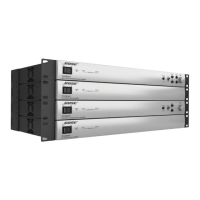
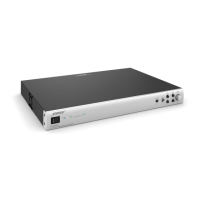
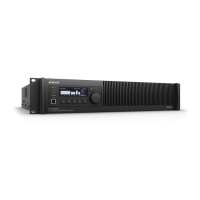
FreeSpace® DXA 2120
Digital Mixer/Amplifier
Installation and Operation Guide
Guía de instalación y funcionamiento
Guide d’installation et d’utilisation
Installations- und Bedienungsanleitung
Manuale di installazione e funzionamento
Installatie- en bedieningshandleiding

Other manuals for Bose FreeSpace DXA 2120

Questions and Answers

  • H
    Hannah NguyenAug 2, 2025
    What to do if my Bose Music Mixer has power but no sound?
    • L
      Larry JohnsonAug 2, 2025
      If your Bose Music Mixer has power but no sound, ensure the source is on and that there is an input signal from it. Check the output signal indicators on the system controls and verify the source routing. Also, check the cable connections from the source to the chassis and make sure the user interfaces are the correct type for the selected operating mode.
  • M
    mariatownsendAug 8, 2025
    Why is the sound distorted on my Bose Music Mixer?
    • N
      Natasha KnoxAug 8, 2025
      If the sound from your Bose Music Mixer is distorted, first, verify that the Input clipping indicators are not lit red. If an LED is red, reduce the source output level or the input gain. Next, check that the Output clipping indicators are not lit red; if one is red but Input clipping LEDs are not, reduce the output gain. If the input source signal is clean and the Input and Output indicators are green, ensure that the loudspeakers are not overdriven or damaged.
  • S
    Sarah RiveraAug 14, 2025
    What to do if the user interfaces on my Bose Music Mixer don't operate properly?
    • J
      Jennifer MartinezAug 14, 2025
      If the user interfaces on your Bose Music Mixer do not operate properly, verify that they are wired correctly and to the proper zone (if applicable). Check the wiring for breaks or shorts in the cable. Also, ensure that the user interfaces are the correct type for the operating mode selected.
  • T
    Traci SmithAug 20, 2025
    What to do if the sound is low on my Bose Music Mixer?
    • U
      uhillAug 20, 2025
      If the sound from your Bose Music Mixer is low, verify that the audio input indicator is lit green. If it is not lit, increase the source output or increase the input gain.
  • K
    kmcgeeAug 26, 2025
    Why does my Bose Music Mixer sound unnatural?
    • J
      john83Aug 27, 2025
      If the sound from your Bose Music Mixer is unnatural, verify that the correct EQ is selected for the speakers connected to the Output channel. Also, verify that the speakers are wired correctly (+ to + and - to -).

Summary

Safety Instructions

General Warnings and Cautions

Key safety warnings and cautions to prevent electrical shock, fire, and other hazards during use and installation.

Hardware Overview

Installation and Operation

System Wiring

System Setup

Setup Procedure

Outlines the steps to access and navigate the system setup menus on the device.

Mixer Mode Settings

Details the configuration steps for inputs, outputs, EQ, page, and direct inputs in Mixer Mode.

Stereo Select Mode Settings

Guides configuration for inputs, outputs, EQ, and page in Stereo Select Mode.

Troubleshooting and Support

Troubleshooting

Provides solutions for common problems like no power, no sound, distorted sound, or interface issues.

Bose FreeSpace DXA 2120 Specifications

General IconGeneral
BrandBose
ModelFreeSpace DXA 2120
CategoryAmplifier
LanguageEnglish

Related product manuals