EasyManua.ls Logo

Bose Lifestyle Homewide - User Manual

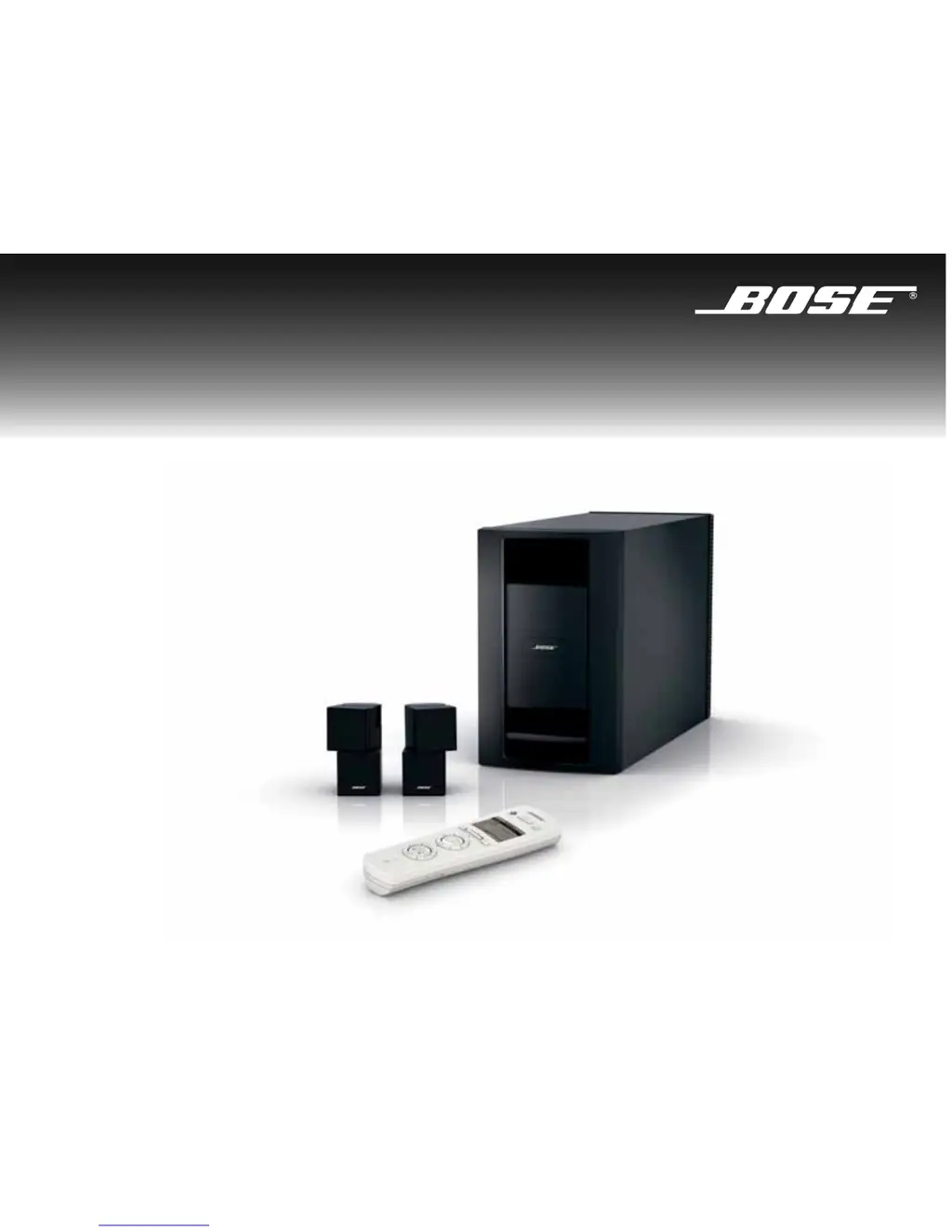
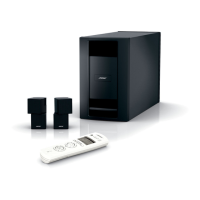
Bose Lifestyle Homewide
42 pages
Print Icon
To Next Page IconTo Next Page
Loading...
Owner’s Guide
Guía de usario
Notice d’utilisation
©2008 Bose Corporation, The Mountain,
Framingham, MA 01701-9168 USA
AM312936 Rev.00
LIFESTYLE
®
Homewide
Powered Speaker System
LIFESTYLE
®
HOMEWIDE POWERED SPEAKER SYSTEM

Questions and Answers

  • P
    Paul SmithJul 31, 2025
    Why is there no sound from my Bose Lifestyle Homewide?
    • R
      Robert WilliamsJul 31, 2025
      If you're experiencing a lack of sound, ensure your powered speaker system is properly plugged in and has a Bose link connection to the media center. Check that the speaker cable plugs are fully inserted into the Jewel Cube connectors. Also, verify that you've selected a source, the system volume is at an audible level, and the mute function is not enabled. Finally, confirm that the house code setting on the remote control matches the house code in the main room remote and that the remote room code setting matches the powered speaker system room code setting (which should be room C unless changed).
  • R
    Rachel SanchezAug 7, 2025
    How to fix a Bose Speaker System when I cannot hear my local source?
    • B
      Benjamin CisnerosAug 7, 2025
      If you cannot hear your local source, ensure the cable from the external device is securely plugged into the Audio IN connectors on the Acoustimass module. Also, verify that the external device is turned on and its volume is appropriately adjusted.
  • T
    torresheidiAug 15, 2025
    What to do if my Bose Lifestyle Homewide Speaker System remote control is not working correctly?
    • J
      Julian CallahanAug 15, 2025
      If your remote control's response is intermittent, try these steps: replace the batteries, move the remote a foot or two to a different location. Ensure the cord connecting the power supply to the LIFESTYLE system console (containing the remote antenna) is straightened and separated from other power cords. You can also try moving the LIFESTYLE console a few feet. If the issue persists, consider connecting an antenna extender to the console.
  • D
    Dana JosephAug 22, 2025
    Why does my Bose Lifestyle Homewide turn on and off unexpectedly?
    • K
      Kimberly ZamoraAug 22, 2025
      If your system unexpectedly turns on or off, it might be due to a control conflict with another nearby LIFESTYLE system. Try changing the house code to resolve this issue.

Summary

SAFETY INFORMATION

Class B emissions

Digital apparatus emissions compliance with Canadian regulations.

Batteries

Guidelines for proper disposal of used batteries.

Additional safety information

Reference to an enclosed sheet for further safety instructions.

INTRODUCTION

Before you begin

Welcome and overview of the LIFESTYLE® Homewide system features.

Unpacking

Instructions for checking system components and saving packing materials.

SYSTEM SETUP

Placing the speaker system

Optimal placement of Jewel Cube speakers and Acoustimass module for sound quality.

Connecting the speakers to the module

Step-by-step guide for connecting speaker cables to the Acoustimass module.

Making a Bose link connection

Instructions for wired or wireless connection to your LIFESTYLE system.

Connecting the AC power cord

How to connect the system to a power outlet.

Installing the batteries

Guide to inserting AA batteries into the PERSONAL® music center II remote.

Preparing for ADAPTIQ calibration

Steps to ready the system for audio calibration.

Performing the ADAPTIQ calibration

Procedure to customize sound based on room acoustics.

USING THE PERSONAL MUSIC CENTER II

Controls and indicators

Overview of the remote's buttons, display, and their functions.

Display navigation controls

Explanation of how to use the navigation bar and buttons.

Playback controls

Functions for controlling audio playback like volume and track skipping.

Music playback mode controls

Options for shuffle, repeat, and accessing stored music.

Setup mode

How to access and change system settings via the controller.

About audio streams

Explanation of dual audio streams and how they work.

When to change the room code

Guidance on when and how to adjust the room code setting.

When to change the house code

Guidance on when and how to adjust the house code setting.

LISTENING TO YOUR AUDIO SOURCES

Selecting an audio source

How to choose between different audio inputs and sources.

Listening to stored music

Instructions for playing music from your stored library.

Listening to the radio

Guide to tuning and storing FM/AM radio stations.

Listening to a music CD

How to play audio CDs and MP3 CDs.

Listening to audio from a DVD

Instructions for playing audio from DVDs.

Listening to a Local source

Connecting and playing external audio devices.

Using Local source auto-detect

Feature to automatically turn on and select local sources.

Listening to other sources (TV, VCR, CBL-SAT, AUX)

Controlling external components like TVs and VCRs.

USING MULTIPLE SPEAKER SYSTEMS

Setting up additional rooms

Steps to expand the system to other rooms.

Using multiple systems set to the same room code

Configuration for operating multiple systems as one.

Changing the room code

How to set or change the room code on the system.

CARE & MAINTENANCE

Cleaning

Instructions for cleaning the system components.

Limited warranty

Information about the product's warranty coverage.

Replacing the controller batteries

Guide to replacing batteries in the remote control.

Troubleshooting

Solutions for common problems and system issues.

Customer service

Contact information for Bose customer support.

Technical information

Specifications and dimensions of the system components.

Bose Lifestyle Homewide Specifications

General IconGeneral
BrandBose
ModelLifestyle Homewide
CategorySpeaker System
LanguageEnglish

Related product manuals