EasyManua.ls Logo

Bose L1 Model II - User Manual

Bose L1 Model II
32 pages
Print Icon
To Next Page IconTo Next Page
Loading...
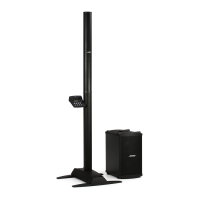
L1
TM
Model II System
with ToneMatch
TM
port
Owner’s Guide
Venice_FrontCover.fm Page 1 Tuesday, January 16, 2007 2:03 PM

Other manuals for Bose L1 Model II

Questions and Answers

  • S
    starkmatthewSep 18, 2025
    What to do if Bose Stereo System B1 bass module has no sound?
    • A
      Anthony NguyenSep 18, 2025
      If your Bose Stereo System B1 bass module is plugged in but you're not hearing any bass audio: * Make sure you're using the included 4-wire B1 bass module cable. * Ensure the cable is fully plugged into the Bass Module Out connector. * Try using a different 4-wire cable. * If possible, test with a different B1 bass module.
  • R
    Rebecca JohnsonAug 25, 2025
    How to fix a distorted sound from my Bose Speaker System?
    • W
      wilsontimothyAug 25, 2025
      To fix a distorted sound from your Bose Speaker System, first check if the Signal/Clip LED is constantly red. If it is, lower the trim level. If the issue persists, try using a different audio source or instrument. You can also test your current source or instrument on another power stand to identify the problem.
  • S
    simstomAug 25, 2025
    Why is there no bass audio from my Bose Speaker System's B1 bass module?
    • S
      stevenfernandezAug 26, 2025
      If your B1 bass module is plugged in but you're not hearing any bass audio, ensure you are using the included 4-wire B1 bass module cable. Verify that the cable is securely plugged into the Bass Module Out connector. Try using a different 4-wire cable and, if possible, test with a different B1 bass module to isolate the issue.
  • J
    joshua04Aug 26, 2025
    Why does my Bose Speaker System's B1 bass module sound out of balance?
    • P
      patrickmccarthyAug 27, 2025
      If your B1 bass module sounds out of balance with the system, make sure you are using the B1 bass module 4-wire cable included with the B1 bass module package. Also, ensure that the B1 bass module grille is facing forward toward the musicians and audience.
  • J
    Jennifer BergerSep 23, 2025
    Why does my Bose Stereo System B1 bass module sound unbalanced?
    • D
      Daniel WilsonSep 23, 2025
      If the B1 bass module sounds out of balance with your Bose Stereo System: * Verify you are using the B1 bass module 4-wire cable included with the B1 bass module package. * Ensure the B1 bass module grille is facing forward, towards the musicians and audience.
  • K
    Kathleen PetersSep 23, 2025
    How to improve sound of third-party subwoofer on Bose Stereo System?
    • S
      steventhompsonSep 23, 2025
      If you have a third-party-powered subwoofer connected to the Bass - Line Out connector on the power stand of your Bose Stereo System and it sounds poor: * Unplug any B1 bass modules connected to the power stand. * The signal from the Bass - Line Out might be too high; try reducing the signal using commercially available direct boxes or in-line pad devices. * Try different connections to the subwoofer, such as balanced or unbalanced cabling and/or a direct box. * Check that the gain and input controls on the subwoofer are set correctly. * If the subwoofer has an adjustable crossover, set it to 180Hz.
  • M
    Michelle JohnsonSep 10, 2025
    What to do if third-party-powered subwoofer sounds poor when connected to the Bass - Line Out connector on the Bose L1 Model II power stand?
    • M
      Marc ThomasSep 12, 2025
      If a third-party-powered subwoofer sounds poor when connected to the Bass - Line Out connector, consider these solutions: * Unplug any Bose bass modules connected to the power stand. * The signal from the Bass - Line Out might be too high; try reducing it with direct boxes or in-line pad devices. * Experiment with different connections, like balanced or unbalanced cabling, or a direct box. * Verify that the gain and input controls on the subwoofer are set correctly. * If your subwoofer has an adjustable crossover, set it to 180Hz.
  • M
    Mr. Eric Williamson DVMSep 12, 2025
    Why with nothing plugged into the Bose L1 Model II power stand, a slight hum or buzz is heard?
    • D
      David SimmonsSep 12, 2025
      If you hear a slight hum or buzz with nothing plugged into the power stand, check these: * Use an AC outlet tester to check the AC outlet for reversed or open (hot, neutral, and/or ground) contacts. * If you're using an extension cord, test the cord as well.
  • M
    Mallory TorresSep 4, 2025
    How to stop microphone feedback on Bose Speaker System?
    • M
      mccormickjohnSep 4, 2025
      To reduce microphone feedback with your Bose Speaker System: * Reposition the microphone so it doesn't point directly at the L1 model II top and bottom array loudspeaker. * Try using a different microphone. * Adjust the positions of the loudspeaker and/or vocalist on stage. * Increase the distance between the loudspeaker and the microphone. * If you're using a vocal effects processor, ensure it's not causing the feedback.
  • K
    Kristen ElliottSep 1, 2025
    What to do if Bose L1 Model II instrument or audio source sounds distorted?
    • B
      bonnieyoungSep 1, 2025
      If your instrument or audio source sounds distorted, check the following: * Ensure the Signal/Clip LED isn't constantly red. If it is, lower the trim level. * Try using a different audio source or instrument. * Test your current source or instrument with another power stand.

Summary

SAFETY INFORMATION

IMPORTANT SAFETY INSTRUCTIONS

Electrical Noise Information

Information regarding products that generate electrical noise and FCC compliance.

INTRODUCTION

Welcome

Welcome message and overview of the owner's guide.

Features and benefits

Details the advantages and capabilities of the L1™ model II system.

Product overview

Describes the components of the L1™ model II system and optional equipment.

Connections and controls

Details the connectors and controls on the power stand top panel.

SYSTEM SETUP

Parts list

Lists all components included in the L1™ model II system packaging.

System Positioning Recommendations

Guidelines for optimal placement of the L1™ model II system for performance.

Setting up the L1 model II power stand

Instructions for unfolding and positioning the L1™ model II power stand.

Assembling the L1 model II Cylindrical Radiator loudspeaker

Steps for connecting the loudspeaker sections to the power stand.

Connecting to AC power

How to connect the L1™ model II system to a power source.

Connecting the B1 bass module

Instructions for connecting the B1 bass module to the power stand.

Adding a T1 ToneMatch audio engine (optional)

Steps for mounting and connecting the T1 ToneMatch™ audio engine.

Adding a second B1 bass module (optional)

How to connect an additional B1 bass module to the system.

Adding a PackLite power amplifier model A1 (optional)

Instructions for connecting the PackLite® amplifier to expand bass module support.

OPERATING INFORMATION

Setting the analog input level

How to adjust the input Trim control for analog audio sources.

Using a T1 ToneMatch audio engine and an analog input source

Guidance on operating the system with both T1 ToneMatch and analog inputs.

User scenarios

Examples of how to set up and use the system in different musical situations.

CARE AND MAINTENANCE

Caring for your product

Instructions for cleaning and maintaining the L1™ model II system.

Cleaning

Procedures for cleaning the system enclosures and grilles.

Getting service

Contact information for technical support and service.

Troubleshooting

Solutions for common problems encountered with the L1™ model II system.

Limited Warranty and Registration

Information on product warranty and how to register your system.

Accessories

Information on available accessories for the L1™ model II system.

Mechanical

Technical specifications for the dimensions and weight of system components.

Electrical

Electrical specifications including AC power rating and peak inrush current.

Audio Input;Output

Details on audio connectors and their specifications.

Bose L1 Model II Specifications

General IconGeneral
Product colorBlack
Bass adjustmentYes
Recommended usageStudio
Multi-Room Streaming (MRS) supportNo
Speaker type-
Number of drivers2
Speaker placementStand-mountable
Audio output channels- channels
RMS rated power- W
USB 2.0 ports quantity1
Connectivity technologyWired
Power source typeAC
Weight and Dimensions IconWeight and Dimensions
Depth450 mm
Width260 mm
Height381 mm
Weight11380 g

Related product manuals