EasyManua.ls Logo

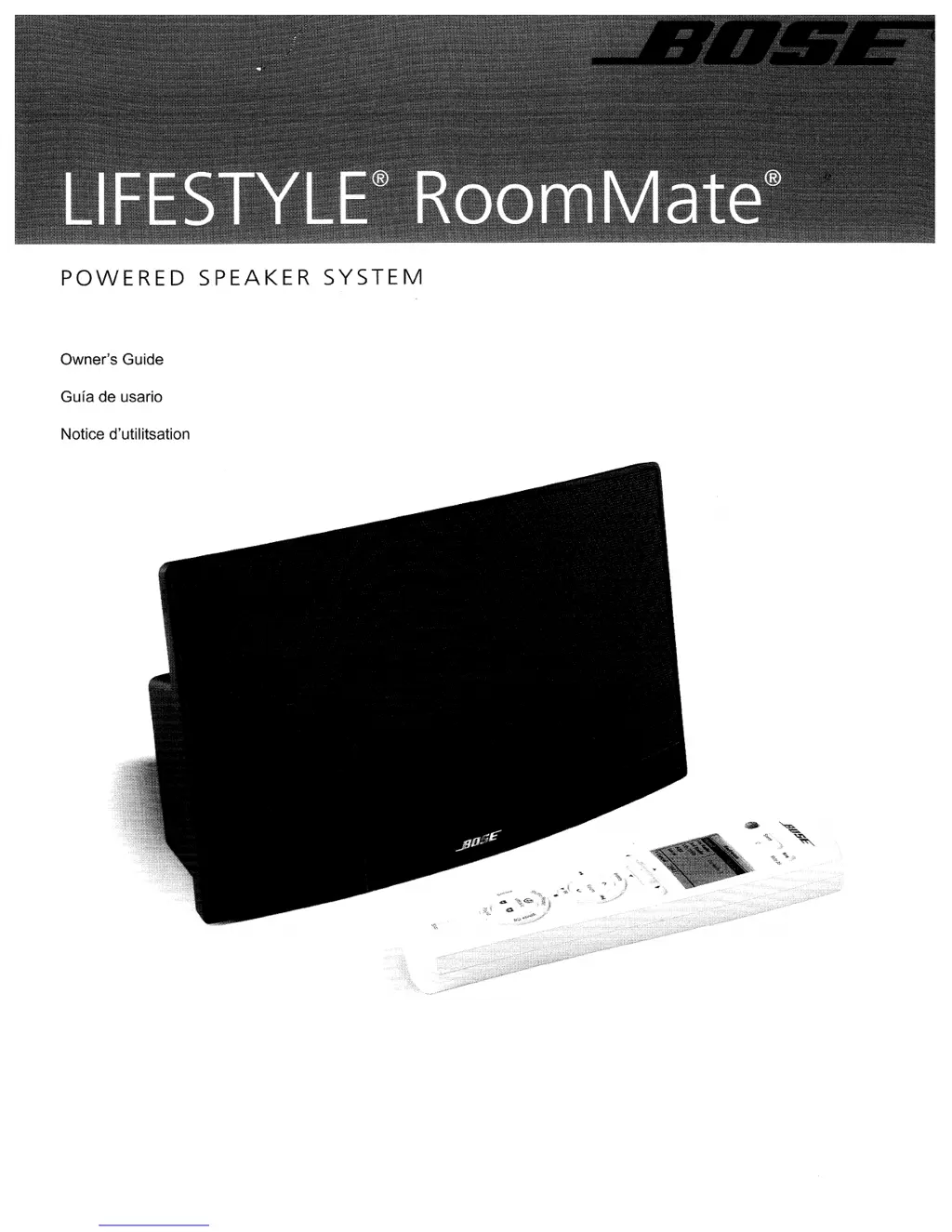
Bose LIFESTYLE RoomMate - User Manual

Bose LIFESTYLE RoomMate
44 pages
Print Icon
To Next Page IconTo Next Page
Loading...
POWERED
SPEAKER
SYSTEM
Owner's Guide
Guia de usario
Notice d'utilitsation

Questions and Answers

  • M
    Misty ValdezJul 25, 2025
    How to fix no sound on Bose Speaker System?
    • E
      Erica ThomasJul 25, 2025
      If there is no sound from your Bose Speaker System, ensure the RoomMate® speaker is plugged in and the Bose® link cable is properly connected. Also, make sure you have selected a source on the PERSONAL® music center II and that the system volume is turned up. Check that the mute function is not enabled on the PERSONAL® music center II or the RoomMate® speaker. Finally, verify that the house code setting for the PERSONAL® music center II matches the house code in the primary remote, and that the PERSONAL® music center II room code setting matches the RoomMate speaker room code setting.
  • J
    Janice LaneJul 31, 2025
    How to fix Bose LIFESTYLE RoomMate when I cannot hear my external source?
    • A
      Ashley YoungJul 31, 2025
      If you cannot hear your external source on the Bose Speaker System, first ensure the cable from the external device is securely connected to the AUX IN jack. Then, verify that the external device is turned on and the volume is turned up.
  • L
    Lance HillAug 5, 2025
    Why does my Bose Speaker System turn on/off unexpectedly?
    • R
      Ryan NelsonAug 5, 2025
      To address unexpected behavior in your Bose Speaker System, check if someone in the main room is using the primary remote and experiencing the same problem. If not, you may be experiencing a control conflict with another nearby LIFESTYLE® system. Changing the house code may solve the problem.
  • K
    Kendra WellsAug 10, 2025
    What to do if I cannot hear my external source on Bose LIFESTYLE RoomMate Speaker System?
    • Y
      Yvonne LopezAug 10, 2025
      If you cannot hear your external source on your Bose Speaker System, make sure of the following: * The cable from the external device is securely connected to the AUX IN jack. * The external device is powered on. * The volume on the external device is turned up.
  • A
    Amanda JohnsonAug 14, 2025
    What to do if my Bose LIFESTYLE RoomMate PERSONAL® music center II doesn’t work?
    • J
      Jessica BoydAug 14, 2025
      If your PERSONAL® music center II isn’t working as expected, try these solutions: First, replace the batteries. If that doesn't work, be aware that the PERSONAL® music center II may not operate effectively in some buildings due to “dead spots”; try moving it a foot or two. Ensure the power supply cord is vertically oriented, stretched to its full length, and separated from other power cords. Moving the LIFESTYLE® media center a few feet might also improve the response. You may need an antenna extender.
  • R
    Rickey BoyleAug 20, 2025
    Why is my Bose Speaker System responding intermittently?
    • T
      Tyler HernandezAug 20, 2025
      If you are experiencing intermittent response from your Bose LIFESTYLE® system, it could be time to change the batteries in your PERSONAL® music center II. Another potential cause is “dead spots” in the building; try moving the PERSONAL® music center II to see if that resolves the issue. You may need an antenna extender.

Summary

SAFETY INFORMATION

Additional safety information

See the additional instructions on the Important Safety Instructions sheet.

INTRODUCING THE ROOMMATE POWERED SPEAKER

Before you begin

An overview of the LIFESTYLE® RoomMate® powered speaker system.

Unpacking

Instructions for checking and preparing system components.

Rear panel features

Description of connectors and switches on the speaker's rear panel.

Front panel mute switch

Location and function of the touch-sensitive mute switch.

SETUP

Connecting the speaker to your LIFESTYLE system

How to connect the RoomMate speaker to the media center.

Connecting additional Bose link products

Guidance for connecting multiple Bose® link products to the system.

Making the power connections

Instructions for connecting the speaker to a power source.

Installing batteries in the PERSONAL music center II

How to insert batteries into the remote control.

Adding an external audio source

Connecting external audio devices to the speaker.

Changing the room code for your RoomMate speaker system

How to set unique room codes for system components.

USING THE PERSONAL MUSIC CENTER II

Your control options

Overview of the PERSONAL® music center II's features and capabilities.

Confirm that current settings are right

Verifying factory default settings for system compatibility.

Basic controls

Explanation of fundamental buttons and their functions.

Getting to what you want

How to navigate the system display and make selections.

What appears on the display

Understanding information shown on the music center display.

What you can do in the source display

Navigating and selecting sources from the display.

Display symbols

Interpreting special symbols shown on the display.

Setup button: use as needed

Accessing adjustable features and display settings.

Buttons to use while you listen

Explanation of remote buttons for listening to audio sources.

Adjustable features of the PERSONAL music center II

Customizing system settings like name, room code, and audio stream.

To change settings for a feature

Step-by-step guide to modifying system feature settings.

The importance of room codes

Understanding how unique room codes enable system control.

When to change the room code

Scenarios requiring a change in the room code settings.

Why would you change the house code?

Reasons for modifying the house code to avoid interference.

Audio streams multiply your options

How to use multiple audio streams for different listening experiences.

LISTENING TO YOUR LIFESTYLE SYSTEM

Performance at your command

Controlling system performance and selecting audio streams.

Playing stored music

How to play music stored on the LIFESTYLE® system.

Common listening actions

Performing various actions like skipping tracks, pausing, and adding to playlists.

Searching the library of stored music

Using the display to search stored music by category.

Using the radio

How to tune and select radio stations.

Using radio presets

Storing and assigning preset numbers to radio stations.

Playing a CD

Instructions for playing CDs and MP3 CDs.

Playing a DVD or VCD

How to play DVDs and VCDs on the system.

DVD;VCD playback actions

Performing actions like skipping chapters, scanning, and selecting by number.

Listening to other sources

Connecting and operating external components like TV or VCR.

Listening to Your Local Source

Connecting and playing audio from an external device via AUX IN.

CARE AND MAINTENANCE

Troubleshooting

Solutions for common issues like non-responsive remote or no sound.

Cleaning

How to clean the speaker and music center.

Contacting customer service

How to contact Bose Customer Service for assistance.

Limited warranty

Details on the transferable limited warranty for the product.

Technical information

Specifications for the RoomMate powered speaker and music center.

Limited Warranty Bose Product

What is covered

Details on parts covered by the Limited Warranty.

Limitation on liability

Legal limitations of Bose's liability regarding warranties.

For how long

Duration of the Bose Limited Warranty for different product types.

What we will do

Bose's commitment to repair or replace defective parts.

What we will not do

Exclusions from Bose's warranty service, such as shipping charges.

What you must do to obtain Limited Warranty service

Steps for obtaining warranty service, including product return.

Exclusive Remedy

Bose's maximum liability and exclusion of indirect damages.

Other conditions

Conditions that may void the warranty, like serial number removal.

Product registration

Importance of registering your product for updates and information.

Bose LIFESTYLE RoomMate Specifications

General IconGeneral
TypePortable speakers
Dimensions (WxDxH)302.5 x 96.6 x 168.9 mm
Audio output channels1.0 channels
RMS rated power- W
Product colorWhite
Remotely operatedYes
Weight and Dimensions IconWeight and Dimensions
Weight5000 g

Related product manuals