5
Bluetooth Audio Streaming
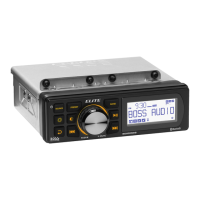
Before you can stream music from your mobile phone to this unit, you
must pair the unit with your mobile phone through Bluetooth.
1. Make sure the unit is connected to an amplier for sound output.
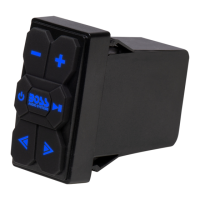
2. Press and hold to turn on the unit. You will hear an audible tone.
- The unit will automatically switch to Bluetooth mode, and the button
backlights will light up blue and ash. This indicates that the unit is
not connected and is currently in pairing mode.
3. On your mobile phone, enable Bluetooth then select “Boss Audio
BPS1RS” to pair the unit with your mobile phone. If prompted for
password, input “0000” on your mobile phone.
- When the unit successfully connects your mobile phone, you will
hear an audio tone, and the button backlights will turn to solid blue.
- If failed to connect your mobile phone, repeat the steps above.
4. Start audio playback on your mobile phone, audio will be streamed to
the unit and will output through the connected amplier.
- The unit automatically connects to the last paired device each time
the two are powered on.
- Hold down to disconnect or reconnect Bluetooth connection.
NOTE: To connect to another device, you have to disconnect the currently
connected device then repeat the steps above to pair with a device.
Playback control through Bluetooth
• To start, pause or resume play, press .
• To select the previous or next track, press or .
• To adjust volume, press or .
- If there is an incoming call during play, music
play will automatically pause. Music play will
automatically resume after the call ends.






 To Next Page