6
AUX Audio Input
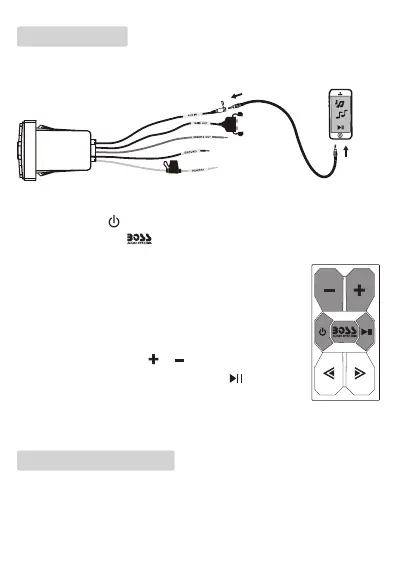
You can input audio from a playback device (e.g. a mobile phone or MP3
player) through the AUX IN socket (3.5 mm).
3.5 mm audio
cable
1. Make sure the unit is connected to an amplier for sound output.
2. Press and hold to turn on the unit.
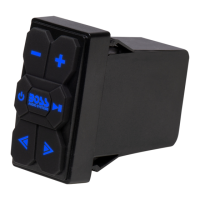
3. Press and hold the button to switch to AUX mode from Bluetooth
mode. The button backlights will turn red.
4. Using a 3.5 mm audio cable (not included), connect
the AUX IN socket (3.5 mm) to the headphone on
your device (e.g. a mobile phone or MP3 player).
5. Start audio playback on the connected device. Audio
will output through the connected amplier.
• To adjust volume, press or .
• To mute or unmute volume, press briey .
- The unit’s buttons cannot be used to select track and
play/pause playback.
Care of the environment
Do not throw away the product with the normal household waste at the
end of its life, but hand it in at an ofcial collection point for recycling. By
doing this, you help to preserve the environment.






 To Next Page