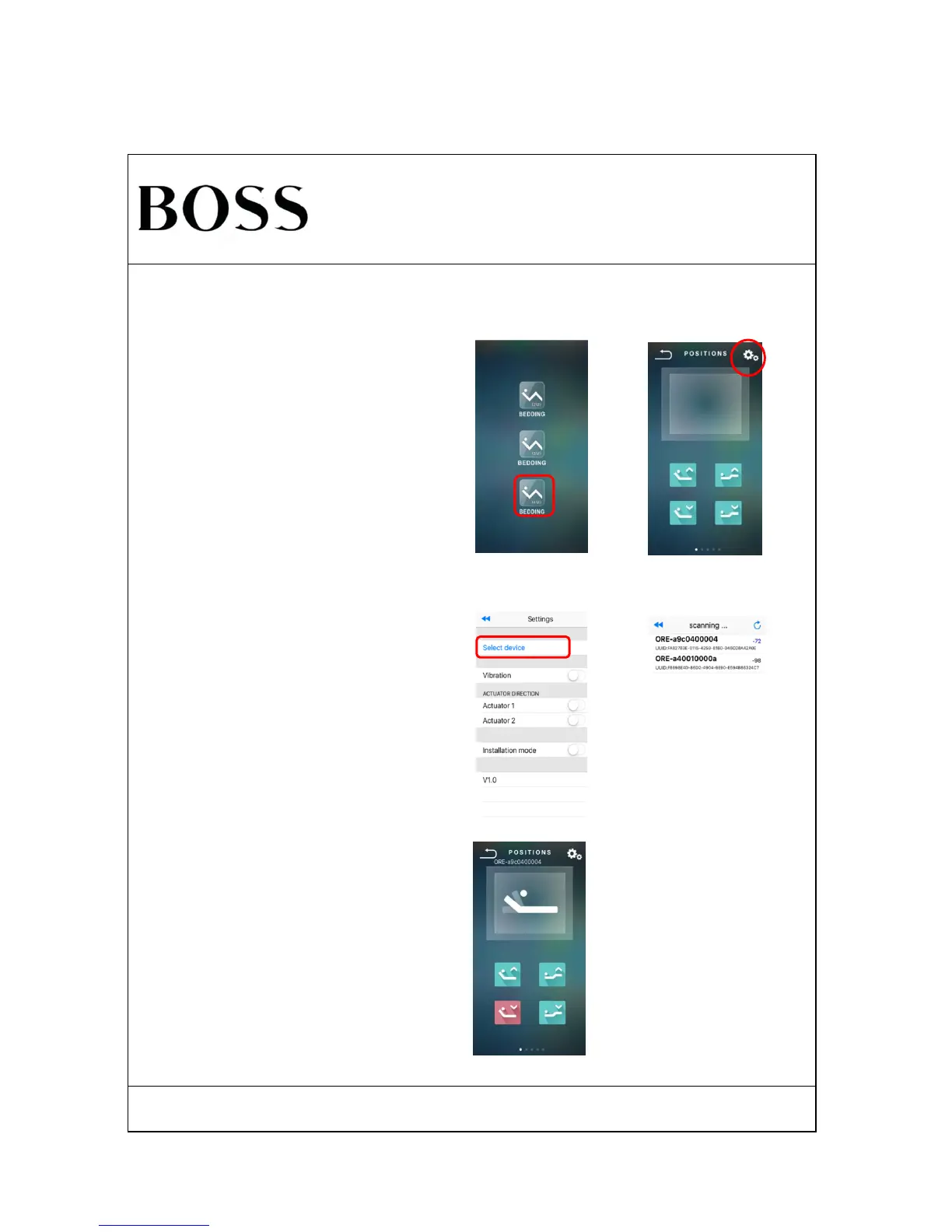
Back to POSITIONS page, the smart device can act all
functions the same as the remote.
Search "Bossbeds" in APP Store( for Apple devices) or
Google Play( for Android), then install software into the
smart device.
Enter into the Settings page after click the setting button
on the right of POSITIONS, select the target the bed with
the named start of "ORE-******", it will be connected.
Open Bossbeds APP, click ( 4M ) BEDDING, will enter
into POSITIONS page.
Insure the smart device bluetooth turned on before using APP.



 To Next Page