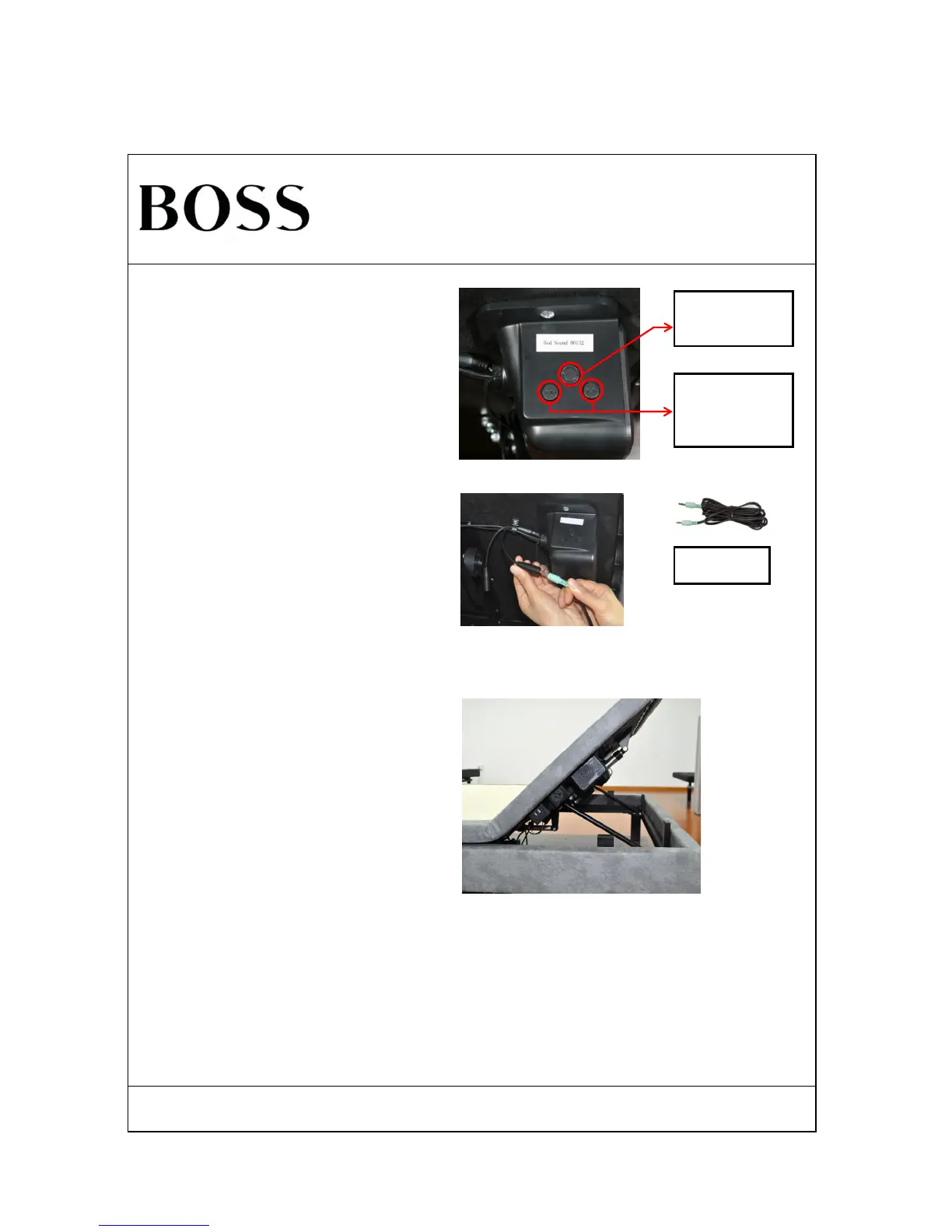
STEP 2: Audio cable connect to base audio
The USB charge and outlet on both side of head position
under the base board can be used normally after the
power supply connection.
USB Charge And Outlet Guide
Attention: disconnect the base from power supply and
bluetooth connection when not planning to use the audio,
USB charge and outlet function.
Press switch button to use the audio cable connect the
device to base audio instead of bluetooth. The base
speaker shares all device audio synchronously.
Bluetooth to Audio
Cable connection
swift button
Press button
"VOL+" /"VOL-"
increase/reduce the
voice respectively
Turn on smart device bluetooth, search the base signal
start the name of "Bed Sound ******" and connect it. The
base speaker shares all smart device audio
synchronously.
Audio and USB Charge Use Guide
STEP 1: Bluetooth connect to base audio



 To Next Page