7
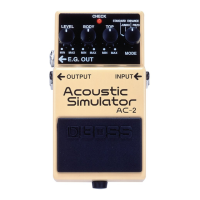
2. CHECK Indicator
This indicator shows whether an effect is
ON/OFF, and also doubles as the Battery
Check indicator.
The indicator lights when an effect is ON.
If this indicator goes dim or no longer lights
while an effect is ON, the battery is near
exhaustion and should be replaced imme-
diately.
3. E.G. OUT Jack
This is an output jack that should be con-
nected to an amplifier or a different effect
unit. It can be effectively used to output the
effect and the direct sound separately. When
the effect is turned on, this jack is muted,
and it outputs the direct sound when the
effect is off. For a detailed explanation
about this jack, see “MAKING THE CON-
NECTIONS” on page 12.
4. OUTPUT Jack
Provides the output from the unit—should
be connected to an amplifier or some other
effect unit.
When there is only one output, connect the
amplifier or the effect unit to this jack, and
the effect or direct sound will be output
depending on whether the effect is on or
off.
When a cable is connected to the E.G.
Output jack, the Output jack will send an
effect sound in the effect mode (when the
effect is turned on) and it will be muted in
the direct mode (when the effect is turned
off). For a detailed explanation, see “MAK-
ING THE CONNECTIONS” on page 12.
5. Pedal Switch
This switch turns the effects ON/OFF.


 To Next Page