99
Wireless Connection with a Mobile Device
Controlling the AC-22LX from a Mobile
Device App
Use the “AC-22LX Editor” app to edit eects and save settings on this unit.
By connecting the EV-1-WL wireless MIDI expression pedal, you can control
parameters such as the volume; and with the FS-1-WL wireless footswitch,
you can wirelessly start/stop the rhythm box, switch between memories
and more.
For details on the AC-22LX Editor, see the BOSS website.
https://www.boss.info/
Connecting to the App
Here are the settings to make in order to use an app on your mobile device.
* Make the connection from the app’s settings, not from your mobile
device’s Bluetooth settings.
1. Turn on the power of the AC-22LX.
2. Place the mobile device that you want to connect close to
the AC-22LX.
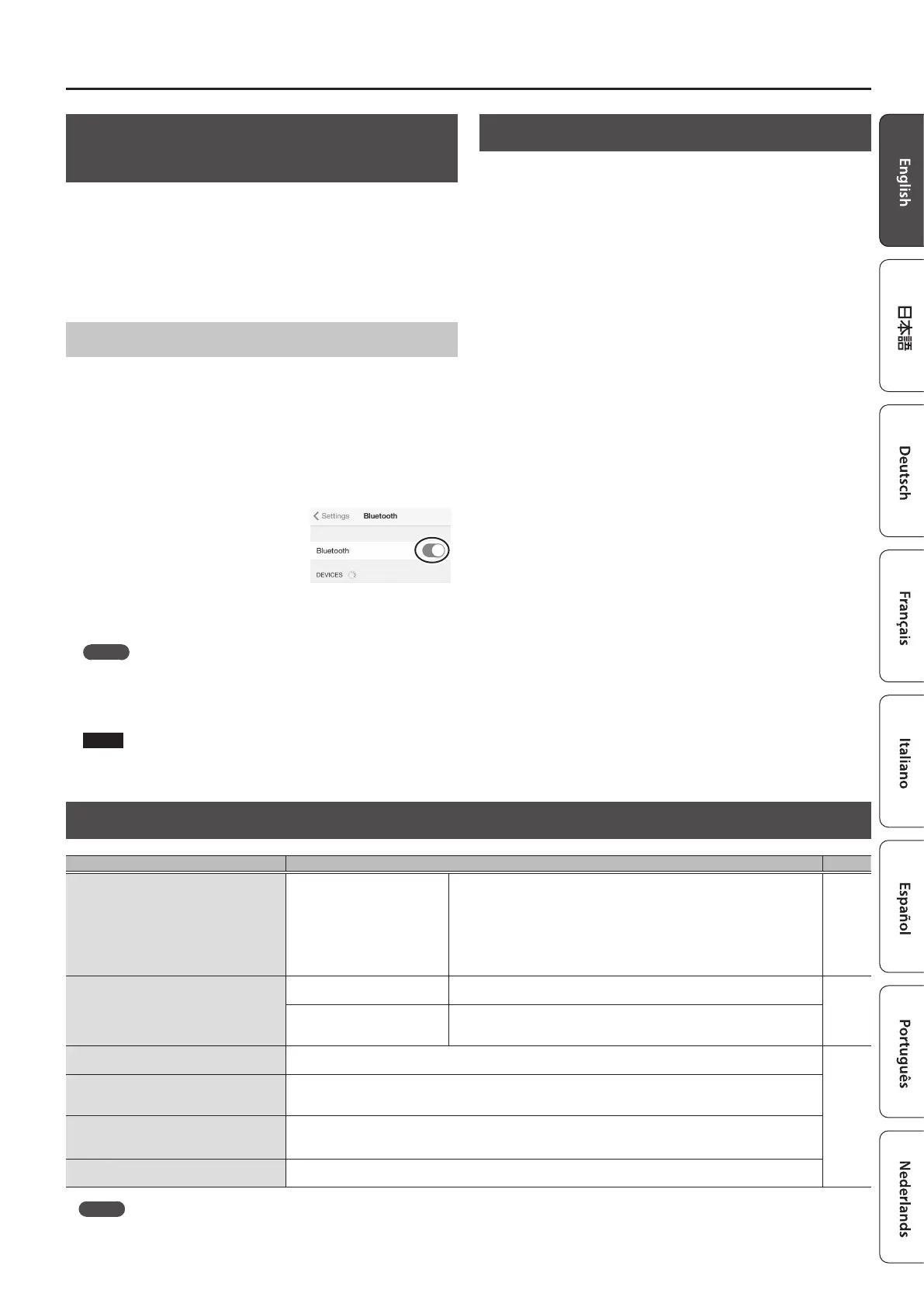
3. Turn on the Bluetooth function
of the mobile device.
* When connected to Bluetooth audio, the Bluetooth indicator on the
BT-DUAL lights up. Note that the unit has not nished connecting
with the app at this time.
MEMO
This explanation uses the iPhone as an example. For details, refer to
the owner’s manual of your mobile device.
4. In the app’s settings, connect to AC-22LX MIDI.
NOTE
Do not tap “AC-22LX MIDI” shown in the Bluetooth settings of the
mobile device.
Disabling Bluetooth Functionality
If you want to disconnect the Bluetooth connection between the BT-DUAL
and your mobile device, disable Bluetooth functionality.
When this unit is not connected to the mobile device via Bluetooth, we
recommend you turn o Bluetooth to save on battery power.
1. Press the pairing button on the BT-DUAL.
The Bluetooth indicator goes dark.
Troubleshooting (Troubles with Bluetooth Functionality)
Problem What to check and do Page
“AC-22LX” does not show up in the Bluetooth
device list on my mobile device
The Bluetooth function might be
turned o (disabled).
The Bluetooth function is enabled when you press the BT-DUAL’s pairing button.
Bluetooth Audio:
A device named “AC-22LX Audio” appears.
Connected to an app:
A device named “AC-22LX MIDI” appears.
Check these settings from within the app, such as the AC-22LX Editor.
p. 8
Can’t connect to Bluetooth audio
If your mobile device’s Bluetooth
device list shows “AC-22LX”
Deregister the device in the mobile device’s Bluetooth settings. Turn the
Bluetooth function o and then on again, and try pairing again.
p. 8
If your mobile device’s Bluetooth
device list does not show
“AC-22LX”
Turn the mobile device’s Bluetooth function o and then on again, and initiate
pairing from the AC-22LX to re-establish pairing.
Can’t connect to an app
Remove the “AC-22LX MIDI” device rst that was registered on your mobile device, turn the mobile device’s Bluetooth
function o and then back on, and then connect using the settings in the app (AC-22LX Editor).
p. 9
In your mobile device’s Bluetooth setting
screen, you tap “AC-22LX MIDI” but can’t
connect to the app
Make the connection from the settings of the app (AC-22LX Editor), not from your mobile device’s Bluetooth settings.
You pressed the BT-DUAL’s pairing button,
but can’t connect to the app
You cannot connect simply by press the pairing button on the BT-DUAL.
In the Bluetooth settings of your mobile device, turn the Bluetooth function on, and then connect from the settings of
the app (AC-22LX Editor).
Can’t connect to a paired mobile device
If the connection breaks immediately after it is established, turning the mobile device’s Bluetooth switch o and then
on again may x the connection.
MEMO
If you’ve checked these points and the problem still occurs, please refer to the BOSS support website.
https://www.boss.info/support/



 To Next Page