EasyManua.ls Logo

Boss AW-2 - Page 3

Boss AW-2
6 pages
Print Icon
To Next Page IconTo Next Page
To Previous Page IconTo Previous Page
Loading...
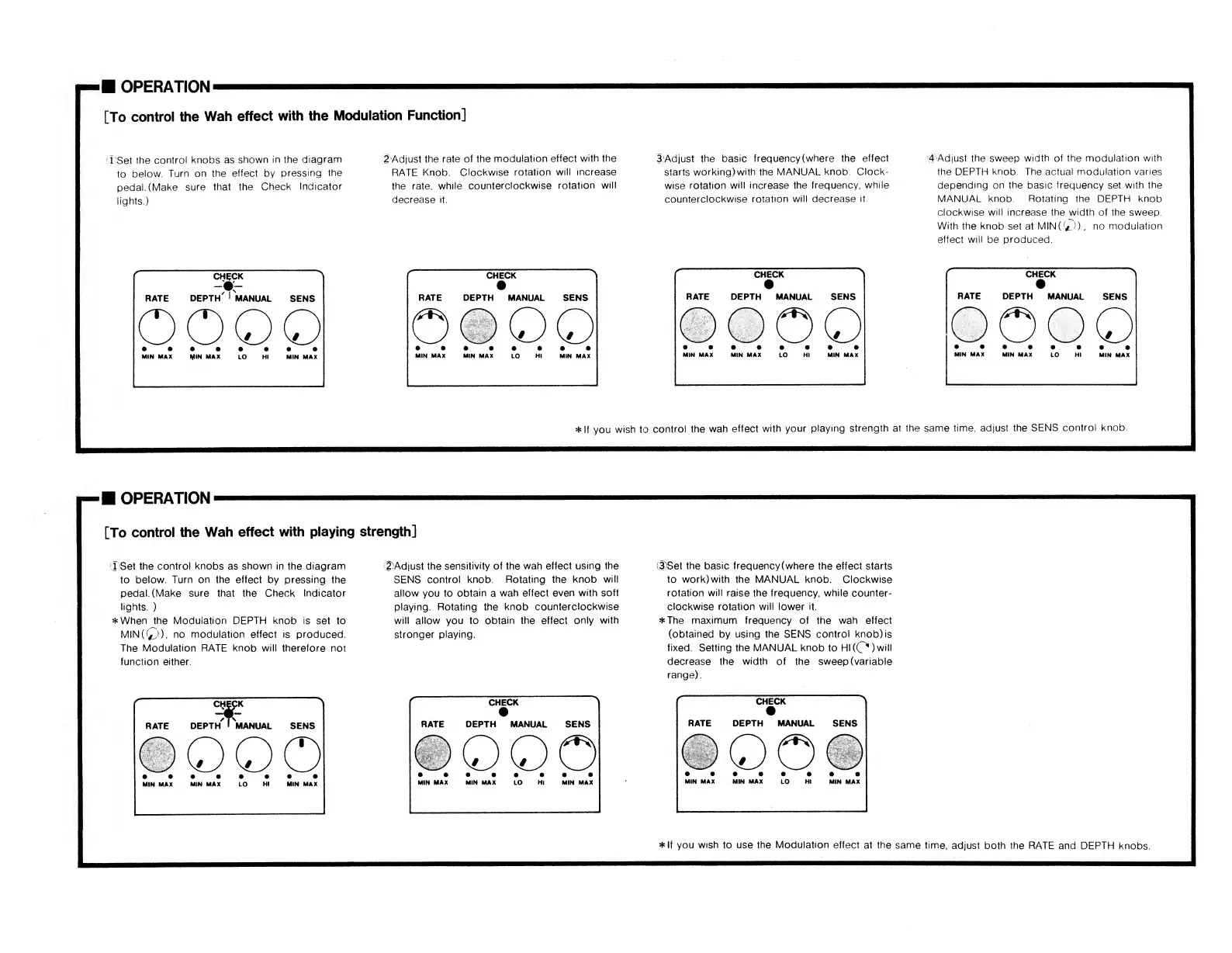
OPERATION
[To
control
the
Wah
effect
with
the
Modulation
Function]
1'Set
the
control
knobs
as
shown
in
the
diagram
to
below.
Turn
on
the
effect
by
pressing
the
pedal.
(Make
sure
that
the
Check
Indicator
lights.)
2'Adjust
the
rate
of
the
modulation
effect
with
the
RATE
Knob.
Clockwise
rotation
will
increase
the
rate,
while
counterclockwise
rotation
will
decrease
it.
*
If
you
wish
OPERATION
[To
control
the
Wah
effect
with
playing
strength]
1
Set
the
control
knobs
as
shown
in
the
diagram
to
below.
Turn
on
the
effect
by
pressing
the
pedal.
(Make
sure
that
the
Check
Indicator
lights.
)
*When
the
Modulation
DEPTH
knob
is
set
to
MIN(Q),
no
modulation
effect
is
produced.
The
Modulation
RATE
knob
will
therefore
not
function
either.
[|)Adjust
the
sensitivity
of
the
wah
effect
using
the
SENS
control
knob.
Rotating
the
knob
will
allow
you
to
obtain
a
wah
effect
even
with
soft
playing.
Rotating
the
knob
counterclockwise
will
allow
you
to
obtain
the
effect
only
with
stronger
playing.

Related product manuals