INSTRUCTIONS INSTRUCTIONS
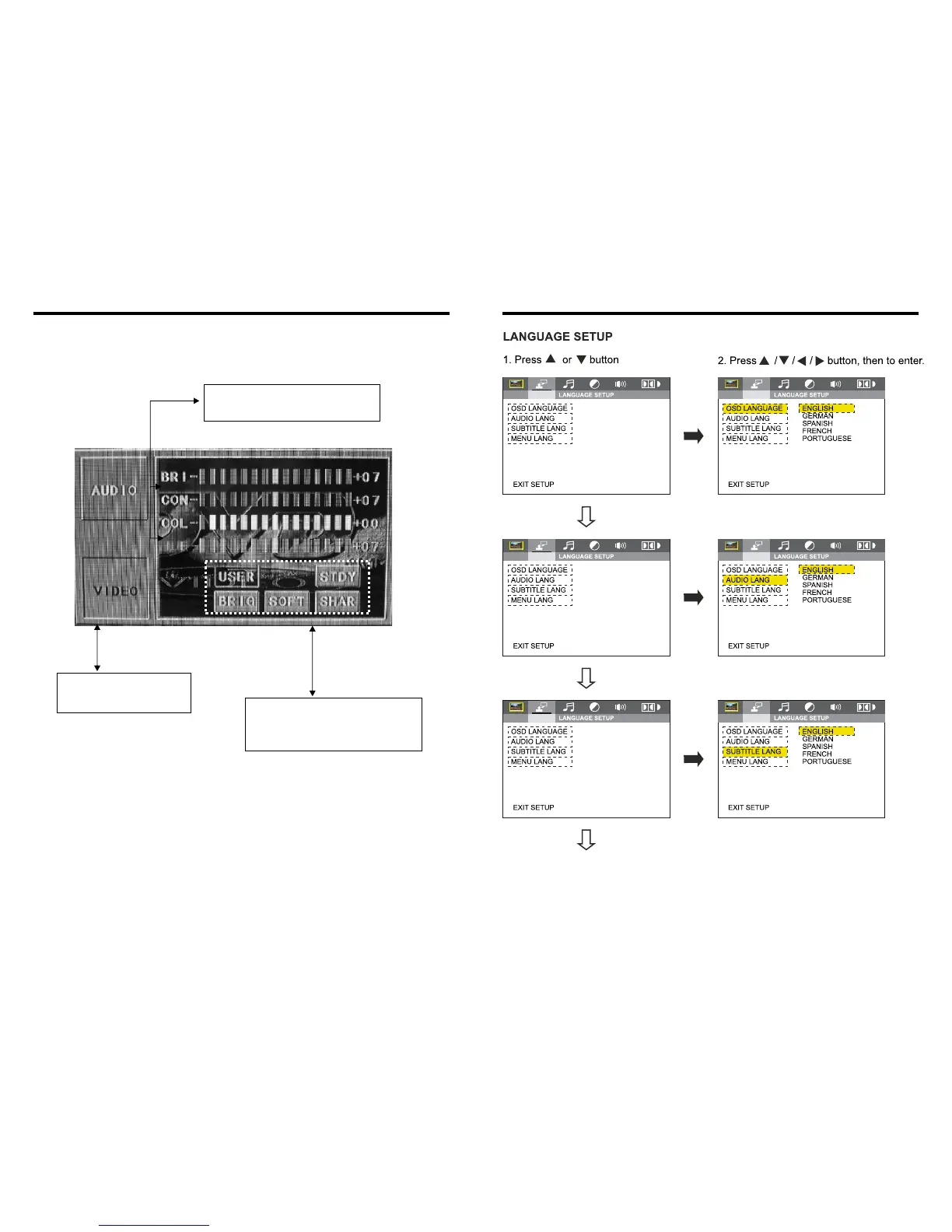
VIDEO SETTING ON TOUCH SCREEN
Image mode: You can choose the area in the
broken line on the panel, standard, defined,
soft, according what you need to choose,
the blue back light will disappear.
You can choose: Brightness, Contrast, Color,
Hue, adjust the image effect according to
your sight. The blue bar will show your level.
Video mode: When using this
function, the position will be darker
on the screen.
LATIN
LATIN
LATIN
18
27


 To Next Page