INSTRUCTIONS
23. ANGLE Button
In DVD mode, press this button to change
play angle.
24. SETUP Button
In audio mode, press this button to choose
different set items.
25. OSD Display
Press this button to display the title chapter
and the left time.
26. ZOOM Button
In DVD/VCD mode, press this button to
ZOOM in.
27. MENU Button
Press button to back to the main menu.
28. DSP
Press this button to show the time.
BATTERY CHANGE
When control distance of remote control
becomes shorter or no function, please
change battery. Please confirm polarity
before change.
14. 0-10+ Button
Press this button to choose desired song
section、preset stations.
Decimal numbers, for example the 19th
song, press 10+ and 9 button.
15. AMS / RPT Button
In radio mode, press this button to browse
stored stations.
In audio mode, press this button to play
repeatedly.
16. TITLE Button
In DVD mode, press this button to play
back to the top menu of disc.
17. AUDIO Button
In DVD mode, press this button to switch
language of dialogue.
In VCD mode, press this button to choose
left track、right track and stereo.
18. GO TO Button
In DVD mode, press this button, you can
define playing time.
19. SUBTITLE Button
In DVD mode, press this button to switch
language of subtitle.
20. PBC Button
In VCD mode, press this button to display
all song menus, work with number button
to choose songs.
21. UP、DOWN、LEFT、 RIGHT、ENTER
Button
When playing MP3、USB、SD returns to
song menu, up、down selections can be
up / " " button or down / " " key to
select up and down, select and press " "
key to confirm.
The selected tracks can be played. Press
the left or right arrow keys to " " or " "
key, can be on the next page function
operation.
、
22. SLOW Button
In audio mode, press this button to slow
backward and slow forward.
One hand press stopper, then pull out
battery.
Put battery into controller.
Insert battery holder into controller.
When the ignition switch is put in ACC or ON position, Press [ ] button on the front
panel to turn on the unit. After the host starts, hold [ ] button for 3 seconds, the host
will turn off.
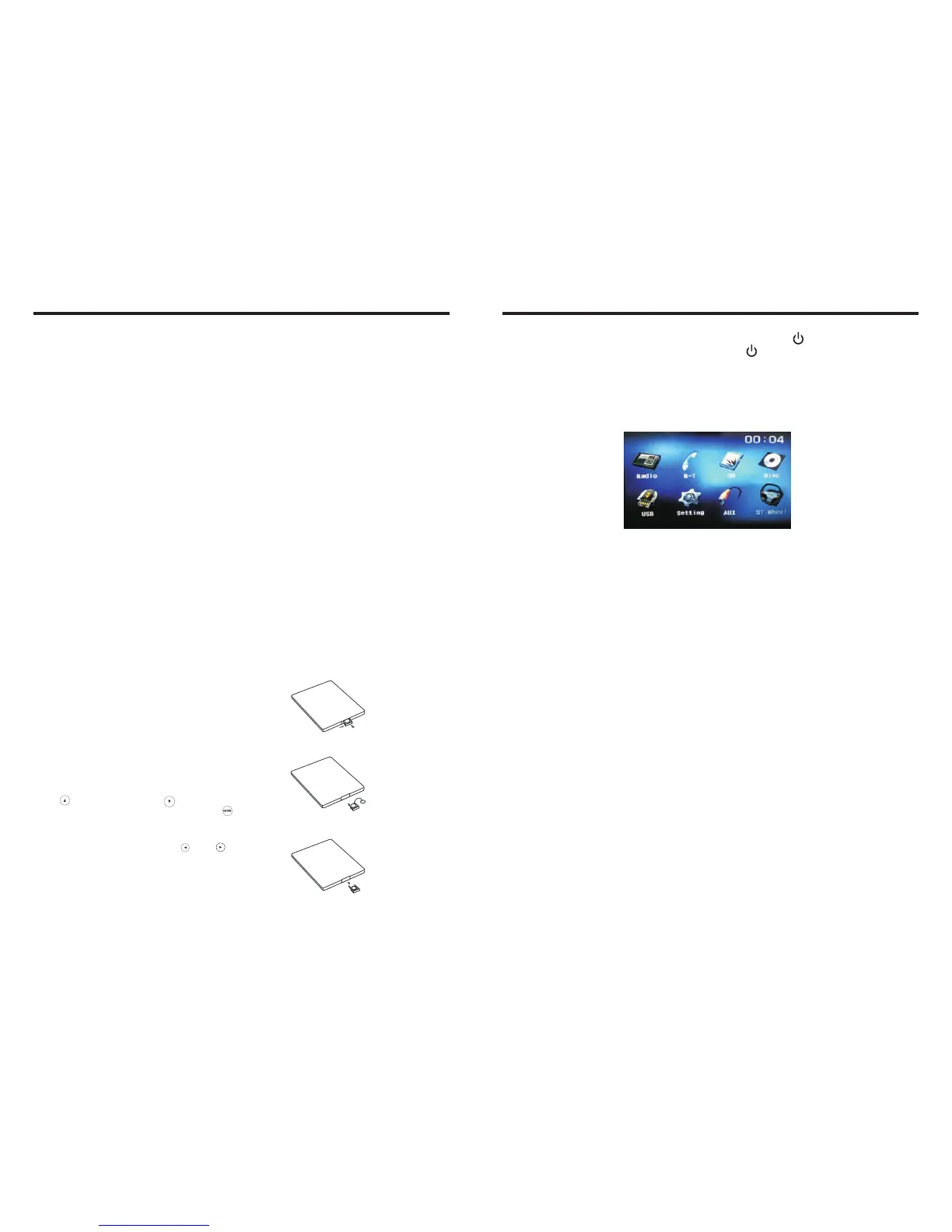
Access main interface
Turned on, the interface to return the icon to switch to the main interface. As shown
below:
Touch the function icons so as to access the corresponding function operations.
USB/SD Card Operation
When there is a USB device/SD card connected, the unit can conduct the playback of
audio/video/image files in the USB device/SD card.
Insert/Eject USB storage device
1. Connect a U disc recorded with media information to the unit by a USB connecting
cable.
2. When there is a need to eject the USB device, exit the USB device playback screen
first, and then take out the device.
Insert/eject SD card
1. Insert a SD card recorded with media information into the SD card slot in the unit
correctly until it is locked.
2. When pulling out the SD card, exit SD card playing state first, then press the SD card
and it shall pop up after unlocking.
Enter/exit
Insert a USB storage device or SD card to automatically play data contained in it. If the
unit has connected with a USB device or SD card, touch [USB] icon in the multimedia
interface to enter into the external storage playback interface; Touch [SD] icon to enter
into the SD card playback interface. During playback, touch the top center area of the
screen to pop up the touch menu, operate touch menu to perform various playback
controls.
Play
After SD card/USB removable device being read out, the operation methods are similar
to disk operation methods.
Turn on/off



 To Next Page