Basic Operation
When the monitor turns downward to
a certain angle, it will draw in .
FIG.6
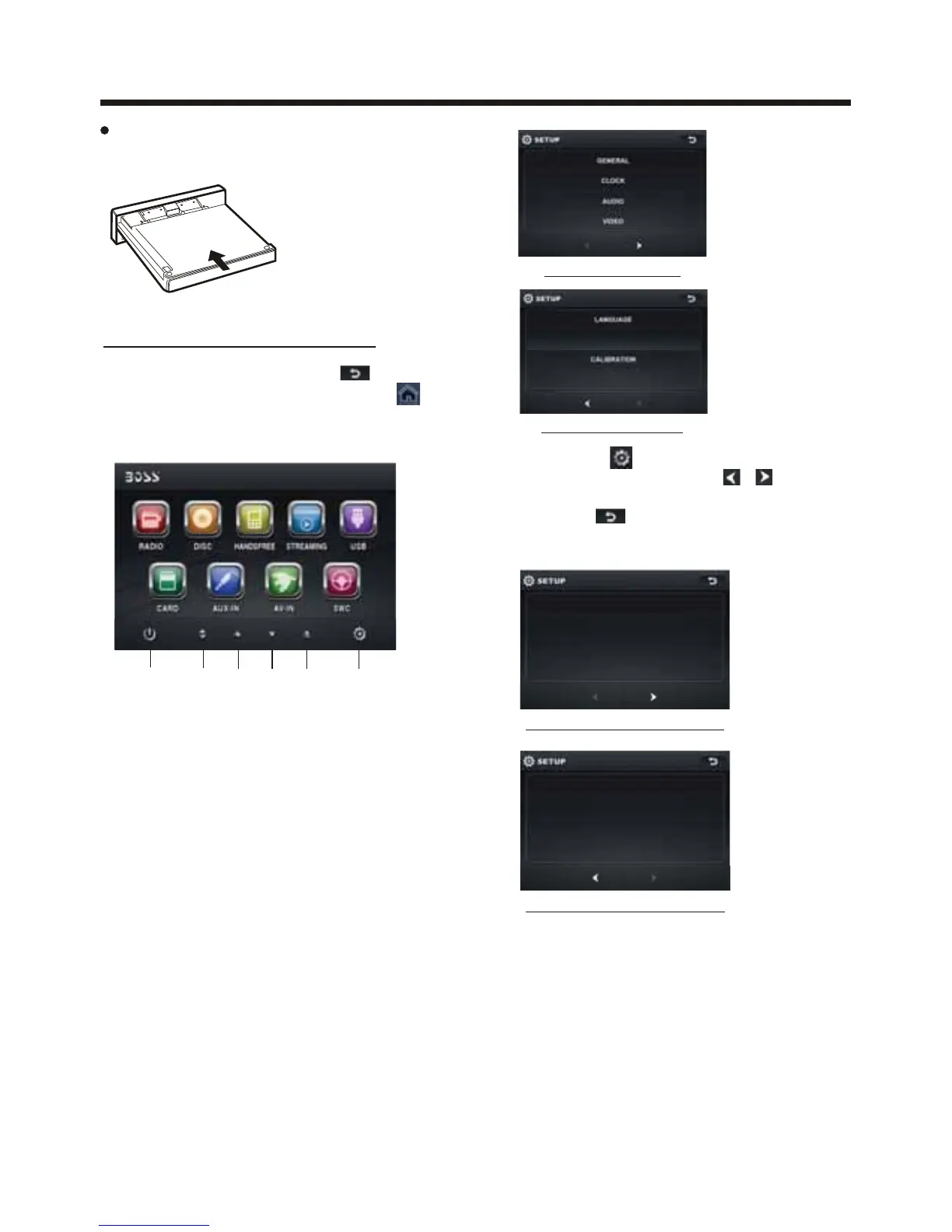
Main Menu Operation
In many modes, touch the icon
or In DVD/VCD mode , touch the
range to enter the main menu,
the message like following as below.
1. POWER icon
In any modes, touch
the POWER icon
to switch the unit off . The monitor will
draw in automatically .
2. UP icon
Touch this icon to adjust the angle of
the monitor upward until your desired
angle .
3. CLOSE icon
Touch this icon to Close the monitor .
4. DOWN icon
Touch this icon to adjust the angle of
monitor downward until your desired
angle .
5. EJECT icon
Touch to allow for inserting or ejecting
disc.
6. SETUP icon
Touch to enter the SETTING mode,
the message will display as follow :
General setup interface2
GENERAL
WALLPAPER ...
BLUETOOTH ON
ABOUT
...
ADJUSTABLE ITEMS:
ANIMATION
In RADIO mode, you can change the
playing time of animation among of
“OFF, 10S, 30S, 1M,90S, 2M, 3M and 4M ”.
Note:
Please set the playing time of the
animation to “ 10S ” for the first, when
you turn the unit on .
KEY BEEP : ON or OFF.
Tou c h the “ ” section on the
setting menu, touch the “ / ” ranges
to select the adjustment item,
Tou c h the “ ” icon to return to the
previous playback .
Setup interface 1
GENERAL
ANIMATION 2 MINUTE
KEY BEE P ON
DISC ...DISC ...
RADIO .. .
General setup interface1
(3)
(1)
(5) (6)(2) (4)
10:00 AM10:00 AM
Setup interface 2
ILLUMINATION COLOR



 To Next Page