Touch Screen Operation
AV Operation
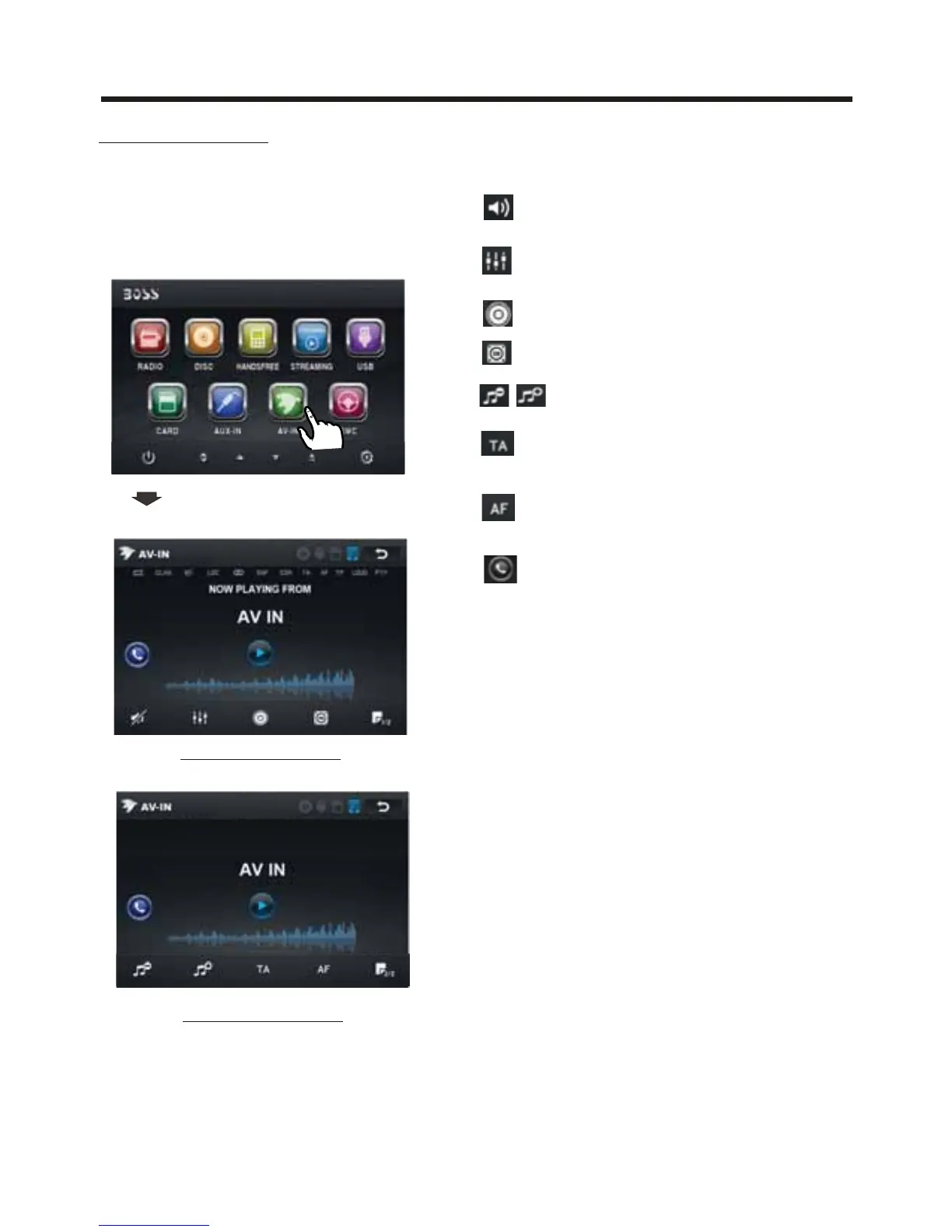
Please plug the RCA <Video input >
on the back of the unit .
Touch the AV IN icon to enter the AV IN
mode.
AV INTERFACE 1
Now you can watch the video from your
External video equipment such as
Digital Video players, computers, etc.
The function of the icons as follow:
Ta p to mute the sound.
Ta p to select EQ as the same on the
remote control.
Ta p to turn LOUD on
or off.
Ta p to select subwoofer frequency.
Ta p to adjust audio volume.
Turning pre-switching for traffic
announcements on and off
Switching on and off an
Alternative frequency
Ta p to turn to BT PHONE mode.
(after pairing and connecting a mobile
phone with bluetooth function).
Note: To ensure safety while driving and
to comply with lows, drivers should
not watch video or operate the
video device while driving.
10:00AM
10:00 AM10:00 AM
AV INTERFACE 2
10:00AM



 To Next Page