10
Using the Tempo Delay
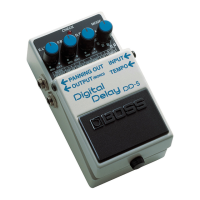
Tempo input allows you to set the delay time to match the tempo
of a song by repeatedly pressing the pedal switch in time with the
desired tempo. You can also use this method to change the delay
time to any setting you like as you perform.
Using tempo input, the delay time can be set within the range of
0.2–3.2 seconds.
* With long delay, the maximum setting is 6.4 seconds.
Setting the tempo using the built-in pedal
1. Select the mode
Use the MODE knob to select the mode to be used.
* Tempo input cannot be used in HOLD mode.
2. Switch to TEMPO mode
Hold down the pedal switch for at least two seconds (the CHECK
indicator lights green).
* When an optional external footswitch (the FS-5U) is
connected to the TEMPO/EXP jack, you won't be able to enter
TEMPO mode by pressing the built-in pedal.
3. Begin inputting the tempo
Press the pedal switch in time with the song tempo (the CHECK
indicator ashes red and green).
* The timing with which you press the pedal is converted to
quarter-note beats.
4. Finish inputting the tempo
Hold down the pedal switch for at least two seconds to complete
the setting (the CHECK indicator lights red).
* The tempo may become confused momentarily when you go
from Step 3 to Step 4.
* Turning the D.TIME knob resets the delay time to that
indicated by the knob’s position.
Setting the Tempo Using an External Footswitch
Connecting an optional footswitch (FS-5U) to the TEMPO/EXP jack
lets you set the tempo delay by inputting the tempo.
* You can input the tempo with the external pedal regardless of
whether the eect is on or o.
1. Connect the FS-5U to the TEMPO/EXP jack
* Use a connecting cord with a 1/4” phone plug.
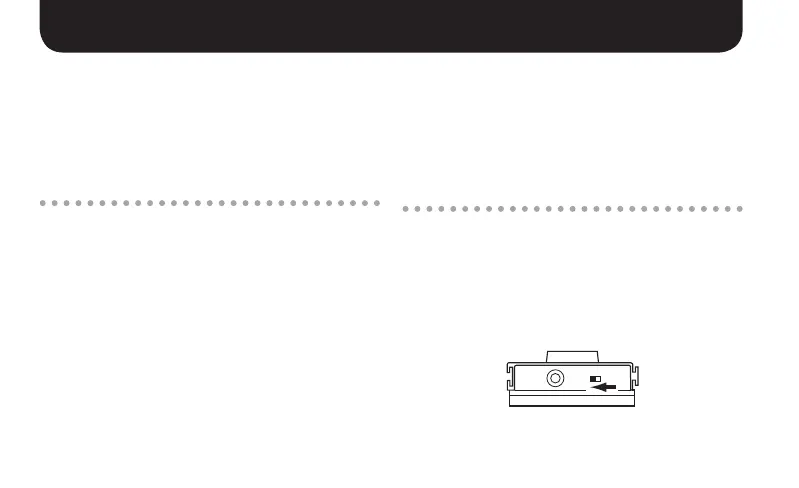
* On the FS-5U, move the polarity switch toward the jack.
* The FS-5L cannot be used.


 To Next Page