17
Advanced Use (Settings)
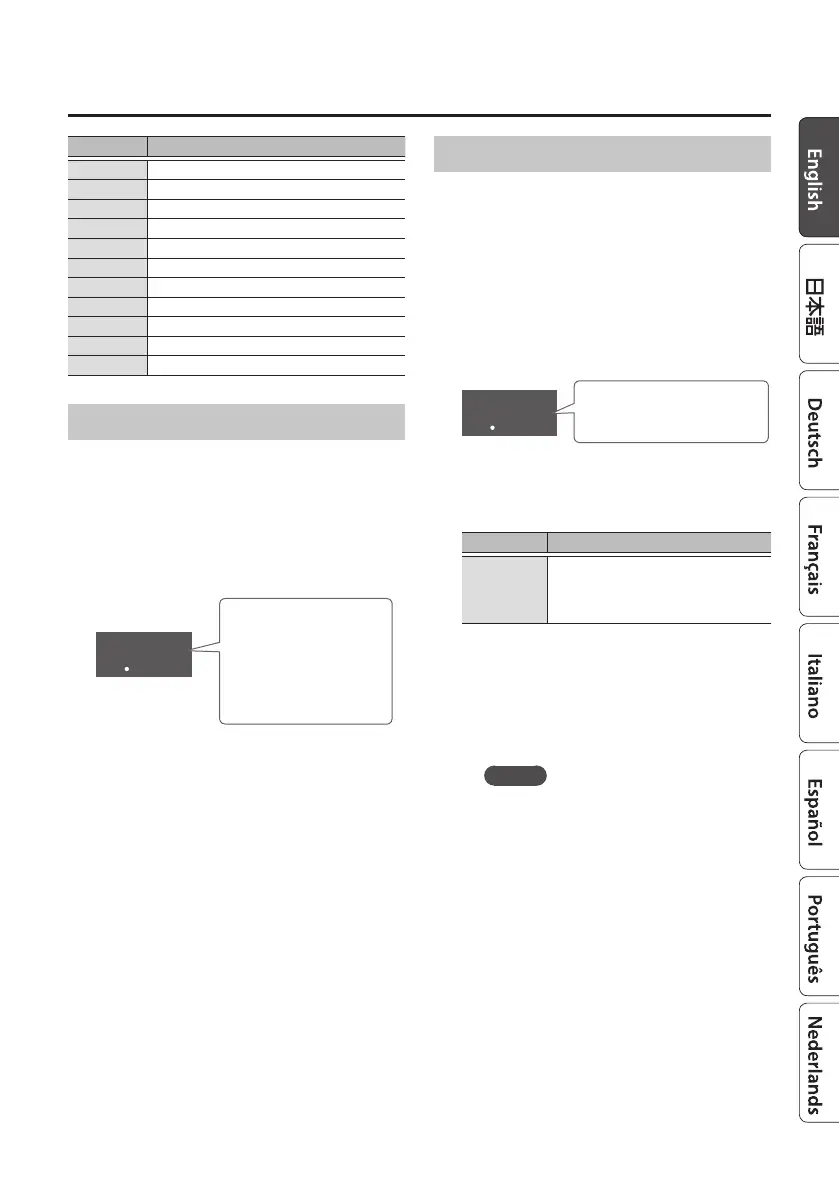
Indication Percussion sound
n.45
Metronome
n.46
Stick
n.47
Voice one
n.48
Voice two
n.49
Voice three
n.50
Voice four
n.51
Metronome beep 1
n.52
Metronome beep 2
n.53
Metronome beep 3
n.54
Ending (Cajon)
n.55
Ending (Drums)
Assigning a Favorite Number
1. After step 1 of “Assigning
Functions to Pedals” (p. 15), press
the [FAVORITE] button.
The [FAVORITE] button and VARIATION [I]
[H] buttons are lit, and a favorite number is
displayed.
f01
Favorite number
(blinking)
The favorite number
recalled by the pedal
is displayed.
2. Use the VARIATION [I] [H] buttons
to select the favorite number that
you want to recall using CTL1.
The selected favorite number (F.01–F.50) is
assigned to CTL1 (pedal B).
3. Press the [L] button.
Power-o the DR-01s.
The next time you turn on the power, you
can recall the favorite number that you
assigned to the pedal.
Assigning a Break Function
The rhythm breaks (pauses) over the specied
number of measures.
1. After step 1 of “Assigning
Functions to Pedals” (p. 15), hold
down the [BEAT] button and press
the [COUNT IN] button.
The VARIATION [I] [H] buttons are lit, and a
break length is displayed.
b01
Break length (number of
measures)
2. Use the VARIATION [I] [H] buttons
to select the length that you want
to break.
Indication Explanation
b.01
:
b.08
The rhythm breaks over the
specied number of measures.
3. Press the [L] button.
Power-o the DR-01s.
The next time you turn on the power,
you can use the break function that you
assigned to the pedal.
MEMO
5 The display shows “br” during the
break.
5 You can’t assign the break length for
CTL1 and CTL2 individually. If you
change the break length, the same
length is specied for both CTL1 and
CTL2.











 To Next Page