18
Advanced Use (Settings)
Changing the Color of the Tempo
LED
You can change the color of the tempo LED to
suit your preference.
1. With the DR-01s powered-o, hold
down the [COUNT IN] button and
press the [L] button.
The DR-01s powers-on in a special mode
that lets you change the color of the tempo
LED.
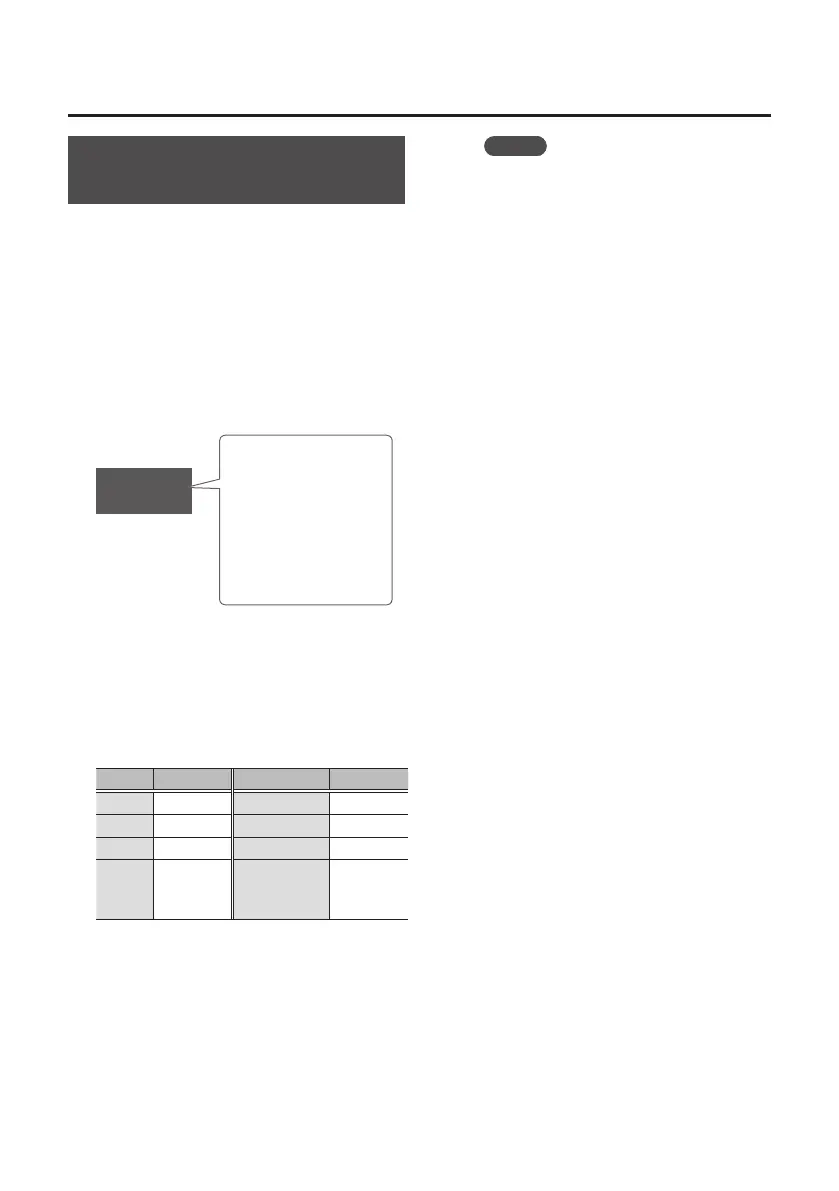
r/g
Tempo LED color
Left: Color of the
strong beat (rst beat)
Right: Color of the
weak beats (second
and subsequent
beats)
2. Use the VARIATION [I] [H] buttons
to select the color of the strong
beat, and use the VOLUME [I] [H]
buttons to select the color of the
weak beats.
You can choose from the following colors.
Color Indication Color Indication
Red
r
Pink
p
Green
g
Light blue
c
Blue
b
White
w
Yellow
y
Unlit
(does not
illuminate)
n
With the factory settings, this is set to
“r/g” (strong beat: red, weak beats:
green).
3. Press [L] button.
When you turn the power o and then on
again, the tempo LED blinks with the colors
you specify.
MEMO
The tempo LED blinks while you make
this setting. At this time, you can use
the TEMPO [I] [H] buttons to change
the speed of blinking.











 To Next Page