12
Operation
Changing What Is in Memory Before Storing
Do not switch off the power while a write operation is in progress.
1.
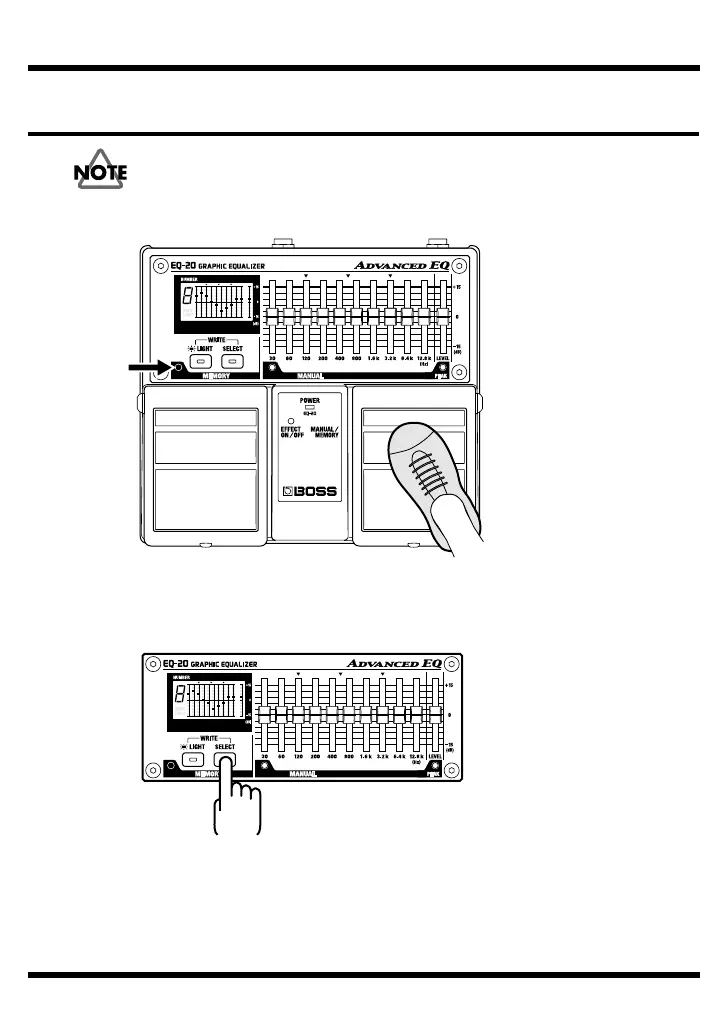
Press the MANUAL/MEMORY pedal to change to the “MEMORY.”
fig.14
2.
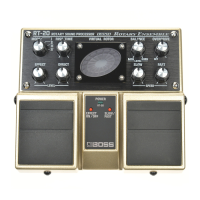
Press the SELECT button to choose the number of the memory you want to change.
* Holding down the SELECT button makes the memory number change automatically.
fig.15
3.
Operate the equalizer sliders or the level slider to change the equalization.
The display shows the positions of the sliders stored in memory.
When you operate the sliders, the present positions (settings) flash until they
match the setup stored in memory.
Illuminated


 To Next Page