14
Part Names and Functions
Front Panel
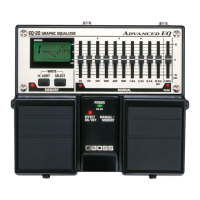
fig.18
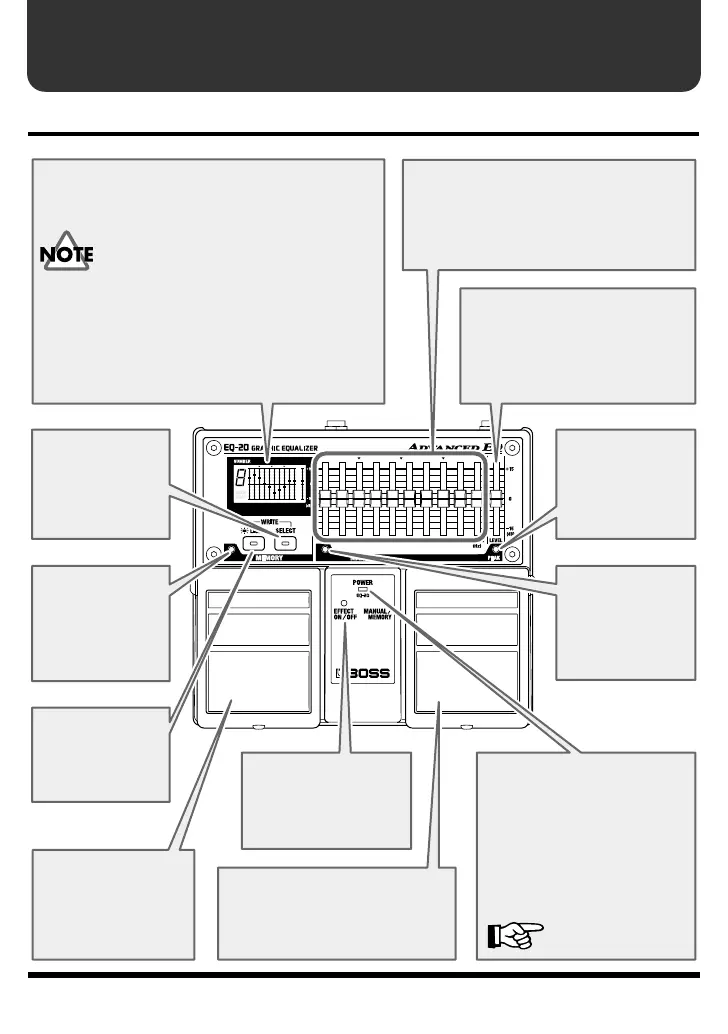
Level Slider
This corrects differences in
level relative to whether effects
are on or off within a range of
plus or minus 15 dB.
PEAK Indicator
This lights up
when the signal
is at 6 dB before
clipping.
MANUAL
Indicator
This lights up
when set to
“MANUAL.”
MEMORY
Indicator
This lights up
when set to
“MEMORY.”
LIGHT Button
This turns the
display backlit on
and off.
SELECT Button
This changes the
memory number.
Hold down to
change rapidly.
Display
This displays the memory number (1 through 9)
and the settings in it.
This lights up when you turn on the
power or manipulate the memory
section, then goes dark about 20 seconds
after you stop operation. This is a
feature that helps save battery power. If
you want it illuminated constantly, press
the LIGHT button to make it light up.
* Please be aware that the batteries may run down
faster than normal.
Equalizer Sliders
Provide for adjustment at 30 Hz, 60 Hz,
120 Hz, 200 Hz, 400 Hz, 800 Hz, 1.6
kHz, 3.2 kHz, 6.4 kHz, and 12.8 kHz
within a range of plus or minus 15 dB.
EFFECT ON/OFF
Pedal
Each press of the
pedal switches the
effects on or off.
MANUAL/MEMORY Pedal
Each press of the pedal
switches between “MANUAL”
and “MEMORY.”
EFFECT ON/OFF
Indicator
This lights up when
effects are on.
POWER Indicator
This lights up when the
power is on. If this gets dim or
fails to light up when the unit
is running on battery power, it
means that the batteries are
depleted. Replace promptly
with fresh batteries.
“Installing Batteries”
(p.4)


 To Next Page